We can't find the internet
Attempting to reconnect
Something went wrong!
Attempting to reconnect
Analysis Summary
Worth Noting
Positive elements
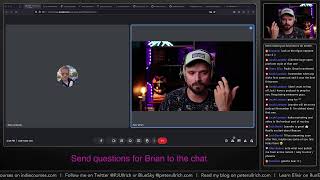
- This video provides a realistic, unedited look at the setup and initial development hurdles of using LiveView Native, which is valuable for developers evaluating the framework's ergonomics.
Influence Dimensions
How are these scored?About this analysis
Knowing about these techniques makes them visible, not powerless. The ones that work best on you are the ones that match beliefs you already hold.
This analysis is a tool for your own thinking — what you do with it is up to you.
Related content covering similar topics.
Transcript
e e for h all right how is everybody doing is anybody there already you know shoot me a [Music] message boom hey y very good thank you you caught me very good how you doing are you doing fine oh cool so uh you it will be super valuable then because I have no freaking clue of to how to do anything with this I mean I I built a little IOS app way back when when uh Swift UI was just announced uh but since then I I haven't really touched anything iOS related so I'm very curious to see how actually um life you native you know how easy it makes us uh makes it to build little apps I mean nothing complicated right um the project that I that I have in mind here is just a habit tracker so that I have a calendar view and in there I can kind of say well on this day I went to like the gym so like workout category and then I had a gym or like training or I had a running training that's the two trainings I'm doing uh so honestly I'm just building that stone for myself to be honest because uh I have not yet found a good habit tracker that is just simple right where you just like have a form you just say well I've done X on this day and then I want to have a calendar view and in the calendar view I want to have little color dots and the color dots show me what I've done on which day right and there may be some like basic statistics like you went to the gym three times this month whatever you know kind kind of that stuff all right cool lots of code reviews meetings today well and now you're here watching me like you're just you're just interacting with people on the screen all day don't you want to write some code or is it is it maybe one of these days where you your brain is so fry that you just can't do anything except for uh except for watching somebody hello hello it's awesome thank you very much well I do hope that you will enjoy this whole thing I'm just uh going to fix my light here a little bit you know I had a completely forgot that um I had a what is it called a power outage the other day and uh the problem is that um my my lights they just lose the the setup what's this this should be on ah now you can see me better Oran this is really cool I have the the U you know so I can highly recommend if you want to do anything with light in a in like a home studio like this just invest the money into Philips U and then you know you have like One controller and you can just control everything with it's it's super smart yeah so do we have more colors now yes yes color color good now we have some nice purple in the background U light spotlight okay cool that should be good enough all right so ah man there's so many people already so um I would say let's get started eh let's uh have a little sip of coffee and uh get started also I I saw that my twitch clone is still running look at that you know we built that last time this was our our last project sorry I hope I don't have my voice yeah um well yeah last time that's what you build we buil a twitch clone so now you can actually see me on Twitch minus clone. fly. Def and that's where like this whole thing is still streamed I'm I'm still very impressed by this I'm very happy I'm just sad that we couldn't continue there I I don't know I ran into through a block um and I also reached out to the membrane team but I guess they were busy with other things um well I only reached out to to lucash on on Twitter sorry Matos uh because we had that issue right with like whisper um where we had like one input so my OBS is sending the rtmp input and then that actually gets um converted into an hls stream which is what we're seeing here it's just like files basically that your web player like a player in the web browser knows how to fetch and play uh but then we had that input output pipeline already used and we I didn't know how to like kind of tee off another output stream so that we could run it through whisper and do life uh transcriptions right uh so yeah I didn't uh we didn't get to that part but I thought you know like let's rather start with a new project uh this one was already fun enough it's working still you can see it here so uh let's just do the infinite Peters here you know I'm just going to just going to attou myself over there like uh play around with my nose you don't see it yeah anyway some coffee and then we get started with live un native all right cool has anybody of you already worked with life you native I mean I see here that somebody already had the dockyard Academy videos actually I never never seen the docyard academy hang on but I heard it's pretty good dockyard Academy look at this Elixir is growing it's time for you to grow with it that is true and you can sign up okay uh oh okay it's not open well it's open source yeah here curriculum newsletter block cool the curriculum example projects oh from Brooklyn yeah of course get started cool yeah I mean this is a really cool resource uh if you want to if you want to get into Elixir awesome yeah yeah live [Music] VI awesome pops yeah everything you need really to get started and also a couple of examples right it's like a a bunch of example projects like a Blog a newsletter book search a journ Journal a pic chat what is that building a pcture sharing chat application interesting cool all right go go check out the doyard academy if you want to learn more about elix here right see uh yeah let's get started with this I mean I don't know so I went to the GitHub of Life un native here and I I'm kind of hoping let's go to Hees instead to the keeks documentary so um yeah so this is how you get started I guess getting started all right yeah you just need to install these dependencies and then you run the setup and you have a couple of clients live native enables client framework such as Swift UI okay so you can do all the iPhone iPad Apple TV that was funny Apple Vision Pro you know when The Vision Pro came out I think Brian uh made a video like a little video on on Twitter and said well like we can program for the Vision Pro with with elixir with life you which is funny right a they even support the Android family now that's that's pretty awesome yeah and of course like what I've learned is that you can't just Port your existing HTML to life your native and expect it to work uh that was my misunderstanding and Brian um cleared it up for me I think that's how you call say it thank you very much Bri for letting me know so previously I thought that basically you can write the live view like HTML in the normal web live view and then you kind of just copy paste it to the live you native and it will also use like Tailwind CSS for example you know it's still like um normal HTML but that is not the case it actually looks very much different um I'm not sure whether we can see that somewhere here in some examples how that looks like yeah here for example you can see that we now use um like text this for example is like an element from Swift UI it's not just an A P paragraph HTML tag right it's it's actually a text tag that's a swift UI tag so we can't just use um yeah common HTML anymore okay all right life your native we got a block here creative first live you native okay that's the the start okay well thank you very much that sounds like a a great idea I'm just going to I'm just going to go through this one here uh Pages yeah I'm just going to because these are the official docs on GitHub so I'm just going to do this first but I guess maybe they also yeah they also add that here okay all right well first of all we need to create a new application anyway so uh let's go on GitHub right we need to have a GitHub repository repository what should we call it uh Habit tracker live you native it's public so you can also look at it later and of course it's just MIT if you want to use that okay so mean all righty so I guess we just create a normal application right so we just do mix Phoenix new um here and we just going to call it app nothing crazy okay and then we need to we need to add the dependencies um here hell watch your ass Target okay all right these dependencies okay here mix uh oh I also have to open this thing hang [Music] on this one open all right oh now ready and yeah let's go to mix so in here I need to add my life you native [Music] dependencies by the way I'm working with a different keyboard today I used to work with my Apple keyboard um but now I have my click D click mechanical keyboard here so let me know whether that's annoying to you and I can always switch back to the silent mechanic uh Apple uh keyboards but yeah I think you should pick 301 okay latest version that's always a good thing look up the latest version 31 031 that's the one okay so let's do that and fetch the dependencies boom done next thing getting started now we do the setup uh this year yeah this is just an example okay so I'm going to follow the getting started guide so we run uh LVN setup mix LVN setup now we're fetching the dependencies all right you want to hear dad joke while we wait for this you know I love dad jokes not sure what you so um I live in the Netherlands and we have a lot of trains but I don't trust them because they have Local Motors you get it local motus okay never mind moving on uh to set up your application with life your native run press a config and then set up gen all right write to config config yes write to config Des yes right to endpoint yes router yes all right now LVN setup gen and that is generating the project pist okay create a project ad so we have a new folder native and I'm just going to quickly I'm just going to quickly do this here initial commit because then it looks a bit better okay so we now have a project here in Native and it has Swift UI in there and then it has app and code project uh app all right so this seems to be all the configuration um yeah like here's some Swift okay this just the the the raw yeah we can install the extension for Swift cool it's just a raw app here with a window group and then has a Content View and in the content View they import like a live your native Library so Al interesting here we not sure whether we need to uh touch this year at all maybe okay cool all right so we got the created project and now it says now that your Apple is configured please follow these instructions for enabling a live view for live view native okay let us follow these instructions right on the LVN Go app um yeah I I I read about that LVN go yeah this is um it's basically just a QR code right okay let me install the LV and go and also I think I need to connect my phone with my Mac with my computer so that you can actually see what I'm doing here but let me first install LV and [Music] go and I need to find a cable to connect this to this to my uh so that I can actually screen share and you see it here I didn't know how much satisfaction it would give me but I recently organized everything into boxes like all my cables and I labeled all of them and that is just it is Nana I in heaven you know if I need something like a USB cable I just go here and look at the USB one and I find it can you imagine that it's one like one time just pulling something out and you find what you want took me 33 years to understand that all right let me connect this I only have a maybe I can also connect it here let's see okay look at us becoming proper iOS developers so what do I do now how do I how do I screen share how do I screen share for my iOS like I just want to see it here you know uh screen Mar mirroring screen mirroring is this one screen mirroring okay oops um do you see that but now everything else is black okay um stop mirroring okay I'm not sure what happened to you did you see that because everything else just blacks out I don't want that I just I just want to see I just want to see the iros screen on meus see your I screen on Mac that's one screen mirror I don't want to screen mirror use your iPhone for a Mac because you know I just what you have with xcode it's like a simulator thing right I just want to have that thing maybe I should open the simulator and then can I connect my real device added features no all right well if anybody knows let me know this this bezel yeah Ah that's what I want look at this get bezel all right cool that's what I want try it yes please oh okay it's already installed here bezel and these kind of apps are cool just like small they do one thing they do it well I'm going to buy this if this works okay let me try bezel Plug and Play iPhone mirroring okay and it's the okay let me unconnect disconnect reconnect um software update is required to connect to Pilot why okay well let me install this this and bezel is just crashing okay that is not very comforting fun bezel let's try once again devices all right would like to access your camera sure are you connecting a pair of headphones no other device okay cool but this works now you can see it right here that's my iPhone can I make it bigger ah look at this this is cool isn't it all right whatever get [Music] started okay bezel bezel Pro settings anything interesting there start a login don't want that show toolbar scan me know devices all right cool so now I open LVN go so okay but I think let's do one thing at a time let's maybe just do the live you native thing iPhone mirroring app uh the iPhone mirroring okay but I got bzel now and it's free it's it's great okay so um so we got the this app here um yeah I need to change my configuration in Def so let's do that in Def here okay cool now next go to the App Store and install lb and go I did that okay now I have the launch screen yeah I do have my long screen here make this super huge all right cool now um on iPhone you be requested to access your camera yes okay now look this is my camera this is here my fancy keyboard this is my screen and yeah this is me good okay otherwise if you press the link icon in the lower right hand corner of your model wait I think hang on I'm missing something the lawn screen all right the lawn screen already looks different does it ah okay I can also enter a URL here in the bottom all right I didn't see that I just had a big QR code hang on I think I need to do I need to do the the live view thing the live view native thing first um okay so it ask us enable live view with Native let's do that first right uh let's just create a live view so that we can then like show this whole thing so in my router I'm just going to do home live it's going to be live and then in here in my web I'm going to create lives live and home life and this one is just a live view and yeah assigns again let me know whether you dislike the clicking of them of the keyboard you know otherwise I'm just going to keep it because I like writing on this one better than on the MacBook on the Apple keyboard all right I'm going to do Hello World here okay now we have an you know thing so if I go to local 4,000 I start this thing there we go all right hello world boom cool all right now it said uh assuming we have a home life you need to add use my app native to that module well then let's do that so it's this one and probably app web native or just app native yeah app native cool okay okay we have done that uh all right next you should use the mix live view uh Native gen live task to generate the live view native render component and template let's do that okay so now we have in live home live we get a swift UI thing and we also have a swift UI neex I guess for on Native e okay so two new files yeah this already would be interesting like we should have put this in a in a home folder so I'm going to move this all to home so that we have all these things in a single folder all right next this will generate the following files yes that has happened just like a regular life you can decide not to use the template and render templates in line inside the render component okay um yeah I want I want that I don't want to have it in a in a separate file for now because I mean I usually like to do that no but no it's okay I think for now we can we can keep it like it this I just generated it you know everything's fine okay but good to know if you want to have inline rendering we wouldn't use the template so the question here is I so the question for me is like which of these files do I not need if I want to have it in line right so we apparently need home life Swift UI so this is this one here and then in here we could we could have the render function okay that's one standing but that would mean that I do I still oh I kind of do I still need this one I guess this is just an autog generated swing thing like Swift UI thing um wait like home live Swift yeah okay oh I see so we wouldn't need to have the Swift UI home life Swift UI NS uh file like in this I guess we will we'll write our um yeah this is basically our template file right so here we would write our our template but in here we have it inline so let let's do that I'm just going to remove this again and I'm going to do it in line because we also have it in line in the other live view so whatever hey Zach thanks for for uh showing for looking stopping by that's what I wanted to say Jesus sorry folks I'm also still I was sick the whole last week that's also why I didn't live stream last week and I'm still kind of you know but I'm getting there I'm getting there so all right so um yeah app native and then this is all good this looks all good cool all right so first learning um our template file would go into Swift UI and then this thing was interesting because for Home Live the template file would go right next to home live but for the home life native we would need to move it into a swift UI folder I guess I don't true um yeah interesting cool all right not that unlike yeah this has a render R2 as a second argument which includes the interface information about the client all right so we can have different uh templates per client all right you can read more in the component let's do that then so this is still rendering hello world and then yeah life you native okay so now my next question is how do I now move on from here like how do I even see this somewhere anywhere I got your sidebar to scale when Z how did you do that yeah um there is a setting for that so here if you go to settings uh that's one the UI font size and the buffer font size and the buffer font size is where you see the code and the UI font size is like the whole UI so if I make this one really small you can see the buffer stays big but the side panel is Big it's small and yeah I put this like for the stream I put this on 26 pixel and the buffer on 28 yeah no you know we live streamers need to stick together for these kind of things so all righty so let's see uh what do we have now we have the live VI native component so this is basically that that gives information about how to write uh no problem z uh you're welcome all right so we got the interface map that is basically what we're getting here I guess and that has a target a vision and a client version and the target could be iOS iPad or watch or okay uh each client L we should have information on the valid targets okay uh sorry I I skipped the whole first thing this module is used for the following format specific render components format specific functional components format specific layouts okay the native component difference from Phoenix component in that way that they make use of two argument function instead of a single yeah all right because they always pass on the interface that's fine for more information on template embedding C okay that's templ B all right um first like I was here where was I I went to getting started I ran setup setup sent me to a particular here to this one enabling Life View for Native cool uh like it send me to this section but now I'm at the end of the section and it says well you can read more on the component and here it doesn't really give me any further information about how to proceed like how do I actually start this thing right because I have an iPhone right here it's connected you know how do I actually like I will go into the you know but I will go into the blog post probably it's explained there I'm just saying that you know this is the official documentation um and uh just you know as a as a suggestion like if you want to make it a bit more uh how do you say like ground you know I would like to actually this section for like the enabling thing this section I would just move to pages and in the getting started guide because it literally you know should go below here and then next thing the question would be how do I start this thing you know because I know for Phoenix I can just run mix Phoenix Surf and then I have it here but now how do I actually start it with xcode right if I need xcode at all all right anyway um let's figure that out together by reading the blog post uh yeah so we got the native thing here we did that um all right mix F server I I did that so the server is running here this is my server but how do I now look at um same for mix yeah but how do I look at this stuff right okay yeah I don't the LVN go from the App Store I did that I run my server app okay now I launch the LVN Go app okay wait where's the the bezel uh all right I also got to got to fix my rectangle thing hang on a second uh yeah this is okay all right you can see it next left next to uh next to each other and this one we also going to move okay all righty so yeah I open my live view native app and um first why I scan QR codes already like if you if you look at this thing like it says big and bold scan QR code but I'm not sure where to get a QR code from I don't know uh so what I'm going to do is I'm going to enter my URL and that's just Local Host right Local Host 4,000 and launch connection failed maybe it says it here navigate to address and Port of the Phoenix app I mean you could say like is it Local Host uh connection failed so I don't reconnect restart from Route reconnect how do I go back copy error no restart from rude do you see that here in the app I can't no network IP okay yeah I can cuz I'm also like I'm connected with my with the cable right so I kind of thought maybe that's why and the other thing is like how do I get back from this error thing to the uh original to the to the main menu I'm just going to stop this start it again okay all right what's my IP my IP okay 1 192 168 28 and then uh Port 4,000 launch all right okay now I can see it hello live you native yeah [Music] and again how do I how do I stop this on the right side like if I wanted to go back to my to the original home like the initial screen I just need to close the up there's no back button I guess if I ah you can do the quick action thing all right disconnect all right that worked okay cool and also it also keeps my Recons here that's pretty awesome all right there we go hey that's cool okay we got live view go uh live view native go running and yeah so let's go let's go a little further sorry yeah all right thanks Constantino I just found out I can shake the but it would be nice to have a back button somewhere like maybe up here or down there I don't know it's just you know um yeah I mean back in the day you had the the home button no I don't know okay anyway so uh yeah next steps is basically interactions so that's pretty cool and um there's already an example in the counter so let's do this let's do a where's my Z so instead of the text we do a vstack and it has a counter and it has an increment button okay yeah and that is missing right that's one standing here here counter not found yeah so we need to add that to our amount I guess yeah this is a normal render so we have also I assume a normal Mount soet and then in here we can do okay assign counter zero did that work uh connection wait reconnect connection failed what's the issue counter not found wait I and Swift youi yeah seven so what we don't have a normal Mar because I see that in oh in home life oh is this ah this seems to be only kind of like the outlet so maybe we need to Ed it here in home life yeah there we go okay interesting yeah so this is also interesting I mean it it's a component all right I should have this was my mistake I I assumed this was a kind of like a live view implementation but it's not it's just a yeah like a component here you can see and then this is actually a live view so this component is just a component and this is then connected to this live view so all the the call backs and everything we need to we need to add here interesting okay so yeah then we just do the handle event yeah and the handle event would be in our live view again and we have increment and decrement let's do the text in the middle this is minus one and yeah we also want to have an increment event okay oh yeah interesting so we can also do a horizontal stack let's just copy paste this here yeah it's a little small right but uh can't really make it any bigger than this maybe like this no that's maximum size all right uh okay but now you like if you don't see it but at the bot botom here we have now A minus one and a plus one so if I press the plus one okay well I can't do it I can't do it on the bezel thing simulator I have to do it here on my phone so I'm pressing plus one and I press minus one there you go that works beautiful cool how do we send this to the App Store this is super Innovative it's a shitty counter well we do you know do you know this app uh I'm rich it's it's super old actually I didn't see it I just read about it so I'm not that old but back when the App Store you know got announced and everything back in the early days um there was somebody who created the app I am rich and the app did nothing except for showing a text that you are a very very rich person and the point of the app is that you needed to pay $999 to get the app and if you know the the idea here was if you would pay $999 for an app that does nothing you will be very rich you know you can only do that if you're really rich so that was the whole idea and it sold a couple of times and then Apple actually took it offline unfortunately but uh you don't need to have super you know innovative ideas so stuff like that might also fly who knows all righty well cool okay so now we have our counter here uh let's see what what else do we need um what do we do here let's add buttons okay some more buttons styling that's interesting this app looks a little Bland nah depends right it's very functional hello visha okay so uh let's add some styling and we Factor all buttons to use increment by uh okay so interesting we also have let's just copy paste this here to our text um wait did I I'm not sure that my editor likes that what is happening here okay so I do a text and then style I expected token expected and why do I mean I just copy pasted this from the Block post interesting if I delete this yeah everything works again if I add the style I'm just going to add a single style here like line limit one or something okay that works but I think ah of course multil lines don't work in the inline um because I have the three I already the three um quotes here so let's let's see how that how we can add that actually I think we have to yeah here we have to uh Escape those okay let's reconnect did that work now no no uh unexpected token wait is this not the Escape maybe this is the escape that looks better no no it's not happy syntax before uh if I only do this unclos the limiter no okay maybe we need to use templates instead of inline um yeah all right okay well we're going to use you can switch to class approach you move them outside in Styles file all right um they're probably explaining that somewhere ah here stylesheet interesting open up lip counter web styles styles app okay yeah then we call it button all right yeah that's better let's let's do that I mean interesting yeah let's let's do that for now so this is just text and in here we can call it uh large how would you call this large text do and then we paste this in here okay and then uh we can do a class on the text class text large text large text or is that maybe uh what's it called is this called camel case I think so no I mean did I do something wrong here with a styling sheet button do and and then you oh there are couple of maybe it doesn't like the uh the semicolons ah there you go it didn't like the semicolons all right cool that's a very nice big uh number and then if we just call a button yeah let's just copy paste what they have here uh and then we can add class button all right now we got like a plus a minus yeah I do miss Tailwind CSS but I know it's not an issue with Lei native I mean it's not like their fault it's also not Swift to fault but would be nice to have um Tailwind CSS something like that for Swift UI that would be cool all right cool so yeah these also are like the thing so we can change our size here and you can see the the button become slightly bigger uh padding yeah that's a padding around the button okay background color red opacity 0.7 foreground style wide yeah I I think I will still move over to template files instead of inline because I don't want to create in like unique classes for every single element I'm building here yeah but you know it's already cool we got our little app here we can increase and decrease like what I feel when I when I click these buttons is that there's a slight delay and sometimes I it feels like I'm not pressing the button right but I do but it just takes a second until the uh the until the number changes like even on my display right like it's not as reactive as it would be of course if it was on the on the app because it goes through the server uh the ordering is very important try to move the padding after the background line the padding after the background line background you mean behind the background ah interesting not have having code syntax formatting for that Styles really uh yeah it's just like if I run mix format let's see does it actually format the thing no it does not ah but it's all right I mean this is all super new tech right it's not even 1.0 oh I broke something reconnect what do I break what's happening ah I changed the config why did I change the config I formed the config probably a that's stupid all right let's do this again reconnect here we go yeah interesting that's interesting with swift UI that the The Styling has the ordering that the ordering is important so if I move the padding above background it adds okay now it's broken again why request your eyes too long what what's happening what do you mean request UI is so long what does the request UI I just move these two background than padding Matan ah interesting let's do that let's do green with a very light capacity what what is this Bandit request your eyes to long how do I how do I Sho my request UI help not doing any anything I just okay I'm just going to stop LV and go and reconnect Al I'm going to turn on my do not disturb okay let's do launch ah okay now it worked interesting well I guess sometimes you just need to restart LV and go to shorten your request U okay uh yeah okay cool ah I see so what we've done now here is basically we added another background color and then added padding and then added the background color funny yeah it's it's not a very it's a very like procedural thing right where it does like apply one thing and then it applies the next thing and then it applies the next thing um no I I restarted the server a couple of times actually uh and then when the LV and go app tried to connect to the server uh it would have the same same error so the problem here was the LV and go app yeah okay cool um um but yeah what I want to say here this is interesting this is like a procedural it's not like with CSS where it kind of applies all the Styles at the same time and in no particular order but here the ordering is important right because we first add the background color and then we add padding so we make the thing bigger but that doesn't mean that the green background also gets bigger it stays at the at the old size and then it applies the red background yeah all right that's going to be fun to to program yeah it's an incoming UI it's a request UI Z it's what it said it's a too long request UI all right um so okay where do we go from here what's else in the in the blog post so we played around with uh different styles we learned that we should probably move over to the template file instead because of the the triple uh quotes uh yeah and now we have all the Swift UI stuff like zstack rectangle vstack okay we learned about the sheets so that's pretty useful um not the lack of the semicolons yeah you don't have the semicolons at the end of each rule this will change in 04 to optional allow for semicolons why would you need to have the semicolons well you can just do or not do them so if you need to copy them them from A to B that you don't need to change the semicolons maybe that's why what like do semicolons have a particular um meaning in Swift UI let me know unfortunately we lost the unique color on each buttom yes with LV and cheat sty style cheese we can pattern match in the class names interesting update the stylesheet a funny yeah that's cool so we can actually do minus and then color and then we can add it here is that like this yeah so now if we make this button uh red and this one green ah cool that's awesome okay it's it's it's funny like when you come from web development and then you start with this and it it seems like web development it looks like web development you know it looks like life view but it's not yeah but it's cool I like this you know it gives you a lot of flexibility yeah still like you really do feel a a certain lag whenever I press a button it it just like takes half a second to update um that's why like if you want to do something really here I mean like it replies in microc seconds so the the thing is not actually when the request comes into the server like the actual rendering it's not the issue um the issue I don't know what the issue is maybe the connection through my Wii you know it should be instant yeah am I connected to the same Wi-Fi uh yeah know I'm on two different Wi-Fi that's why but yeah there you see I mean there is a that's that's how you can okay now it's unconnected disconnected let's reconnect and and now I'm on the same Wi-Fi yeah oh this LVN go from macz even is that so L go oh interesting yeah yeah I'm Gonna Keep it on my phone though like I I want to have it on the phone all right what's happening here now it's not connecting let me maybe stop LV and go because I changed my my Wi-Fi uh yeah no this might be the website oh my yeah of course my IP is is different again uh hang on disconnect clear what's my now uh 0 1 192 16801 125 0 one two5 launch yeah sure all right here we go okay now if I press it still that's a delay I mean now I'm on the same Wi-Fi the Wi-Fi is like one meter 3 feet over there I mean I'm not CRI I'm not criticizing right it's just um you have to be aware that if you like want to have a clicker app where you have to click quickly or something you know it's just not uh it's not like it doesn't feel that it's instant because it's not right I mean here the request is super fast but I guess the whole um the transfer you know from from my uh phone like the request going through the router through the Wi-Fi to my MacBook to the server and back I mean it probably takes only a couple of milliseconds but everything that is what is at longer than 100 milliseconds it feels not instant anymore and that's just what I'm feeling because if it like it's you know I mean it's also this particular app it's a counter right so when you press it you actually expect the counter to go up immediately um it's kind of like having these physical clicker things right where you count people if you like somewhere um but if you would have another app like a chat app for example where you just you know you write your message and you send it you wouldn't really feel that that delay like out of you know until the message and yeah until the message actually goes into your chat like it it takes what 300 milliseconds you you won't feel it but with the counter it's just one of these examples which is not you know it's not the best demo it's an easy demo to implement so that's fine but it's just not like if I click really fast yeah yeah I'm going to do very quick 10 1 2 3 four 5 six 7even 10 yeah maybe it's me clicking wrong but yeah anyway uh this was cool though like we have a we have an app running an LV and go um yeah it would be interesting to know how do we move this now to X code but it's we can also do that next time so that's okay for now yeah we learned that you can match against the class names uh and then oh Al interesting Phoenix value buy that's also different from Phoenix Val yeah okay all right all right I think button yeah here they explain it no that's something different sorry I thought this was the the sheet St all right well this is interesting um well we have it running now so that's cool so that means we can now start working on our uh what's this settings menu shake it up yeah okay sorry I should have read that shake it up so that you can actually um Dynamic type include ARS okay yeah limits yeah it might also be that this is run on the A and go app I'm not sure how it would behave on a native app if I actually would make this an app and install it on my on my uh phone you know it might be even a little bit faster I don't know maybe maybe not yeah cool all right very cool this is really really cool already um I mean you know what was is it an hour yeah less than a little bit more than an hour and we have a an app that here is on my on my local iOS uh phone and I also have now bezel here to share share it on my screen so that's pretty cool cool um yeah so what should we do next start building the ab so my my project idea was basically to to add a or create a habit tracker you know so we would just have like a little calendar view and in the calendar uh you see different colored points so dots and each dot kind of means you know on this day I actually did a habit and you can create habits and you can you know like habit could be could have a category which is like sport for example and then it has um a subcategory which would be gym or running in my case these are the two sports I'm doing so you know and I want to track okay I did Sports and I went to the gym on this day and that should have have a particular color uh or Sports has a color and then as a sub color I have a different one maybe or not I don't know uh and and I just want to like you know create these habits and then I want to track them so like I can quickly add them and then I see them in the in the calendar view so that's the idea it might be I don't know how big it will be I I never read anything with swift UI but I also heard that we can use AI quite well for that so my idea was just to say well just generate me this uh this Swift UI code and that's it ideally let's see um but yeah let's let's see right does it sound let me know whether this sounds interesting to you or whether you have another idea for an app um but this is something I would personally personally use as well so that's what I thought let's go for it but before we begin I'm just going to head to the toilet and then I'll come back and then you know we get started e e e e e all right everyone we're back so are you still around people still watching what do we have five on YouTube Five on Twitch that's pretty cool iPhone locked yeah uh 240 people on Twitter yeah no all right cool so do you want to do you feel like continuing are you there do you have a coffee something to drink it's just uh one of the um one of the things I'm missing here is basically instructions for how to get started with xcode as well because I do have xcode installed and uh I thought okay I'm just going to you know start xcode like over here and then maybe I have a simulator here so now I needed to use bezel um to to show my my local [Music] iPhone just open what do you mean just open the generator project okay just open the generator project so that would be native I guess this one here open where ah here okay cool let's see what happens it's fetching some dependencies no editor okay so I get my app here what I can just run it oh wait it's just fetching dependencies okay more dependencies okay um so I want to run it on a simulator iOS simulator here iPhone 15 Pro Max start build fail some build pluggin are disabled because they have changed or have never been enabled enable them now yes trust enable all sure so this again build failed ah wait more enablement to be done okay all is enabled building go to errors yeah I have it okay thanks that worked now it's a building and yeah it's running it uh on the simulator here I want to see this so what else is in this project it's like app and then and X code crashed no it wasn't crashing but it was the gave me the the beach ball all right we got like a local production interesting where can I change this example.com thing like is it do I have a configuration somewhere like do they have in the in the module in the here it would be interesting like you know how to move to production with this like do we have a speci special config or something that gets copied there's some new stuff here for life you native plugins template stylesheet and that's it and then in Def yeah we changed the IP so that's okay you know but yeah like that's my question also here like can I just go in in these files and manually change them is that what I need to do for example here like the production is is example.com so how can I change that to whatever my app.com when I want to move to production that's my my question a little bit I mean if I can just you know it's like one line of code if I change it okay yes good yeah my thinking was more like will this code is this autogenerated this code or will it always be regenerated because it's something you know that sometimes happens when you change your configuration and then you know the entire project is regenerated for whatever reason so I was I was more thinking like are these files here stuff that I can change and they stay static or they stay you know they're not regenerate anyway but the qu the answer is answered the question is answered I can just change example or com to whatever and then I should be good okay some AR view okay reconnecting okay so those are all the the default things uh default views basically uh um okay let's see here xcode has errors app is annotated with Main and must provide a main static function interesting inheritance from nonprotocol type app is that because I called my app app maybe that's my problem I should have called it my app one of these problems that you you don't think about when you build that stuff and out of a sudden somebody names It app you're like why in the hell would why on Earth would anybody ever call the app app well I named my app app so yeah now it's confused because um there apparently is an app app in Swift UI like an app class you see this app app I'm just going to call it my app but I guess that broke a lot of other things I don't know let's see get building more building okay but uh what we can do here I'm just going to minimize okay what's Happening Here iPhone locked okay so let's go to home life Swift UI and now yeah I'm going to move this again to a swift UI folder and then that should be called Home Live s rft UI n and I'm just going to move this stuff there and delete the render function yeah okay so now everything is here in the yeah okay so now we can write it in the template file instead of the inline um so what I X code here xcode has more errors unexpected service error the xcode build system has terminated due to an error build against what I guess these are the issues that Brian and and doia try to avoid by using uh LV and go oh man and it's building again is this going is this how it's going to be you just try rebuilding and that works oh they have xcode Cloud now even interesting that makes sense of course yeah all right well while we wait for the build I mean this is something we need to do in the future right naming files for different Apple okay um is that so so there's a convention for naming files for different platforms like this will be homes. swift UI Plus or or watch or uh let's see was going to seal macaris yeah this was the first the first blog post about how to create this app um so here they did it in line oh they already used LV and go here okay oh yeah you're right here let's add the following files iOS Mac OS okay yeah all right well I can't build my app because it was called my app or was called app loading error fail to initialize logging system this is fun xcode is fun puse that but it runs wait it's red one oh I have a break point here that's why this C change no wait it's running where's my ah here look that's my simulator but it doesn't show anything fun why I mean maybe I shouldn't have called it app damn it oops Yeah can I I don't know can I rename this thing switch a network IP um no okay let me let me just stop this simulator com the local wait I just want to I just want to see the where's my simulator here no that's my bezel okay let's just stop stop the application and start for build succeeded ah look this is not my simulator here it's loading n interesting doesn't show me anything and then there's a threat did I by accident add add like a a break point what do you mean with I can change try to change the config to Local Host mean here content view CU it should be development app but did I call my yeah I called my app app right that was not very smart yeah app damn it good to know yeah let's maybe I don't know maybe we just regenerate our app and then we don't name it app we name it habit maybe let's do that because I don't want to yeah let's just remove the Habit tracker LVN sorry it's going to take a second hopefully uh just going to all of this and where was it uh Habit tracker here to clone it again okay now we're going to do everything in speedrun so I'm going to clone this all right and we go to Habit tracker and we to create a new and it's not going to called AB it's going to called habit okay X code exploded fun yes yes yeah it's going to it's going to take me what two minutes and then hopefully we have a a working new app here it's going to speed run through this here so this should all be 031 okay fetch run run and then in PRI we do a new live folder and we're going to call it uh here folder home and we're going to call it home live and this is going to be habit let you all right so we got our little Life View here and that's it right okay we need to set up the config and then set up gen oh wait what okay I think that worked because I just pressed enter not y when it asked me to write to all these uh files but I think it worked T when loger yeah here okay so everything works if I start my I need to also change my IP to 0000 0 I need to set up my database okay speed [Music] running and hello from the web okay cool and um yeah what was it again now it was like live view LVN gen or something getting started oh yeah now we need to do enable for the web or was it here live view enabling live view for the web all right in a [Music] home yeah we name this habit life and we going going to run the generator there is a pet peeve of mine but if you do code Snippets please never add like bash whatever signs in front of the codes uh code examples because it's like I I just want to copy paste it into my terminal you know if you add like a cool bash sign I need to delete it manually all right but you be offended but be offended and stay yeah so again like if you ever write codes nits like this like just copy paste this um command into your terminal then never add anything in front of it I mean yeah I understand it's a bash or whatever command you know but you don't need to add a dollar sign in front of it okay now um yeah we wanted to well we want we're going to start from from scratch right or we can just add this little text thingy here here and we can add it to our Swift UI here and as our friend Constantine has said we should name it here by the Target plus IRS all right uh let's see we're getting no errors so now if I go back to my LVN and I'm going to start bezel okay hello now we see it you see it well you don't see it but it's here Coolio all righty so now we can start coding and I'm just going to use AI because I have no clue about Swift UI so I'm G to ask um what should we do first we want to have well we want to have a calendar view right and then at the top of the calendar view we want to have like a little a little menu bar and in the menu bar you can add a habit or you can like track a habit [Music] yeah I'm going to also what do you call these these two views where you have like on on the bottom you can select between two views I want to have that too because then one of them should be the calendar and the other one should be the list of habits I have yeah all right so AI please uh generate a swift UI view which shows yeah I'm not sure how how do you how do you do this uh the layout stuff wait let's first understand that because wait also let me just wait okay just hang on a second I'm just going to do initial commit okay now you can see my files here so my question here is basically where is my layout okay Swift UI layout app okay and we have a navigation stack okay because what I what I want to have is these two different like this toggle thing you know how do you do that what what is it called navigation stack um okay I'm just going to add it here and ask AI please add a uh what's it called bottom navigation bar for Swift UI which has two views one one for a calendar and one for uh just named habits okay let's see what Cloe comes up with oh it's a tab view that's what they call it okay cool and in the view somewhere we need to add our inner content that's interesting tab bar oh thank you very much Mr senior Swift swift UI Objective C developer that is completely offended um okay let's just press enter and see tab [Music] item oh this doesn't work what is this tab item okay this should be our inner content right and this is habits what okay how do we do navigation with life VI Life View native maybe they have a life you native example scratchboard what that a scratchboard it's an example project it's also T bad for exploring Okay cool so what do they do have in here do they have web um components they only have modifiers that don't have layout yeah layout Live app layout okay nothing in there life layer nothing in there root layout nothing in here okay interesting page oh no that's also HTM now Okay this not what we looking for okay uh you can try to look to the live you native cookbook repo all right thank you very much live VI native cook book there you go sample templates that sounds good um in lib web components layouts oh wait layout Swift UI now they don't have anything in here route navigation s nothing in there there's nothing in here the cookbook sample templates for com Am I Wrong go to the website ah yeah introducing LV and cookbook all right cookbook live your native death all right see all 13 recipes all right let's open this uh this QR code disconnect QR code yes open oh cool Ah that's nice yeah I saw that on Twitter that's really awesome Okay cool so what we want is gestures H and spoke navigation navigation method that navigates to and from independent Pages uh tabs here that's what we want tab one tab two okay so where's the code show me the code cookbook okay open source this one are we where there is it config assets native Swift or is it in here maybe no so it must be in web live probably rest in peace all right so what did we we had the tab thing right tab live oh interesting so we we just like store the tab in the live view and then we toggle it like as an assignment and in the Swift UI thing it is a tab view oh so it's not in the layout okay interesting let's just copy paste all of this here and this goes back okay okay yeah it's it would be it would be nice to have this as a layout but I yeah that that won't work okay let me let me go back to the to our own here no not this one damn it disconnect this one connection failure yeah of course we need to also have the the tap here the assignment where is it um tab one tab two didn't we have an assign there tab one here tab this one selection so this our home life and then PRS session socket okay Tab and then we're going to call as one is it one yeah tag one and two all right now we have it look I can I can toggle between tabs very nice cool so yeah we then we can change this stuff here um the V stag one tag one okay so we can change this one here make this an image or like a what's it called an icon a calendar icon with the text calendar below it this is Swift UI code did that work that did not quite work like this connection fail I guess UI AI is not that great with it oh it's a v stick inside a v stick no that that didn't work that didn't work let's go back okay it's a label system image what is a system image here we can just call this [Music] calendar okay and we need to find Art um Swift system image this is a special app just to look at the symbols that's fun why don't they make it a website recommend install the Apple aser symbols better yeah so this app right install install half I installed half a gigabyte of symbols okay installed installed let's see SF here symbols okay so let's see calendar calendar calendar cycle calend just calendar calendar did I write this wrong thank you so what system image fill one two two Circle fill it's an interesting take on mobile cross platform it's pseudo Swift UI inside The Interpreter I can see why doya decided to put The Interpreter code inside the live view template code that would allow them to have full control over the event model ah I see yeah definitely yeah yeah because the the thing is also for example we have some assignments here which we handle in our in our server because this is a server rendered app so to say is it server rendered I I don't know I think it's Ser yeah it's server rendered but I'm not sure whether the full template actually gets sent to the app whenever it's opened right um might be I don't know because also I can't really in in uh to I can't really see the network here right like what I would like to do is actually just open you know the network tab as in a browser and see which kind of packages I coming in um but the yeah the cool thing here is because like we can reuse our um live view interesting this should all be this should be in here and this should be in here too all right um so yeah this is our live view and that's usually something we use for building websites you know and this renders HTML and then whenever you click like a tab button for example you you send a web socket event to the server and to this live view process and it kind of uh updates the HTML and and sends like a diff to the browser to to to instruct the browser how to change the HTML to show the latest state right and we do the same now with liveu Native but just in a uh in a native IRS and it's not a web view that's what I learned yeah so this way because we have our template here right next to our other templates you know we can can also see okay this is the assignment that we need like we need to have a tap assignment yeah is not the lip in the mobile app applies the patches to the Swift UI engine right yeah so yeah you have the the view in the app and then you just modify that that view at real time that's very smart actually it's the same it's the same concept that is applied to the browser to the HTML in the browser um you know whenever something changes we only send kind of like an instruction for how to update the HTML to the browser to the client and here we do the same like we just send the instruction of how to change the the so Swift UI view you know to the app so yeah it's not just sending the whole website again Coolio all right uh yeah I have no clue what Swift UI but uh what I would like to do is just to have a calendar icon here how bad can that be right I think I think this is not system image here I think we need to uh tab One content vew stack so this is all the view stack and this is the label and then this is the content tab item but this doesn't really this is a tab view tab one okay [Music] label what is this here show a calendar icon s oh not one okay just calendar easy peasy copy from the app yes cool all right then we have our habits here and what sh we here no we have uh where is it the SF [Music] symbols it's a system image name the icons app okay uh what should we call maybe habit maybe they have that habit no um what kind of Icon could we use for habit um like a planner no this Bo maybe running what is a good icon for habit I don't know human accessibility figure walk yeah maybe this one here uh yeah figure run Square stack that sounds good infinite symbol oh that's good because it's never ending right uh let's do this one phone locked come on yeah cool see now we have a cool button here for habits all right um yeah and now we also need to handle the click on this thing right uh so we we had that actually in the example app uh here Phoenix change tab changed so we need to handle that in our in our tab live yeah handle event oh we can even use navigation for that that's interesting anal perms okay yeah okay but here this is just just our home with tab so now if I switch yeah it works so now I can switch between calendar and habits isn't there like an it would be it would be nice if there was a navigation like a link component that I could use instead here because right now I need to run everything through a single live view like you know actually the the tap view what's it called the uh yeah tap view right yeah tap View at the bottom that's more like a live uh sorry a layout thing so it would be nicer if I could kind of uh use it as a layout thing and then whenever you click one of these buttons you open another live view right because now I need to put everything into a single live view which doesn't it's not that great but maybe I'm missing something in the in the recipes H and spoke navigation let's let's open our recipes thing again okay what is this a card row all right this is like a sideways thing we got shards in here that's pretty awesome actually a drill down navigation yeah where you can drill down multiple ways and go up again uh gesture H and spoke navigation cont hbg might be interesting how does this look like content goes here so there a scroll View and then a v stack and a horizontal stack and yeah then it has a Content wait content goes here yeah so basically they don't have separate views is everything is in one live view maps I mean it's pretty cool we have all this stuff right we can show maps here you could put a navigation stack inside a tab view oh so that's what we've done here in the layout right that's where we have a navigation here it's already a navigation stack how does this work with swift UI and then you have a list navigation link yeah yeah that's what I that's what I would expect I mean what we can do actually uh is um we can render the layout in here still right I mean this is just the inner content that the live view renders but we could just add I mean I'm just going to copy paste this in the layout and see what happens wait and I need to go back again you shouldn't generally Nest navigation Stacks yeah that's why I think like this this belongs like for me intuitively this belongs oh look at this this belongs to the um to the layout right so let's actually here just [Music] do so this is only the live view content and okay all right um here if we remove this and this and we say all right we got a tab view wait hang on uh cool so that kind of work what happens if I toggle well nothing really happen happens [Music] here selected selection uh yeah we would need to find a way to to see which current what's our current tab here right ah native navigation oh thank you that's very useful all right yeah so we got Ouray layout thing here um we got two diff we got a example live VI and then oh oh interesting look we can we can open our uh thing here format Swift UI the function closing Swift inline render yeah okay well we can add a format Swift UI to see the The View I guess I I think it was my mistake here that wasn't uh it's currently broke that's why it didn't work okay uh but we can yeah so we can add the query parameter specifies the feing server should respond with a swiftui template rather than a web template that's that's pretty cool so you don't always need to have your your phone connected uh you should see Source codes similar to the example above and below uh We've replace long long token sum token for the sake of readability all right so uh yeah I think that's what we see when we go to the website yeah um so notice on navigation stack view wraps the template this view manages the state of navigation history and allows for navigating back to previous pages okay yeah that's what we want navigation links that what we one we want we can use the navigation link view for Native navigation similar to how we can use the link component with a navigate for web applic navigation that's perfect that's exactly what we want so we've created the same example of navigating between the main and about pages each page using a navigation link to navigate to the other page evaluate both of the code cells below and click on the navigation Link in your simulator to navigate between the two views okay so we can just use a navigation link uh yeah let's let's add that so uh the V view stack here that would this would actually be a navigation link around the label so navigation link okay and we also want that here okay and uh basically I'm going to yeah this is just going to have tab two and tab one for now to see what what it does okay I can't see the label anymore damn it tab you uh okay maybe we go we continue so the link component weaps the navigation Link and Link View accepts both navigation and a attributes depending on the type of navigation you want to trigger interesting so you really do have a link component here yeah so you can instead of using a navigation view by hand a navigation link by hand you can uh yeah let's just let's just set this up properly let's just create um a new live view here for well this is not our this is a calendar now the calendar view so this needs to be calendar calendar and [Music] calendar and yeah we need to rename these things calendar um yeah calendar content just do it like this and our router needs to be uploaded updated to have calendar live okay and then we're also going to do habits and that's going to show our habits live view so I'm just going to live habits Hab live have bits multiple okay and we also need to do the Mak life un native gen live Swift UI habits okay and now it created that for us okay yeah all right now let's see what happens connection failed so so we get a render calendar life Swift UI is not available canar life yeah we need to rename this too okay and then we got an error probably with the assignment there with a tab uh oh no no it showed it now okay so we see calendar content and at the bottom I can press stuff and it says tab two right well now we go to our layout again our where is it our root Swift okay and yeah now we can actually say this is our calendar destination and and this is our habits uh destination in pure Swift UI navigation stack labels are blue underl by default you can modify the label with more layout okay um I'm just going to remove the selection here but yeah I don't I don't see the I I can click at the I can click at the bottom I think V should be nested in the navigation link uh okay let's try that now it's blue okay and if I Chris oh well I can I think I can navigate but I just don't at the bottom I don't see the the two options you know like here you can see I can go to calendar content and then I click on the right side of the screen at the bottom and it goes to somewhere else but now it doesn't show me my of course because I don't have the in content in here yeah so they would need to be here so I get calendar content and then nothing nothing did I put something habits content and colon content yeah so it should show something if I'm not mistaken this is my live [Music] view that inner content should be outside okay let's let's do that again I mean there should only be one in a content right um so I got to yeah this is how it looks likeo yeah if I what happens if I just move it somewhere like here okay I got my calendar content and no other [Music] content tag one tag two not sure what this tag does tab view what about outside the tab view yep okay it's at the top now okay now it doesn't do anything yeah we can just T navigation link so this isn't link this the link I don't know what happens if I move it below wait let me yeah you also see here that it doesn't actually make a request for anything it just doesn't show uh I can't see very well because I'm on the phone but if you can't see the tab view after tapping the link that tab view should contain the Naf stack the tab view should contain the Naf stack okay so we need to move this around the navigation stack is inside the tab view no that didn't do anything let me just ask AI maybe they have an an idea I can't see the tab view please fix it let's see that didn't change anything thank you AI completely useless habits in know content uh no actually they created two stacks what what okay what is a navigation stack let's understand this better here Swift UI navigation stack all right so uh a view that displays a root View and enables you to present additional views over the root view no no no so this one how to use Swift navigation stack okay so here they have a n navigation view a vstack and inside that they have the links spacer link um yeah so I don't know we have a navigation link here navigation stack and they have inside one vstack they have two navigation links and a text now but actually I want to we also want to do the Swift UI tab view so maybe uh okay so we got tab View and that has a Content View and an order view tab item we don't need a navigation stack yeah because yeah what the navigation stack is for like navigating between different things right like um yeah I mean all I want is a tab View and then inside I have different other views so what's happening here I have a tab View and they just have a tab item in here tab item okay let's just let's just try to show the tab view again and see what happens all right okay now we see the tab view all right in the P Swift UI app I would have a Content view inside the content view I would have a tab view inside the tab view two tab items inside each tab item one navac okay I would have a Content view inside the content view wait so wait first of all yeah we have a tab View and it works but it doesn't do anything okay so now maybe um I would have a Content view inside the content view I would have a tab view inside the tab View and two tab items inside each tab item one F stack what I appreciate the comment but I don't understand anything what are you saying here you would have everything Double T okay all right but okay so first of all we we got this thing working now we got the um we got the tab view working we can see it and we can see the calendar content so that that's good now next thing is we need to kind of figure out how to toggle between these two so uh and in the tab view yeah we have a Content View and that has a tab item order menu I think Tabs are not Pages they are more like static parts of a [Music] page yeah man I don't know but they don't they don't have that like in the in the recipes there's nothing like this yeah they use the live view to select the the right tab tab view is a parent tab item is a child of tab view navag is a child of tab item okay all right uh so we got the tab view we have a tab item I think that is okay here there a tap live oh H yeah we looked at that now yeah Taps live the problem with that one was that it actually just used um like everything is in one in one live view we wanted to have two different live views right that we show depending on the rout um but look what we can do is well we can still use in Swift UI the navigation stack no we don't need a navigation stack we just want to have a navigation link I'm not sure um just going to ask AI again just uh make each tab item a navigation link I'm not sure what I want basically is like if you tap any of these icons we actually do like we do a navigation let's see what happens here okay so now yeah we are missing the inner content What's Happening Here There is expected closing something here in our content now this will be okay I don't I don't think this will work hello common enough link must be a child of a nef stack somewhere up the view hierarchy okay yeah I don't I don't think this will work with the light t uh but yeah we can we can add this and oh we see the calendar content no I mean as soon as I add the navigation link we lose our label what if I make this link really really small do we still see something no because if I delete these then we see them again right no ah AI broke it let's go all the way back all the way go away this was this would work yeah this worked okay cool all right so now we have our labels here now if I if I make this navigation link navigation link with a destination of this and I really just surround this thing with it okay so now we still see our tab View and we can also toggle between views but it yeah it doesn't show our inner content uh so let's also move it around habits okay so now does anything happen when I click on habits no it just toggles our our iOS stuff okay uh yeah so what you said is now and navigation link must be a child of a nef stack [Music] um can I so what what is the ne stack yeah navigation stack yeah but that's basically you click on a link and then it brings you to the next the N St is part of the root layout yeah it was right like I think it was around here navigation stack but if I add this a ah wait two you no I mean nothing happened but still we see our tab view so that's that's good but now yeah what if I surround the label with it yeah it's gone damn it yeah and still I just don't see the the label anymore okay ah you know what I think not in the rout the t view should be in the app layout oh okay we can try that so this one is just a navigation stack and it has the inner content this is how we had it previously like this is the the beginning and then in Swift nope uh oh yeah well let me so what we have Kell of view yeah same thing if I toggle between tabs it doesn't really doesn't really do anything py it would be nice to have a nice like a t view right because that's that's what I'm used to like you have a calendar and you have your habits and yeah we can work around that I mean we can also just um not use a tab view just have everything in one view where you have a like a calendar view and then you can hit like add habit and you can manage everything from there but it's not as pretty yeah I have no clue anything but there's also nothing in the recipes right I mean yeah they use a tab view but inside a single I'm not sure we could Ed stuff but we still need to handle everything in one live view pass selection tab name okay to uh what to the navigation stack I think it was here right no tab view selection uh tab a tab name um how do I know which one it is there there was a tag right I think here in the example that had a vstc tag one tag uh calendar I'm going to call this calendar and vstc tag habits and then we do a selection of uh calendar something broke request UI is too long okay I have to restart life go okay go all right um maybe this needs to be a string yeah all right string I guess you're right so if I do habits yeah still shows me calendar content that that's just a point it doesn't really routes anything I mean it shows the different tabs but that's in IRS right but like on the server side it doesn't understand that actually um like it it need to show a different life view but don't don't they have don't they have like a here in life your native I mean this is the navigation thing right uh here navigation link destination about yeah so I think maybe the navigation link needs to surround the vstc no but then it doesn't do anything no because in in the example can you put the inner content outside yes can I and put it to you all right uh see yeah nothing's happening nah you just use a simple V for those two links yeah so no tab View [Music] no remove the tab you entirely okay I've done that yeah so what um one so we use yeah we use one uh v stack it has a label and I'm going to surround the label with a navigation link and same here navigation link label label navigation link vstack yeah okay but I don't see the vstack text yeah this needs to be text no it's a label right I'm just going to make it to text outside the label okay well now we see it at least okay and the same here I'm going to make this a text all right so now what happens if I click these things if I click on calendar well I mean it navigates to it right it's not a tab View and if I go to habits yeah and now I go back and I go back now I have a navigation stack yeah and I can also go uh calendar habits calendar habits but then I'm in a deeply nested navigation stack as you can see yeah interesting I don't know huh I think label is a t view child so you can remove it yeah text is plain text label provides an icon of text okay yeah I didn't oh that's probably the label had like [Music] um template no had like an item thing template ion here this oh wait the phone locked sorry yeah okay now you [Music] can this was the the issue so it had the template item all right cool but the yeah the problem still here is that we are like navigating in a navigation stack and this is also what they show here like in the example they use navigation links and everything is surrounded by a navigation stack right so that's why that's why it Works um but yeah the other tap view thing it worked inside the same live view but it did not like here they they changed the selection basically um depending [Music] on Tab changed right okay so what it's what they do here how this Works basically is like they have a tab View and you know the selection is actually an assignment so like tab one and tag tab two and they listen to the tab view change event that the tab view uh emits when it changes so when in iOS in the in the real tab view if it if you click and you go to the other view that emits emits the tab changed event and they hand that in their live view here tabs live view and they handle that in tab change by actually pushing by push patching the socket to that uh to that um URL so that's how it works and replace true so you click the tab view item like the native item then that changes the tab view the native tab view which emits an event to the back end which then push patches the socket to the different route that's how it works I would need more experience of Life your native to be generally helpful with it no don't worry like this was already useful thank you very much so something like a redirect R patch the current view um yeah exactly yeah but in this situation they actually they react to the uh to the tab view to the native tab view that changes and then they kind of just um synchronize the backend state with the tab view state right uh yeah so unfortunately without an like what we're doing in our layout is just we're change we're just changing the tab view but that doesn't synchronized back to the live to our server so that way we will not be able to use tab view without a live view actually yeah what we could do though well we there's one thing we could try which is we're going to keep this stuff in our in our uh app thing here so I'm gonna I'm gonna go back to the tab view so that we can actually see the tab View and if we react in each live view and Patch to the so so my IDE is basically we keep the tab view in our layout but we're going to add this change event and we just need to handle in both live views we need to handle that tap changed event and navigate to the right route so let's see whether the I will just show you what I mean then you might so we gner the navigation link no we don't need a navigation link anymore we just need the tab view okay so this is what we want and yeah our in our content we need to duplicate it here and here okay now we can yeah and now basically we have a tab View and I'm going to add a I'm going to remove the selection so this still works and I'm going to do a phoenix changed and then tap changed event and in my calendar view here uh tab change and then selection tab so wait this is calendar this is habits so basically not sure whether this works wa yeah we can just do um this is a route so if we go to the calendar tab then we want to have the route uh home and if we go to the uh with the other one habits rout then we want to tap we want to have habits okay yeah it's not going to be a patch anymore it's going to be a navigate okay and this is also I need to have this in my live view here all right let's see so so what I'm doing now is I'm just doing nothing damn it wait no I think I I made a mistake with the event event listener yeah it's not changed it's change that's what I yeah Phoenix change all right let's see ah it works almost um okay we also need the selection otherwise the toggles back okay let's see let's see yeah now it works all right sorry some questions um there something like to redirect like in the rep we have Navigator variant yes so what I've done here basically is you know I I moved the tab view into our app um layout and that way yeah app layout will only be rendered when you use a live view and what we need to do is we needed to listen to the tab view change event but in both of our live views so they both needed to handle that particular event it's not great but you know whatever this is a demo a demo app really um but yeah so we what what we needed to do in both of these live views is kind of listen to the tab changed event and then we needed to navigate uh to the right route that we have selected in the T in the tab view so and and then when we went with when we navigated to the route then our live view our live view native would actually render the correct live view and and show that in the in the app so yeah it's not pretty but it's it works and yeah sorry maybe you can't see that too well um but uh I'm not sure how to do this so here if we do style uh I wanted to do what is that like a font size all right but thanks for for watching uh thanks for stopping by and thanks for all the help you know much appreciated okay Swift here uh font I want to change the font size and I really have no clue how to do anything here and this isn't really useful either here fun system size 36 system size 36 probably without the dot ah damn it come on here live view native styles thanks Zach uh are you live streaming right now because then I I would love to see your new your new setup I don't think you're live right now I don't I don't find you when I look for Zack Daniel where are you are you an under Ash Ash framework yeah maybe yeah okay but you're not live right now it's okay uh they predefined values tag title and tex large I guess awesome um Che yeah I just I just kind of forgot how how you do this styling thing button green they had they had a whole here font system size 16 can you add that here or is it here yeah no I can't find Z Daniel I don't know uh hang on yeah cool covers pretty much everything about text first viel you landed before is fine yeah uh Swifty place I guess it's called Swifty space tou n you mean the was it what is this called twift uh Styles text hacking with swift is it that one ah here large title or is it a bandit problem again I Almost [Music] Say Yeah I think that's a wait I'm just going to close life you native go start it again connection failed is that that might my fault here say remove the style no what's the problem server in life you native go okay let's start it start this calendar content all right we just need to restart both so style uh font system oh yeah uh what's it called large [Music] title connection fail okay there we go woo also here style font large title all right so now if I toggle you see all right cool hello Anna Katarina Miranda from LinkedIn all right folks it's been almost well two and a half hours and I'm pretty sure that Brian from dockyard will also watch not all of this but maybe most of it and I don't want to you know waste too much of this valuable of the CEO's valuable time so I think I will just cut it here I make a stop um but you know we got pretty far already we we have our app running um at least in life you native goal we haven't tried it out in xcode again right there was a whole point where we recreated the project uh but yeah let maybe next time I mean eventually we need to bring it to our uh to our app but that's fine for now and um yeah I mean we managed to to set up here this uh this tab view it wasn't easy but you know now we understood that you need to keep the Swift UI state in sync with your backend state so when you tab view uh in Swift UI changes the view you also need to update your route like the the live view route that you actually use to render uh the the content here so that was interesting um yeah we also learned you know that it's not very easy to style stuff but okay and uh yeah I think you know the next step is then actually to start building this calendar thing here and to have habits I mean this should be a just a form or like a list you know and then you can add to that list of habits uh and and and edit them and then in the calendar view we're just going to have the calendar and like a plus button for tracking a new habit yeah but yeah I mean until now I'm pretty impressed with life you native you know it's still a little rough around the edges like the live your native Go app I need to restart it every I don't know half an hour or so um with a banded UI too long request header uh also just now I don't know there was a weird connection issue um somewhere here was it a code reload of server reload no process for the code reloader so I guess yeah maybe it was my mistake like I broke the code and that broke the code read loader and then the process died so I needed to restart my server interesting yeah that could happen too but yeah um yeah otherwise yeah Ramen we should we should eat ramen um yeah otherwise uh it was pretty good like the documentation could be a bit more excessive extensive but that's also one of these things where like a lot of things still change so you probably don't want to document everything right now so I understand that uh it would be useful in the in the live view native like in the setup guide so we have our pages and then we have the getting started section right I mean this one is only part of what you need so you have the getting started you install the dependencies you run the setup and then it sends you after the setup it sends you to enabling Life View for Native that's also important but then you reach the end and you're kind of like all right so how do I see this thing now you know hello brainless Society um yeah and and so the the issue here was a little you know we didn't really know how to continue from this like so we we could we added all this code and then we started our server and it's like okay so how do we see anything and I think it would be good to add some stuff uh like an actually it would be first of all good to add this stuff somewhere I don't know maybe get back to getting started really because this is also enabling life of for Native I mean it's you know it seems to me I'm not sure whether it's you know it should be in this part of the section it seems to me kind of like a a setup thing you know but uh not sure but it would be nice to have everything in just in the getting started section here so like everything from installing the dependencies to enabling the live view to adding like the first live view native um live view and then to using LVN go to Just navigate to Locos 4,000 but actually not low close 4,000 that's also important to mention that you actually need to look up the IP of your computer even when it's connected through a wire you know um or it would also be interesting to see how to yeah I mean literally just say how to open the the xcode project and enable all these extensions and then had hit run you know see the the simulator at least here next to to um the code so yeah I think those were the those were this will be really good um to add that as a documentation thing otherwise um yeah I mean we had a I'm not sure whether it's a specific problem right because the tab view is just such a common problem uh yeah sorry life you native is not a web View I was asked to reiterate that it is actually Swift UI components and those are dynamically updated and replaced on the phone side so there's no it's not just an web view Life View native is not just a web view very important yeah um but yeah I wanted to say so I forgot what I wanted to say yeah the tab view thing that would be nice if there was a recipe maybe for t view because t view seems to be such a like a common thing and there is sorry there is a tab view recipe the issue with that is just that everything runs in one live view and you could do that like you know run everything one live view but then you need to handle all the events in there and everything so it's it kind of defeats the point of having different routes uh so the interesting thing there will be like how can you actually you know what we did here basically how can you define one tab View and then multiple live views that render depending on which tab you selected right so that's what we figured out here together um yeah that that was my learning from these two and a half hours I'm I'm very impressed with life native I mean it's it's awesome that you can do everything with Elixir now now we need to figure out how to do Swift UI stuff that's going to be a hurdle but you know um it's going to be doable eventually yeah I think those are my takeaways I'm very impressed by this still it's like 0.3 you know version 0.3 I I still remember the time when life you life VI Life View was 0.3 I guess I used that and yeah um you know it was like this is in a better 0.3 State Than Life View was in the 0.3 State I would say so yeah that that's a really good thing all right but that's it for me for today uh thank you very much everybody for joining in I hope you had a great time um I will continue one of these days like what's that Tuesday Wednesday Thursday I don't sure on one of these days I will I will tweet about that um and otherwise on Friday for sure yeah Friday for sure but probably one day before that and shout out to Constantine for really helping me a lot with everything uh very much appreciated your help so thanks a lot and I will see you in one of the next days and Friday the latest okay Al righty
Video description
Let's code a Habit Tracker together using Elixir and LiveView Native.