We can't find the internet
Attempting to reconnect
Something went wrong!
Attempting to reconnect
Jeff Geerling · 148.4K views · 6.2K likes
Analysis Summary
Worth Noting
Positive elements
- This video provides a rare, high-quality explanation of PTP (Precision Time Protocol) and hardware-level timing bugs that are usually inaccessible to non-engineers.
Be Aware
Cautionary elements
- The 'rabbit hole' framing (03:14) creates a sense of community belonging that may encourage excessive spending on niche hardware.
Influence Dimensions
How are these scored?About this analysis
Knowing about these techniques makes them visible, not powerless. The ones that work best on you are the ones that match beliefs you already hold.
This analysis is a tool for your own thinking — what you do with it is up to you.
Related content covering similar topics.
Transcript
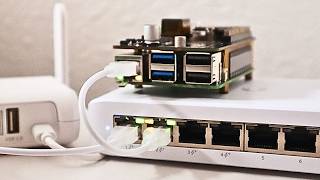
I built this PTP clock and now every time I look at it and my watch at the same time, I'm not quite sure what time it is. I walked right into Seagull's law. And that might be Seal's law. I'm not sure. But you might notice my voice is a little funny. That's because I've had a sinus thing going on. And now that my sinuses are clearing up, my voice is like, "Yeah, I'm going to take you back 30 years." Anyway, my watch only gives me the seconds, which are off by a little. This clock has nine more digits, which means I'm getting time down to the nancond. The eagle-eyed among you might notice these last digits are a little blotchy, which is very much unlike the precision clock mark IV over on my clock shelf. That's okay, though. The main thing here is this is showing me PTP time from a special time server I have in the rack room. What's PTP? Well, for now, just think of it like NTP, but for LANs. And because of that, it can be way more precise. That's useful for things like at the Blues game my dad and I covered on Garling Engineering. They use it to sync audio and video in an entire stadium. And that same tech is the basis for White Rabbit, an even more insane timing standard used for like Earthscale nutrino detectors. Anyway, I saw this clock in Oliver Etland's 39C3 presentation, excuse me, what precise time is it? And after seeing that, I immediately sent him a message asking if he'd share how he made it. He went above and beyond open sourcing his code and the list of all the parts I'd need. And I didn't even know at the time, but this thing is running on a Raspberry Pi 4. But that makes me ask, why not just use another computer? Well, the Pi is particularly good because it meets two essential requirements for a PTP clock. One, it's easy to interface with LED matrix displays using its GPIO. And two, it has a special network adapter inside that supports PTP hardware timestamping. Now again, I'm not going to get into the details of why something like PTP hardware timestamping is important in this video, but I will tell you how I built this clock and why after I built it, I'm going to have to go back to square one because my Pi time server is actually drifting by a second or two, even though I thought I had it dialed in. Anyway, the parts you need will cost around 120 to 150 bucks depending on whether the AI bubble has popped yet. The most important part is the Raspberry Pi. Any Pi 4 will do. Right now, the RGB matrix doesn't work on the Pi 5, so just stick with an older Pi 4. Then you need a hat, specifically this Adafruit RGB matrix hat. This will let the Pi talk to the LED matrices. Then, of course, the matrices themselves. These are Wave Shares Daisy chainable 64x32 pixel LED matrix panels, and they come with all the cables that you need to plug them into the hat. To power it all, you need to supply at least 4 amps through this peril jack. So, throw in a 5V 4 amp power adapter. And finally, to boot up the Pi, you need a micro SD card. Luckily, I already had a bunch of those. Now, you could technically build a clock that gets time from an NTP server on the internet and displays that on here, but I wanted PTP time, and I want it so that the time only shows up if you have a PTP server running on your network. So, I guess if you don't have a PTP server, you'll need to add one of those, too. I actually have a little time pie project on GitHub that shows you how to build one of your own. But I'm warning you, this is a very deep rabbit hole and you can easily sink a few thousand hours, not to mention thousands of dollars into time. The hardware is pretty straightforward, but you do need to do a little soldering. And yes, my friends from over the ocean, that's how we say it. So don't tell me about how you solder. Anyway, that's pretty straightforward. There are just three headers to put on and but make sure you put them on the right way when you stick them in there. And one question I have though, something I've never quite gotten the hang of after you finish soldering something like a GPIO header with all those pins. How do you clean up the flux around them to make it look really nice? I can usually get most of it off, but there's always a little bit left over that doesn't seem to come up with IPA. Is that just a matter of like what type of rosin or flux I'm using? Let me know if you know in the comments. Once the hat's put together, you just plug everything together. I'm not going to bore you with the details, but the best part of soldering something is seeing it not burn up and make sparks the first time you turn it on. Now, I'm powering this particular setup off a Raspberry Pi power adapter that can supply 5 amps, but only if you use the right USBC PD circuit. This little VLEX adapter is probably only getting 3 amps, which is going to make the display flicker a little. You really need a 5V 4 amp power adapter. Also, in some of my testing, I had the power leads plugged into the screw terminal with the crimpon connectors they came with, but that's a little janky. I actually snipped those off and stripped back the wire and then put that in the screw terminal. I think for a permanent install, I might put in my own soldered connector straight through the board, though. But I got sidetracked again. You're probably wondering how I'm getting all these fancy spinning cubes and Conway's Game of Life running on here. Well, these are demo scripts you can run as part of the RPI RGB LED matrix library maintained by Henner Zeller. If you put everything together correctly, you can run a command like this and get the LED matrices to show some pretty cool things. But I'm not interested in that. I don't even need color. I want to take these amazing RGB LED displays and have them just display one color and do one thing. Show a PTP clock. Now, I have all the exact commands to run on my blog, and I'm actually leaving out a few steps in this video, like you have to disable audio on the Pi to make the matrix work correctly, but I'll put a link to that blog post with all the details in the description. The main things are you need to put some options in the PI config, reboot, install the RGB matrix library, then compile the PTP clock app. And actually, I ran into a few issues with that. So, I pushed up some code changes for Oliver to review. But once I got past all that, it worked. I was getting PTP time through my network and this display showed it. And since I was using that Pi Power adapter, probably getting just 3 amps, the display was kind of dimming in and out a little bit. But hey, it it worked. So the next step was to wrap up the software in a systemd service and then see if I could get it to launch automatically while it booted up. I rebooted the Pi and waited a bit and eventually it did. It worked. Looking more closely at the two sides separately, it looks like the part with the nanconds maybe doesn't dim as much as the other side, at least with this 3 amp setup. But I decided to buy a 4 amp DC adapter to fix that entirely. And I'll link you to it in the description if you want one of your own. Now just laying out on the desk, it it's a little bit of a mess. And I noticed Oliver had some kind of jerryrigged metal bracket on stage during his presentation to hold it together. But I wanted something to make it easier to put the displays together and let you either stand it up like I have here or stick it on a magnetic surface using the magnet screws Wave Share included. So I got out my calipers and my ruler, took a few measurements, and got to designing. I'm still like a newborn baby in the world of CAD software, but at least I can draw a circle in Fusion now without wondering if I just broke the universe. My idea was just to have a brace between the two sides and use four of the screws that came with the displays to screw them together through the brace. And my confidence was high on print number one, but I should know by now it's going to take a few more revisions. My final design was this with some little standoff so I could get my fingers around the round magnet screws. It also has a little bit of extra wiggle room since I noticed the two wave share displays had like.1 mm of overhang on the LED part and I didn't want to put pressure on that. With that design sorted out, the two matrices come together and look like one long screen, which looks really cool, actually. Add a little cable management on the back, and this thing is starting to look like something professional, which is kind of weird for me. I think I might spend a little time designing an angled stand that holds the pie in place, too, but that's a future Jeff thing. I got this clock working, and the first thing, of course, was that I checked whether it was in sync with my watch, and it wasn't. And here's the part of the video where I show you what happened. Okay, bear with me while I get this camera out of here and I'm going to show you what I think is going on. So, here's two clocks. This is uh this is my clock rack. I have many projects up here that I have not shown off yet. Um and I'm working on videos for them, but I have this uh GPS distribution and this clock is timed directly off GPS. So, this is right now pretty much the most accurate clock I have in the studio and it's pretty close to the time that I have on my watch. So you can see 13, 14, 15, 16, 17. But you might notice the clock behind it is off a little bit. This is a master clocks. This is like a broadcast clock and it runs off NTP time. It's not the clock's fault. My NTP time server is getting its time uh through the same system that my PTP is getting. I am sorry about my voice here, but it is going all over the place. Anyway, this one's getting its time from the uh the time pi that's in the back. And that that Pi is getting its time from GPS. Now, its time is distributed from GPS to the network interface card on that Pi because it has a special timing chip in it. And then that is distributing the time to the Pi's internal clock which distributes it to this clock. So, this clock is within like a millisecond of the PTP time on my network. And you can see that we are not in sync. In fact, this has drifted another second since I wrote the script for this video. So, we're almost 3 seconds off now. And here's the problem. My time server back in the back is using an Intel i226 uh network interface card. And the driver for that in Linux, it has a bug in it. And I'll tell you how that bug looks. So over here I have my oscilloscope set up with this. This is my GPS mini rack clock that I built with a Raspberry Pi Pico. This clock is taking a GPS input just like the precision clock over there. And this uh GPS input is going into the pi. And the pi is putting the time out here. So that the time here, I don't have seconds on it. Someday I'll get that. Uh but the time here should line up with the time over there. And uh I can see on here more easily the pulse per second, the pulse that is getting sent out to the network interface card on my time pie and what I think is the problem. So, with the Intel 226 driver, what it does is it says every time that there's a pulse, every time that there's one of these little things, um, trigger a new second. And when it triggers the new second, it says, "Okay, hey GPS, what time is it?" And then it puts that time like into its memory and says, "This is the start of the second of, you know, what is it right now of 229 and 50, 229 and 51, etc." And, uh, most most network cards the drivers will take the rising edge. So see how this this is a voltage. There's zero volts and then there's a rising edge and then a falling edge. Rising edge falling edge. And you can see that this is happening once every second. So if I look on here uh we can see these pulses they are I have this measurement the frequency and the pulse width. The frequency is one hertz that's one pulse per second. And the pulse width is 100 milliseconds. The Intel i226 driver for whatever reason is taking both of these pulses every time. And so the the the actual time that it thinks it is can be off by 100 milliseconds. The problem that causes is sometimes it might be taking like the previous second of GPS data. Other times it might take the next second of GPS data and it confuses the clock. So there's actually a patch for that that I might uh try applying. The other alternative is I'm thinking about setting up this as my time pie. So this would be my main clock and I I have two of these. So I could have two clocks going and choose the best one at every any given moment. This has a different network interface that uses the Raspberry Pi's built-in Broadcom chip, which doesn't have that silly rising and falling edge bug. I don't know. Let me know in the comments what you think I should do. Um, for now, I I might just apply the patch and see if I can get the other uh time server running back there. But I've spent probably I told you it's a time sync. I I probably spent 10 hours or 20 hours trying to get that time server to run perfectly where this one might just run perfectly out of the box. So, I might just go this route. Anyway, let's uh let's come back over here and get to the conclusion of this video. You don't have to listen to me blabbing on and having my voice go up and down all the time forever. Oops. Okay. Line this guy up. Yes. So anyway, I'd really like to thank Oliver Etland for sharing his work on this this when I saw this, I was like, I got to have this thing and I was so happy that he uh shared his code because even if it's not perfect, it's uh it's something and it helps me with this visual aid, which also helped me immediately see that my network time is off and I need to fix that. So, um already a useful tool for me and it's a very cool visual aid for PTP. Um, but anyway, I have all the links to everything in the description, including my blog post that shows all the details and all the commands to run if you want to build one of your own.
Video description
A man with a watch knows what time it is. Mentioned in this video (some links are affiliate links): - Excuse me, what precise time is it? https://media.ccc.de/v/39c3-excuse-me-what-precise-time-is-it - PTP Wallclock open source project: https://github.com/Gemini2350/ptp-wallclock - My blog post on the setup: https://www.jeffgeerling.com/blog/2026/ptp-wall-clock-impractical-too-precise/ - Geerling Engineering video on the Blues game and PTP: https://www.youtube.com/watch?v=8Ar4wmA4ujM - Video on the Pico GPS mini rack clock: https://www.youtube.com/watch?v=E5qA4fgdS28 - Video on the Mitxela Precision Clock Mk IV: https://www.youtube.com/watch?v=aBDgD032DEI Parts needed for the build: - Raspberry Pi 4 B: https://www.raspberrypi.com/products/raspberry-pi-4-model-b/ - Adafruit RGB Matrix HAT: https://www.adafruit.com/product/2345 - (2x) Waveshare 64x32 LED RGB Matrix Panel: https://www.waveshare.com/RGB-Matrix-P3-64x32.htm - 3D Printable joining bracket: https://www.printables.com/model/1624778-ptp-wall-clock-bracket-waveshare-rgb-matrix-connec/collections - DC 5V 4A power supply: https://amzn.to/3P1I8XG - 32GB microSD card: https://amzn.to/3NhlGJE Support me on Patreon: https://www.patreon.com/geerlingguy Sponsor me on GitHub: https://github.com/sponsors/geerlingguy Merch: https://www.redshirtjeff.com 2nd Channel: https://www.youtube.com/@GeerlingEngineering 3rd Channel: https://www.youtube.com/@Level2Jeff Contents: 00:00 - Excuse me, what time is it? 02:01 - Parts required to build a PTP clock 03:14 - Building a precise clock 04:32 - Software for controlling the matrix 05:26 - It works! 06:06 - Keeping it together 07:17 - The problem... 09:04 - It's a timing bug 11:36 - Back in the box