We can't find the internet
Attempting to reconnect
Something went wrong!
Attempting to reconnect
Jeff Geerling · 640.2K views · 19.5K likes
Analysis Summary
Worth Noting
Positive elements
- Provides a detailed technical breakdown of the power draw, thermal requirements, and real-world battery life of the Raspberry Pi CM5 in a laptop form factor.
Influence Dimensions
How are these scored?About this analysis
Knowing about these techniques makes them visible, not powerless. The ones that work best on you are the ones that match beliefs you already hold.
This analysis is a tool for your own thinking — what you do with it is up to you.
Related content covering similar topics.

Transcript
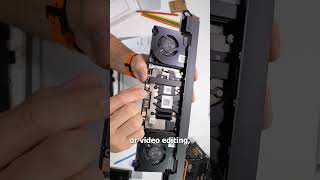
This is a compute module. An entire computer with CPU, GPU, RAM, networking, and power all on this tiny board. Ever since these things came out, I've wondered why nobody made a laptop you could upgrade by just swapping out one of these. The framework mainboard exists, sure, but that's a little more involved. This just has two little sockets, and you could swap it out in like 5 seconds. Well, Argon 40 finally did it. They built the OneUp, a laptop with a party trick. Remove this door on the bottom, pop out the Raspberry Pi CM5, and you can upgrade the whole computer just by replacing that one chip. I bought the shell version, which didn't come with a computer inside. I popped off the back cover, put in a Pi and an SSD, and now I have the first true Raspberry Pi laptop, and it's pretty good, honestly. But it's launching at about the worst time in Raspberry Pi's history. Why? Well, this month, Raspberry Pi announced another AI RAM shortage related price increase. The CM5 I put in here is one with 16 gigs of RAM, the best one that you can buy. When I bought it, it cost me 120 bucks. That's a lot, but it's not crazy. Today though, it's 200 bucks, and this laptop shell cost me 300 bucks. Add on a 45watt USBC power supply and a small NVME SSD, and we're already around 600 bucks now all in. I mean, if this thing's a killer laptop, maybe that's worth it. After all, MacBooks start at a thousand bucks, and Chromebooks are well, you can get a Chromebook for like half the price. But running Linux on those is annoying. Maybe this can win for a cheap Linux laptop. Well, maybe not when the competition has a faster Intel N150 costs 400 bucks and ships tomorrow. Or for around the same price as my setup here, you could upgrade to a name brand Lenovo with a nice fast AMD processor. But that doesn't mean this laptop is useless. Like with other Pi gear, it could serve a niche. For the right price, someday maybe this thing will make sense. Taking all that into account, let's dive in. As a great YouTuber once said, "Don't turn it on, tear it apart." So, I did that. And after you take off the back cover, there's a pretty large and mostly empty board, at least in contrast to other laptops. That's because the actual computer part that's all dense is crammed onto the compute module. The little fan over here blows straight across it and exhausts out the back hinge. The rest of the board has power controls and pretty much just like IO routing. For ports, on one side you have a Kensington lock, two USBA ports with one being USB 3.0. Then there's a micro SD card slot that only works if you have a light compute module. And finally, there's a headphone jack. On the other side, there's a USBC power jack with an LED that lights up red while it's charging and green when it's charged. Next to that is an HDMI output so you can either mirror or extend your Pi desktop. There's another USB 3.0 type A port and then two type-C ports. Now, these type-C ports are a little weird. A GPIO breakout adapter comes with this thing and plugs in there, but the little pamphlet you get with the laptop says these both have PD power and data. The last port supposedly offers display port and OTG mode, too. But honestly, testing these has been a little frustrating. Not only is there no official documentation outside of this pamphlet, I wasn't able to get OTG mode working connected to my Mac. And so when I wanted to flash my CM5 that has eMMC, I had to pop it out entirely and flash it separately using my Nebra flash stick. That was a little frustrating, but you could also install PIOS using an external USB drive, too, or flash PIOS onto an NVME SSD. Or for a light CM5, you could even use an external micro SD card. There's honestly a lot of options for that, and I like it. But the documentation on this thing was not very helpful. I had to figure all this stuff out on my own and I was going to ask about it on the Argon 40 forums, but they have that thing locked down, so you can't create a new post unless you have some level of karma already, which means the forums are pretty much all but dead for new users. There's an unofficial subreddit out there, too. But I found it a bit odd that most of the support from Argon 40 so far has come through updates and comment replies on Kickstarter. That's not the best way to support a product. I hope at some point they at least have a wiki on their website with a better overview. Anyways, we're way off track now. Back to the hardware. I couldn't get my USB flash drive to work on either of the USBC ports, but it worked on all the type A ports. I also couldn't get my USBC monitor to output anything over the USBC port that supposedly does display port, but I could extend my monitor using the full-size HDMI port. So, that was good. And even with all those USBC issues, port selection isn't that bad on here. It has more ports on here than my MacBook Air. And it has a decentiz battery coming in at 55.21. 21watt hours. The battery has four screws holding it in, so replacement shouldn't be too hard. I'll test battery life later, but surrounding the battery are two pretty big speakers. A lot of cheaper laptops skimp out on speakers and sound pretty bad. Now, these [music] aren't MacBook level quality, but they're certainly as good as most mid-tier laptop speakers, and I could get over 80 dB out of them with no distortion from about a foot away. They do lack bass, but the stereo image is decent. The 14-in IPS LCD display is 1920 x 1200 at 60 Hz. The colors and image are great, though it's a little more dim at 250 nits. Just above the display is an HD webcam with a tiny privacy shutter. Nice touch. Honestly, the hardware on here is put together pretty well. It's It's not quite MacBook quality, but the aluminum body feels more solid than the Framework 13 that I tested a couple months ago. I spent a lot of time using it both at my desk here and while I was traveling, and it almost always was a perfect substitute for my 13-inch Air, at least as far as the size and weight and feel of it. The keyboard especially is actually really nice to type on. It's maybe even a little better than my Air, and I could get 100 words per minute all day. The trackpad is good, but not great. The left click area on the bottom left always gives a loud click sound, but sometimes that doesn't actually register as an actual click in the OS. The right click area is a tiny 1x 1 cm spot on the bottom right, but tap to click works reliably. Tracking is good and a two-finger tap to right click works well, too. So, I guess if you like to push to click, this isn't the trackpad for you. But otherwise, it's fine. The only other thing on the top is the power button, and that lights up when it's on, and you can hold it down for 10 seconds to force a shutdown. It comes with this little 40 pin GPIO dongle, which has a little switch on it, and honestly, I have no clue what that's for. There's no instructions for it anywhere. And again, I tried asking on the forum, but I can't do that. Before we get to using this laptop, I did want to share a couple things about the setup process that were a little strange. First, there's a spot for a thermal pad on the heat sink cover for the CM5, and you should probably use it if you want to keep your Pi cool. The fan can only do so much, but Argon 40 didn't include a thermal pad, so I had to fish one out of my bag of extra thermal pads. My 1mm pad worked fine, but it was just a little weird that it wasn't included. They did have this little baggie with eight extra screws, so I took four of them out and screwed down the CM5 and kept it secure, but maybe they just forgot to put thermal pads in here. I'm not sure. Also, if you want Wi-Fi on here, make sure that when you buy a CM5, you buy one that has Wi-Fi on it. If you don't have that, you'll have to plug in an external Ethernet adapter. In general, the hardware on here is pretty nice, though. Once we boot it up and start running PiOS, though, how's that experience? Well, let me get this right out of the way. Raspberry Pies and Raspberry Pi OS are not really built for laptops. Basic things like trackpad settings, battery configuration, and even sleep aren't supported. Other OS dros may fare a little better, but not having sleep on a laptop, that's really the biggest problem here. Argon 40 has a Python script that you can run that displays battery life in an icon on the desktop, but that's mostly a hack to me. The community is working on a proper battery driver for Linux, but really Argon 40 should have had that going day one. It also turns off the screen when you close the lid if you're running their Python script. But even when the screen's off, either by turning on screen blanking or with that lid closing, the Pi actually stays fully booted up and powered on. It's burning like 8 watts at idle with the screen on. And you can reduce that to about 3.3 watts with it off. That's not horrible for like bringing it from one place to another. But if you're like me and you stash it in your bag for a few hours and you forgot to shut it down, well, the battery is not going to like that. Just based on rough math with the battery's 55watt hour capacity, that means you could get around 17 hours of standby power. So, good enough for a day's work, maybe. But to see how long the battery lasts while you're using it, I played a 1080p copy of Big Buck Bunny in VC in a loop, and I let it rip. I had the screen on full brightness and speakers at about 25%. I wasn't expecting much, and the same test on a modern MacBook would probably go for a lot longer, but coming in at 7 hours and 34 minutes was a decent result. That's right in line with their 6 to 8 hour battery life claim. So, even without sleep, the CM5 isn't the worst idea in a laptop. It's honestly way better than the Risk 5 chip in the DC Roma 2 that was burning 25 watts at idle. Raspberry Pies aren't built for laptops, but Argon 40 set it up as good as it gets with the current generation of Pi. But, and this is a huge butt, if the price is right, this laptop could be useful. Like for me, I already had a spare CM5, so it's nice to use it for quick projects around the studio. Another use I have for it is a small class I teach. I've been using Chromebooks to program microcontrollers to teach electronics, but dealing with Chrome OS is not fun. It's much nicer to run Linux, and something like Thonnie directly without playing inside Google's walled garden, and this does that. The trouble is, a cheap used Windows laptop gets that done, too, and usually for a lot less. To put it through its paces in the real world, I also took a prototype model of this laptop that Argon 40 sent to me last year to open source in California. I used the laptop with my Hack RF SDR to scan radio frequencies. I was trying to decode Meshtastic messages using GNU radio and I was also monitoring airplane traffic using ADSB on the OneUp. It worked great for all that. Though the CM5 is a little limited for some things compared to even like a used laptop. Like you could buy an old M1 MacBook Air for 400 bucks and that thing would probably beat this in every aspect and still give you that quiet, cool, ARMPowered laptop experience. The OneUp is a good laptop. Not perfect, but serviceable, but because of where the world of computing is right now with RAM prices where they are, it's just not a good deal. Unless maybe you already have a CM5 burning a hole in your pocket. I think if we ever end up in a sane world again, that might change, especially if there's ever a newer, faster CM6. The OneUp is like a different take on the framework, but it achieves the same right to repair goal. The laptop doesn't have to go in the dumpster every few years if you want to upgrade it. But the value is just not there right now, so I can't really recommend the OneUp. If you want to keep up on all my other notes on it and see any other developments, check out the GitHub issue I linked in the description. Until next time, I'm Jeff Gearling.
Video description
It's a pretty solid laptop, all things considered. But it launched into the worst timeline :( My build included (some links are affiliate links): - Argon ONE UP CM5 Laptop Shell for $400: https://argon40.com/products/argon-one-up-cm5-laptop-shell-main?_pos=16&_sid=a6a888f2c&_ss=r - (Alternative) Argon ONE UP with CM5 8GB and NVME for $550: https://argon40.com/products/argon-one-up-cm5-laptop-core-system - Raspberry Pi CM5 with WiFi 32GB eMMC / 16GB RAM ($210): https://www.pishop.us/product/raspberry-pi-compute-module-5-wireless-16gb-ram-32gb-emmc-cm5116032/ - Anker Nano II 45W GaN charger ($25): https://amzn.to/4qSybd9 - USB-C to USB-C Charging Cable ($10): https://amzn.to/4r3QrRa Other things mentioned: - GitHub issue for Argon ONE UP: https://github.com/geerlingguy/raspberry-pi-pcie-devices/issues/744 - NIMO 15.6" Intel N150 Laptop with 16GB of RAM ($399): https://amzn.to/46vUXzl - Lenovo ThinkBook 16 Gen 2 ($599): https://amzn.to/45O9V3y Support me on Patreon: https://www.patreon.com/geerlingguy Sponsor me on GitHub: https://github.com/sponsors/geerlingguy Merch: https://www.redshirtjeff.com 2nd Channel: https://www.youtube.com/@GeerlingEngineering 3rd Channel: https://www.youtube.com/@Level2Jeff Contents: 00:00 - A Raspberry Pi laptop 00:42 - The worst possible timing 01:59 - Tear it apart 03:34 - Lack of support 04:08 - Hardware: USB-C, battery, speakers 05:27 - Use: Keyboard and trackpad 06:16 - GPIO on a laptop and other quirks 07:10 - Pi OS is not a laptop OS 07:33 - Battery life and sleep states 09:00 - BUT... 09:32 - Real-world travel test 10:07 - Right to repair and CM6 someday?