We can't find the internet
Attempting to reconnect
Something went wrong!
Attempting to reconnect
Analysis Summary
Ask yourself: “Did I notice what this video wanted from me, and did I decide freely to say yes?”
Performed authenticity
The deliberate construction of "realness" — confessional tone, casual filming, strategic vulnerability — designed to lower your guard. When someone appears unpolished and honest, you evaluate their claims less critically. The spontaneity is rehearsed.
Goffman's dramaturgy (1959); Audrezet et al. (2020) on performed authenticity
Worth Noting
Positive elements
- This video provides a practical look at the physical constraints and power requirements of building a PC with a non-standard 'side-facing' PCIe orientation.
Be Aware
Cautionary elements
- The use of affiliate links for unbranded AliExpress hardware means the creator has a financial incentive to overlook potential long-term stability or BIOS support issues.
Influence Dimensions
How are these scored?About this analysis
Knowing about these techniques makes them visible, not powerless. The ones that work best on you are the ones that match beliefs you already hold.
This analysis is a tool for your own thinking — what you do with it is up to you.
Related content covering similar topics.
Transcript
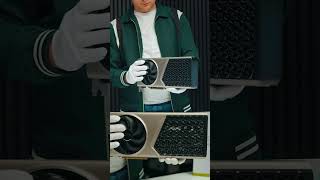
This is the coolest motherboard that I've ever been able to get my hands on for small form factor builds. It's kind of an AliExpress special. There's a bunch of different models over on the website, but I picked mine up used on eBay. And this did come with a CPU, but this is such a really cool motherboard that I knew I had to get my hands on one. This is known as a thin MiniITX board, and there's a lot of differences here from a regular MiniITX. First up, this uses sodium RAM, so we need laptop RAM for this unit. a thin IO selection around back. And of course, we've got our PCIe x16 slot over here, but it's set up in a different orientation. You can see it's coming right off the side here. So, it's going to be really easy to lay this whole board flat and connect a GPU. But the main difference here between this board and others is the fact that we don't need a regular power supply because right around back here, it's got a four pin mini den connector. So, this whole unit can be powered by a 300 W brick. Got a lot to go over and a lot to test. So, before we really get into it, I do want to mention that this video is sponsored by URCD Keys. I've been using this site for quite some time now. They offer Steam Keys, UP Play, Ubisoft, but the main thing I pick up over here are Windows 11 Pro keys. And right now, if you use code ETA, you can get 25% off. So, at checkout, we'll just enter the code ETA. That's going to bring the price down to $25. They're going to email you that key, and then you can activate Windows. Speaking of that, let's head over to a new PC that I recently built. As you can see, we're running Windows 11. And from settings, we're going to go to activation settings. It's going to tell us that we're not active. We don't have a key installed. So, we're just going to paste it right in here. Choose next. It's going to activate Windows for us, and we're ready to go. If you're in need of cheap Windows keys, I'll leave a link in the description. And remember, you can use code ETA for 25% off. Having this PCIe slot coming off the side is just going to make it really easy for building a thin gaming PC. Right here, I've got a lowprofile RTX 3050, but I'm going to be adding something a bit more powerful because we've got a six pin power connector here. We can go from a six pin to an 8 pin. It'll do up to 150 watts in total from that power connector and the PCIe slot. And given that we've got that 300 watt power supply to go along with this, we can add a pretty beefy GPU here, but we still want to keep it at least low profile. So, we can still keep the system relatively thin. But again, this supports a 10th gen or an 11th gen. This came with an i5 11400F, but I've actually added an 11600 K just to get a little more out of it. I wanted those extra threads there, and even then, it's still not going to max everything out because we've only got six cores and 12 threads with that chip. They also make these that'll support an eighth gen and a ninth gen and even up to the uh 12th gen, 13th and 14th gen. And a majority of these are going to be found over on AliExpress. I tested this when I got it out of the box and you can see we've got a stock Intel cooler here. This is not going to handle the 11600K, so I want to swap that out. I'm going to go with the ID cooling IS-53 XT. It's a bit taller than that stock Intel cooler, but it's going to offer much better uh cooling performance, but it's still only coming in at 53 millimeters tall. Now, one super easy way you could get this set up is using something like a lowprofile RTX 3050 or even an RX6400, but I want a little more out of this whole system. And given that we can do up to 150 watts with that six pin power connector over here, I think we can add something that'll really put down some great 1440p performance. So, this is a six pin to an 8 pin PCIe connector. There's two eight pins on here, and I wouldn't overdo it with u, you know, a card that requires two eight pins. So, what I'm going to be using here is a lowprofile RTX 5060. This is the gigabyte version, triple fans, and it only requires one 8 pin power connector and it's right there on the edge. So, the TGP on this is like 150 watts, but I don't think we're going to be pulling that with this system here. We'll just go ahead and wrap this around. We'll plug in that 8 pin power connector. And once I get this booted up, I'll be able to stress out the CPU and GPU to see exactly how much this whole system's pulling. I've got that 300 watt power supply. Plugs right into this four pin den connector around back. And that's really what I love about this setup. If you were building a very small form factory unit, you just don't have to worry about an internal power supply. I've been searching around for a good case that would uh fit this unit. But as you can see, the way it's set up as a mini ITX board, it would be upside down. So the GPU is up top here. And if I was to use a case like this, obviously it's going to fit. And I can modify this to work. But if we look around back, I've got to cut out a bunch of this case to get to that IO. So, what I've actually got here is a piece of a stackable rack system. This was originally intended for miniITX boards to stack, I guess, as high as you could go. And it looks like this whole setup actually just sits right in here. Now, I don't have a cover for it. I could stack another one on top if I had it. But I do think that uh just to test this out, it's going to be a good little platform to mount it up with. I've added a 1 TBTE M.2 SSD. I'm going to be running Windows 11 on this. But yeah, the system sits in here very nicely. We've got that RTX 5060 over on the lefth hand side. I've added that much beefier cooler. And we're powered by that 11600K instead of an 11400F. And I've also modified a little bracket that I had so it could just sit vertically. And it doesn't have to sit like this. I just personally like the way it looks. But now I want to jump into some testing here. First things first, we need to make sure that this isn't pulling more than 300 watts. And to tell you the truth, I don't think it's going to be. But if it is, I will have to swap that GPU out for something a little less powerful. We've got that 11th gen i5, six cores, 12 threads, 16 gigs of DDR4 running at 3200. That's as high as I could get it from the BIOS. And of course, we've got the Nvidia GeForce RTX 5060 with 8 gigs of VRAM. So to test this, what I've got is CPUZ. We can stress out the CPU to see how much wattage it's pulling. And for the GPU, I wanted something that's going to hit it up hard. So we're actually going to be using a Firmark here. So let me pull these back up. Right down here, we've got the TGP up to 130 with this. And I think this card should do like 145. It could be limited by the 8pin power connector or even the slot. I'm not exactly sure. We should still see some pretty good performance out of it. Of course, we need to hit that CPU up. No overclocking whatsoever on this. And this jumps up to 80 watts. So, it does look like um the system is a little underpowered. I've seen this chip hit like 100 to 120. We should still get some pretty good clocks on this though. So, between that CPU and GPU right now, that's 210 watts. Plus, we've got the NVME SSD, the fan, and everything else that needs to be powered. We're still under 300 watts in total, but it may get close when we start stressing this thing out. And I've got this plugged into a kilowatt meter, so by the end of the video, we'll be able to tell exactly how much this is drawing while playing 1440p games. And we'll also get a maximum peak there. But the first thing I want to take a look at are a couple benchmarks. Here's 3D Mark Steel Nomat. We came in with a total score of 3,127. And the FPS on this was 31.28 on par with other 5060 systems that I've tested with a lowprofile card. Checking out 3D Mark Time Spy. Looking good here with the 12,657. And the 5060 isn't the most powerful card on the market, but we could get more out of this card with a better CPU. We're working with older architecture here. And I actively seek this system out. I wanted a 10th or an 11th gen to keep the price down. But now it's time to get into some gaming. And here's Resident Evil Reququum. And I can't believe how good this runs. I mean, on everything that I've tested, I've had a pretty good time with this game. We're at 1440p max with no DLSS. Looking at around 98 FPS on average inside. Moving outdoors where it's rainy, a little more draw distance. It does drop down to the mid70s. Checking out Red Dead Redemption 2. And I didn't want to use any scaling with this game, so I did have to take it to like a high ultra mix. At ultra, it's just not enough power to keep it over 60, so you will need some scaling. But I think this looks just as good. If you take a look at Afterburner up in the top lefthand corner, you can see that the GPU is now pulling a bit more than it did with Firmar. So, we're up to 145 watts in total. That's what I was kind of looking for over there. So, yeah, we are getting maximum performance out of the GPU. Cyberpunk 2077 Ultra with DLSS set to balanced. With the ultra preset, DLSS is at quality. And when there's explosions on screen, it will dip under 60. Even now with it set to balanced, you can see sometimes it drops down right there to 60. So I wanted to alleviate that. And you could always use some frame generation or multi-frame gen if you wanted to. But with it like this, if that frame counter wasn't on, I mean, I'd be totally fine playing this game. I also wanted to test one racing game, so I went with Japanese Drift Master. I personally love this game. 1440p high plus with no DLSS. And we could go up to ultra, but we'd need to use some scaling here. And finally, Borderlands 4 at 1440p high settings with DLSS set to balanced. Looking at low7s on average with this. And this is one that's always given me issues, especially on older chipsets, even on newer stuff. I mean, sometimes I'll get into this one and it just doesn't work well at all. We're over that 60 threshold. We don't need frame gen here, unless you really want to take it up. The last thing I wanted to talk about here was total system power draw from the wall. So, I'm using a kilowatt meter with this. And when it comes to 1440p gaming, it's averaging 250 watts being drawn from the wall while playing 1440p games. And the maximum spike I saw was 287 watts. So, it's real close to that 300 W brick limit. But, I didn't break it. It's still running. It didn't blue screen or black screen on me. It didn't shut off completely. So, I'm not sure if there's a fail safe built into the motherboard that won't allow it to go over that or there's just not enough there to pull that much. Either way, I think a motherboard like this is pretty awesome for building a small form factor gaming PC, especially if you can snag one of these that supports a 10enth gen or an 11th gen. That way, you could keep the cost down on a used CPU and DDR4 RAM. And you could always go up to something like a 12th gen or a 13 and spend a bit more and get better performance out of it. But I do love this form factor and the fact that this can be powered all from a 300 watt brake. But that's going to wrap it up for this one. If you're interested in learning more about these, I'll leave links in the description. Over on AliExpress, you can get them new and sometimes you can score them over on eBay new, but for the most part, you might find them used there. If you want to see anything else running on this, just let me know in the comments below. Like always, thanks for watching.
Video description
This Weird AliExpress Mini ITX Board Is Awesome! Vip-URCDKey 25% code for software: ETA Windows 11 Pro Key($25):https://biitt.ly/RUZiX Windows 11 Home Key($23):https://biitt.ly/SQKqi Windows 10 Pro OEM Key($20):https://biitt.ly/KpEmf Windows10 Home Key($17):https://biitt.ly/2tPi1 Windows 10 LTSC 2021 Key($15): https://biitt.ly/W564e Office 2019 pro key($63):https://biitt.ly/o0OQT 2016 pro key($32): https://biitt.ly/xWmvn Buy Windows 11 Pro Key at: https://www.vip-urcdkey.com In this video we take look aa an awesome AliExpress Mini ITX motherboard that’s perfect for SFF builds! This motherboard has a side facing PCIe X16 Slot and uses a 300W Power brick instead of a traditional PC Power supply! The version I have her supports Intel LGA 1200 CPUS like intel 10th gen and 11th Gen but they also make version that support Intel 8th 9th and even 12th and 13th gen CPU’s! LGA 1200 Minin ITX Side Graphics: https://www.aliexpress.us/item/3256807661936790.html?spm=a2g0o.productlist.main.1.2777BBTvBBTvSe&algo_pvid=b579b4b5-9dcc-49cc-9874-178cb91cb175&algo_exp_id=b579b4b5-9dcc-49cc-9874-178cb91cb175-0&pdp_ext_f=%7B%22order%22%3A%223%22%2C%22spu_best_type%22%3A%22price%22%2C%22eval%22%3A%221%22%2C%22fromPage%22%3A%22search%22%7D&pdp_npi=6%40dis%21USD%21118.18%21112.27%21%21%21812.23%21771.62%21%402101ee6617728051442077167edcb5%2112000042525524682%21sea%21US%211912565186%21ACX%211%210%21n_tag%3A-29919%3Bd%3A65dcb50%3Bm03_new_user%3A-29894&curPageLogUid=EXeDX6FqG7c3&utparam-url=scene%3Asearch%7Cquery_from%3A%7Cx_object_id%3A1005007848251542%7C_p_origin_prod%3A 12th and 13th gen Thin Mini ITX: https://s.click.aliexpress.com/e/_c4CLwuq3 8th and 9th gen Thin Mini ITX motherboard: https://s.click.aliexpress.com/e/_c3x6FSuB Follow Me On Twitter: https://twitter.com/theetaprime Follow Me On Instagram: https://www.instagram.com/etaprime/ DISCLAIMER: This video and description contains affiliate links, which means that if you click on one of the product links, I’ll receive a small commission at no extra cost to you! 0:00 Intro 0:36 What makes Thin Mini-ITX so different 1:07 Sponsor – CDKeys Windows 11 Pro 1:52 PCIe layout, power brick, and GPU plans 2:48 CPU upgrade and cooler swap 3:34 Low-profile RTX 5060 install 4:24 Open-air case / rack mount setup 5:10 Specs, BIOS, and first boot 5:52 Stress test and total power draw 6:42 3DMark benchmark results 7:18 Resident Evil Requiem at 1440p 8:03 Red Dead Redemption 2 performance 8:42 Cyberpunk 2077 test 9:20 Japanese Drift Master 9:54 Borderlands 4 performance 10:34 Real wall power numbers 11:16 Final thoughts on this AliExpress board THIS VIDEO IS FOR EDUCATIONAL PURPOSES ONLY!