We can't find the internet
Attempting to reconnect
Something went wrong!
Attempting to reconnect
Analysis Summary
Worth Noting
Positive elements
- This video provides a clear, concise, and efficient visual guide for a specific administrative task in Livebook Teams.
Influence Dimensions
How are these scored?About this analysis
Knowing about these techniques makes them visible, not powerless. The ones that work best on you are the ones that match beliefs you already hold.
This analysis is a tool for your own thinking — what you do with it is up to you.
Related content covering similar topics.
Transcript
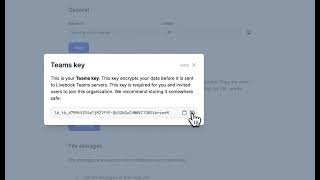
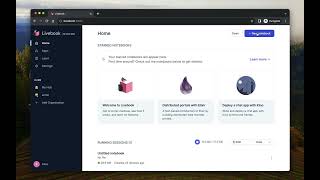
in this video we'll learn how to add an organization to live book teams and invite your colleagues to your organization let's do it so the first step is go to the sidebar inside your live book click add organization give it a name to your organization and then just click create you're going to receive those instructions looks like that I need to copy the code and click this button so so I'm going to click this button I need to copy the code there I receive it here to likebook teams this is the interface of mybook teams and that's all so now I already have an organization created in my book teams I call it Dash bit and then to invite my colleagues I just need to click this button here and fill in their email so Jose that click this button and they are going to receive an mail if invitations inst structures to follow that's all