We can't find the internet
Attempting to reconnect
Something went wrong!
Attempting to reconnect
Elevated Systems · 743.2K views · 20.1K likes
Analysis Summary
Worth Noting
Positive elements
- This video provides specific, data-backed criticisms of the Framework laptop's battery drain and trackpad issues that are often glossed over in shorter reviews.
Be Aware
Cautionary elements
- The creator's high level of trust in the company may lead viewers to overlook significant hardware reliability issues mentioned in the video.
Influence Dimensions
How are these scored?About this analysis
Knowing about these techniques makes them visible, not powerless. The ones that work best on you are the ones that match beliefs you already hold.
This analysis is a tool for your own thinking — what you do with it is up to you.
Related content covering similar topics.
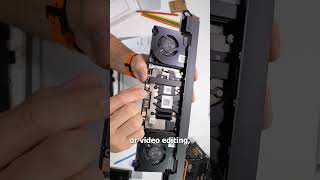
Transcript
The Framework laptop is one of the most innovative laptops released in years, and I've been daily driving it for the past 6 months. This is my long-term review, and I'm going to break protocol by giving you my conclusion first, which is the Framework isn't the best laptop currently made by any company, but Framework is the best company currently making laptops. Let's dive into that. Hey guys, welcome to Elevated Systems. I'm your host CJ and this is my Framework laptop. It's a batch one unit that I pre-ordered back in May of last year and I received about three months later and I've been using it daily ever since. I did my initial review back in August and some of my initial impressions have changed, some for the better and some for the worse. But let's start with the main reason I bought the Framework and what makes it so innovative. The framework is both a thin, light, and ultra portable laptop and fully modular, user serviceable, and easily upgradeable. The laptop can be completely disassembled using the single screwdriver that's included in the box. There are no hidden or security screws, fragile plastic clips, or adhesives that other manufacturers use and justify by claiming it. It's the only way to make the laptop solid and robust. a fully machined alloy chassis, a handful of screws, and some magnets, and the framework feels no less solid and robust than a MacBook Pro or a Dell XPS 13. And it's thinner than the Dell and lighter than the Apple. There's a marketplace where you can purchase replacements for every component in the laptop, or you will be able to, as every framework out there is still under warranty. The framework has the best expandability in its class with four Thunderbolt 4 ports which can be configured however you want using the assortment of available expansion cards. Not only does all this make most common repairs exceedingly simple even for novice users and more complex repairs achievable by any competent repair professional, but Framework is committed to continuing to support this laptop with future upgrades. That means at some point in the future when it's time to upgrade from this 11th gen Intel laptop, rather than replacing the entire laptop, I should just be able to drop in a new next generation Intel or maybe even Ryzen main board. And the kicker is the old main board can still be used as a standalone system. I've already created the next home for my main board. When the time comes, I'll just drop it in there and I'll have a complete desktop PC in a super compact mechanical keyboard. Now, those are all things that separate the framework from its competitors and may or may not be important to you. So, let's talk about the laptop as a laptop. And I'm not going to get into the full gamut of specs. Like I said, this is the i7165G7 model. You can find all those specs here. I'll leave a link in the description. I will mention this is the DIY version. So, I brought and installed my own memory, storage, and operating system. And that includes 32 GB of RAM which is running at just 2666 MHz. I'll get into that in a bit. For a boot drive, I'm using a one terabyte Gen 4 Saber Rocket M.2 NVME SSD. And on that SD, I'm running both Windows 11 and Abuntu 21.10 in a dual boot setup. So before I move on, I need to take a few moments and try to clear up a couple of misconceptions or misunderstandings about the framework. And the first is about memory speeds because the framework, like most laptops in this class, doesn't support the overclocked XMPP profiles. So, be sure to check the base speeds and timings of the memory kit before buying it. Next, I mentioned that in addition to Windows, I'm running a Linux operating system, and many people who own the framework are Linux users. However, despite what you may have heard, the framework was not purposely built for Linux. It's very much a Windows laptop that uses some of the very latest hardware that many of even the most popular Linux distributions haven't caught up with yet. So, with a few exceptions, most Linux operating systems don't fully work out of the box without some simple to more complex workarounds. I have videos where I tested seven or eight distros and only one worked completely out of the box. Now, that's not to say the framework isn't very Linux friendly, and I'll get to that towards the end of the review. But now, let's get more into a traditional laptop review, and I'm going to cover most of the same areas I did in my initial oneeek review, and I'll discuss how or if my opinion has changed. Starting with the build quality and form factor, which was one of the main reasons I bought this laptop. I wanted something small, lightweight, and solid. something ultra portable that I could just grab and take with me at most slide into a simple sleeve. Not something I needed to lug around in a satchel or backpack. And despite the dozens of times I've disassembled and reassembled this laptop, it's solid and barely has any more chassis flex than its clipped, soldered, and glued together competitors. The one area where I have changed my mind some on the build quality is in the hinges. I mentioned the springiness in my original review. Up until that point, I hadn't experienced a situation where it was an issue. However, since then, I have experienced wobbly coffee tables and outdoors in a stiff breeze where the screen wiggle was more than just a minor distraction. The screen itself is great for the most part. I still stand by the assertion that the 3x2 aspect ratio is the best screen ratio for a productivity machine. The color reproduction is spot-on, and even at the beach at midday, the screen was plenty bright enough to see. The one thing I did change is I added a matte anti-glare film to cover that extremely glossy and reflective display surface. I do still regular use the 1080p 60fps webcam for video calls with no complaints. I typically am the best looking on the call. I mean, qualitywise, but I also still use a USBC lav mic as the built-in microphone is not great, and the downfiring speakers are pretty weak, so I just use my earbuds with the laptop. The keyboard has held up great for what I would consider a heavier than average workload over the past 6 months of use. No noticeable wear or mechanical problems. The fingerprint reader still consistently works quickly and on the first attempt. The trackpad, however, is a different story. The diving board style trackpad has gotten noticeably looser feeling over the course of the past six months. Despite me verifying all the screws are fully tightened, and despite not adjusting any of the settings, the sensitivity has definitely gotten worse. The pad routinely doesn't register single or double taps. Multi- gestures are often missed. Two-finger tap, three-finger swipe, it's hit or miss. Even the right click area sometimes clicks but doesn't register, especially in the extreme bottom corner. Now, this is a sample range of one. However, I have seen a spattering of similar complaints on the forum. So, I'll definitely be reaching out to customer service about this soon. I pretty extensively discussed the IO and expansion cards in my initial review, and I still love the modularity, but I do have some things to add. First, most of the expansion cards don't suspend when idle and continue to draw power even when the system is idle or sleeping. Anywhere from 0.5 to 1 watts each, which is a contributing factor to the battery life, which I'll get to in a bit. I'm also slightly disappointed besides by independent engineers and tinkerers like me and others, there hasn't been any expansion of the expansion card selection by framework. I would add a minimum like to see an Ethernet expansion so I can really be dongle free. I also mentioned the overheating and throttling problem with the storage expansion card in my initial review and since then framework has addressed it but not really completely yet. But if that's important to you, I'll leave a link to the full form thread below. Now, as far as performance, I have zero complaints. My workload consists of a slew of productivity tasks. basically everything needed to run a business beside the actual making of videos. I type all my notes and scripts in Word. I keep my calendar and task list in Outlook as well as do a lot of email correspondents. I publish PDF press kits in Adobe. Do all my accounting in Excel. I typically process all benchmark data on this also. And I regularly do at least some of my thumbnail editing in Photoshop. I can multitask, connect external monitors, keep dozens of Chrome tabs open. The i7 handles it no problem. I said in my original view, the Tiger Lake was the perfect CPU for this laptop for my workload, and I still agree with that. But I read all your comments, and I will concede to a couple of your points. First, most average PC users will never notice a performance difference between this and a comparable Ryzen CPU in typical PC tasks despite the technical benchmark numbers. The second point many have made is Ryzen would be a better option because of its much better power efficiency. And that point I'm going to have to completely agree with because my single biggest complaint with the laptop is battery life or lack of it. This is one area I hadn't done any significant testing before I did my initial review, but I have since. And bottom line, the battery lasts an average 6 hours and three minutes. That's on Windows 11. On Linux, it's worse. And the reason I rarely boot into Abuntu anymore. Now, I'm not expecting 16 hours like an M1 MacBook, but even the XPS 13 gets over 9 hours. And in my humble opinion, an ultra portable should get a minimum of eight hours of battery life. I should be able to make it through a full work or school day. A major selling factor for an ultra portable is the portability. I can just grab it and go. I don't need to grab the charger and find a place to put that, too. And for a lot of people, battery life is a big selling factor. Faced with two comparable laptops, the Framework and the Dell XPS13, all specs and performance are about equal, but the Dell gets over 3 more hours of use on a charge. That'll be a tipping point for a lot. Now, yes, there are ways to extend the battery life, but they all result in reduced performance, sometimes by half or more. And I'll just say this, this is a $1,400 laptop. If I wanted a laptop with half the performance but better battery life, I would have bought a $700 laptop. Okay, I don't want to sound like I'm beating up on the framework. I still love my laptop, but yeah, a little of the shine has worn off and some of its weaker points are more apparent the longer I use it. But the number one reason I continue to recommend this laptop to friends, family, acquaintances, anyone I talk to really is on top of the serviceability, repairability, upgradability, sustainability, a lot of abilities, but the big one, trustability. Framework, the company has earned my trust by being open, honest, and above all customer focused. The laptop is the company's very first product, and it isn't perfect. There have been issues with features. not working as they should, BIOS and driver problems, hardware or component problems. But Framework has been transparent on it all, taking responsibility, informing their customers, and developing and delivering solutions. Customer support is outstanding. I've had two hardware issues with the framework, the overheating storage card, and the keyboard cable failed. And with a single email to customer support, my issues were solved, and I had new components on the way. In both cases, the framework CEO himself replied to collect information about the problem and not for damage control because he's first and foremost an engineer and wants to generally gather data and fix problems. for all those reasons and the fact that Framework has already started to make the laptop firmware open source and works with several major Linux developers to make those operating systems work on the laptop despite Linux only having a 2 to 3% market share also says a lot about the company and its customer focused attitude. So let's wrap this up with an overview of the pros and cons. Of course, big pro and the reason this laptop is really in a class of its own is the modularity and those abilities I just listed. Serviceability, repairability, upgradability, sustainability, and then the customer focus, not shareholder and profit margin focused company. Big pro in my book. But looking at the laptop as a laptop in the pro column, I have form factor, build quality, and materials. The 3x two aspect ratio also sets it apart. Great keyboard, one of the best webcs in its class. Expandability with four Thunderbolt 4 ports again sets it apart. If you're a Linux user, this is one of the most Linux friendly for a brand new laptop just behind I'd say system 76 and Purism. And finally, raw performance. This laptop crushes productivity workloads period. Cons. Number one for me is the less than average battery life, the quick degradation of the trackpad. I'm definitely hoping for upgrade options for the speakers and microphone. And finally, the springy hinges. So, I gave my conclusion in the beginning considering that who should and who shouldn't buy this laptop. And to be honest, I don't think this review or any review is going to swing the masses. Most are clearly on one side of the fence or the other. The majority of people who are buying and are going to buy this laptop is for those reasons I said set this laptop and company in their own class. You believe in right to repair. Want to feel like you truly own the product you buy? Are a tech enthusiast? Maybe a tinkerer. You're tired of poor customer service. having to pay extra or a subscription fee just to get answers to a problem you may have and you're okay with the tradeoff of expected problems that come with brand new first gen tech for a better customer experience. Well, then this is the laptop for you. If you just want the best laptop for the lowest price, period, or you must have an AMD option or a dedicated graphics card option, you're probably not looking at this. For those on the fence, you're the target audience. You just need to look at both of those sides and figure out where you fall. So, that's my long-term review of the framework, but I'm not done with this laptop. So, be sure to get subscribed because I have a full docto desktop setup for the framework coming. I'm still testing Linux distros and will be putting out some more guides and project CJ64 continues hopefully soon. I've just hit some logistical issues, but stay tuned. That's it for this one. Of course, as always, ask any questions below. Be sure to hit that like and I hope to see you in the next one. Until then, stay
Video description
I've been daily driving the Framework Laptop for the Past 6 Months and this is my long term review. The Ultimate Framework Case - https://youtu.be/ewVp96JN0nQ Initial Review - https://youtu.be/0_MmDhly_H0 Framework Laptop Playlist - https://youtube.com/playlist?list=PLwMvJ82pMgANOBK9ZL9rY4s2ExgLiYnYm Framework Marketplace - https://frame.work/#laptop-configuration Framework Forum Post - https://community.frame.work/t/1tb-storage-expansion-overheating/5900 Products Featured (Affiliate Links) Laptop Sleeve - https://amzn.to/3KGmNM9 Sarmonic USB-C Lavalier Mic - https://amzn.to/3j1F3oj Acasis USB-C Hub - https://amzn.to/3t4e6VT Soundcore Liberty Air 2 Earbuds -https://amzn.to/3CYbDPT Join Me on Patreon - https://www.patreon.com/elevatedsystems Timecodes: 0:00 - Opener 0:30 - Intro 0:50 - Innovation and Features 2:47 - My Framework Version 3:37 - Clearing up Some Misunderstandings. 4:41 - Maybe I changed My Mind 4:51 - Form Factor and Build Quality 5:42 - The Screen 6:07 - Webcam, Microphone, Speakers 6:30 - Keyboard 6:43 - Trackpad 😕 7:27 - Ports and Expansion Cards 8:22 - Performance 9:32 - Battery Life 🙁 11:02 - It's More Than the Just the Product. 12:25 - Linux Friendly 12:45 - Pros and Cons 13:57 - Who is this Laptop For? 15:13 - More to Come! My Studio Equipment (Paid Links) Blackmagic Pocket Cinema 6K Pro - https://amzn.to/3tA6ScP Panasonic Lumix DMC-G7 - https://amzn.to/2VjqKSR Panasonic Lumix DMC FZ300 - https://amzn.to/2WJnxw6 Sigma 18-35mm F1.8 Art DC HSM Lens - https://amzn.to/3quDgM0 Canon EF 50mm f/1.8 STM Lens -https://amzn.to/3uv13Of Panasonic LUMIX G Lens, 25mm, F1.7 - https://amzn.to/3A9f9Vi Magnus REX VT-5000 2-Stage Tripod - https://amzn.to/3GxsGJH Neewer 72.4-Inch Camera Tripod - https://amzn.to/3fsRuqU Kshioe Softbox Lighting Kit - https://amzn.to/3A5vZEq Neewer Camera Slider Motorized - https://amzn.to/3ltX54e Sennheiser MKE 600 Shotgun Mic - https://amzn.to/3fziRPv SAMSON Q2U Dynamic Microphone - https://amzn.to/3ikExBe Sennheiser XS Wireless Lavalier System - https://amzn.to/3ilSIpA PreSonus Eris E3.5 Studio Monitor - https://amzn.to/3CcVx4d Sound Blaster K3+ DAC - https://amzn.to/3jiYhV5 Gator Frameworks Deluxe Boom Stand - https://amzn.to/3fs7Os3 Glide Gear TMP100 Teleprompter - https://amzn.to/3CdgIDy GLEAM Microphone Stand - https://amzn.to/3A4dth5 Davinci Resolve 17 & Speed Editor - https://amzn.to/3fsECRG Find me on Social Media Twitter: https://twitter.com/elevatedsystem1 Facebook: https://www.facebook.com/elevatedsyst... Instagram: https://www.instagram.com/elevatedsys/ Contact Me: elevated.sys@gmail.com Audio file(s) provided by Epidemic Sound https://www.epidemicsound.com