We can't find the internet
Attempting to reconnect
Something went wrong!
Attempting to reconnect
ServeTheHome · 264.9K views · 2.0K likes
Analysis Summary
Roi Framing As A Justification For High-end Consumer/prosumer Spending.
This technique was detected by AI but doesn't yet map to our curated glossary. We're tracking its usage patterns.
Worth Noting
Positive elements
- This video provides a rare look at the NVIDIA GB10 (Grace Blackwell) architecture in a small form factor and demonstrates a practical n8n automation workflow.
Be Aware
Cautionary elements
- The 'ROI' calculation is a persuasive tool that conflates the value of AI automation with the necessity of this specific, high-cost hardware.
Influence Dimensions
How are these scored?About this analysis
Knowing about these techniques makes them visible, not powerless. The ones that work best on you are the ones that match beliefs you already hold.
This analysis is a tool for your own thinking — what you do with it is up to you.
Related content covering similar topics.

Transcript
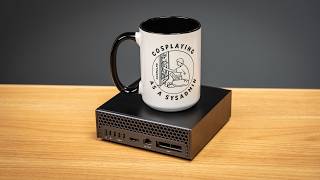
This is a Dell Pro Max with the GB10 and it is absolutely awesome because it is a 128 gigabyte AI powerhouse that also fits in your hand. And what we're going to do today is show you not only the system, but how you can use this system to start profiting immediately and generate positive ROI even in the first year. Guys, we have a ton to get to today. So, let's get to it. Hey guys, this is Patrick from SH and this is a Dell Pro Max with GB10. Well, actually both of these are and Dell sent us these units. So, we have to say that this is sponsored. Now, of course, like all of our videos, we are going to go get into the hardware and all the cool things that you can do in terms of networking, scaling this out, and even showing you how this is similar to the really high-end networking like you'd see in the NVIDIA Connectex 8 generation. And we're going to get to that in a little bit. And if that's all you want to see, go down to the chapter markers, and you can just go skip ahead. Because as we were doing this video, I realized that the number one thing that we did in this was really find a way to take this and replace a role that we were going to hire for with a little system like this. And so I thought what would be cool is going through well number one, how does that math even work like where we can justify these systems is actually we're profiting on these in less than a year. But then also I thought, well, why don't I go and walk through the engineering problem that we solved. So that way you can go use it because pretty much anybody that has a job, you should be able to use what we did as a template to go and make a purchase of something like this totally worthwhile within 1 year. So let's get into that right now. Okay, guys. So setting the stage, the ST mainite has been around for like almost 17 years at this point. Our YouTube channel is still much smaller. It's only about 6 years old. And not only that, but we also have additional properties. We have a second YouTube channel, multiple newsletters, forums, all kinds of stuff. And one of the big challenges or one of the things that I guess it's not really even a challenge, but just people ask us for is Patrick, you know, can you get us data? And that kind of data is reporting data. Every business does reporting data. And the reason people want to see it is simple, right? And it'll give you a really good example that you're looking at right now. Dell may say, hey, you know, we sent you these systems. How many views did that video get? And because our content gets used in so many places, we have a number of different data sources that we have to go to to go and pull that data. And not only do we do that for external parties, but we even use it internally as a team. Like I'll say like, hey, you know, why did this piece perform better than that piece? But even get to any performance metrics, we have to kind of go look up those performance metrics. And of course, that's for making a web publication, but every business does this exact thing, and it's just a pain. So maybe we could go and hire someone here to go and just get that data. this will be one of their parts of their job figuring maybe I don't know two to four hours a week but at the same time we're also looking at expanding our team that's writing for the ST main site and so you know hiring somebody just to go maybe do like this maybe do our shipping receiving and a couple other tasks around ST was was good but it wasn't necessarily something that I was like super excited to hire someone for and because we do all this AI stuff I was like well isn't this something that AI should be able to do but that also brings us to the data question right because this data that we have in terms of what people look at how long they look for, all that kind of data that's really proprietary to our business, just like every business has proprietary data. So, we were really looking at what do we need in terms of a local AI solution. So, that way we don't have to give out access to that data. We can just pull from our own internal data sources and we don't have to let the data sources leave, right? We we can make sure that they're not going to some other large AI company and that they're using that for their training data because I definitely don't want that to happen. Now, there's another version of this video where we went into a long tutorial on how to go set up an N8 chain and actually go and run this entire workflow, right? And I noticed that like when we're doing the review of that, I was like, "Hey, you know, we're actually showing a lot of things that we probably shouldn't show." What we decided to do is just kind of talk about a little bit more broadly in terms of the steps that we had to fix, right? First thing is we have to go take the request usually via email because that's how folks send things. And then email usually has a couple of things. One, what is the scope? So we have to figure out do people want to just see how many Dell page views you have in general or do you want to see it for a specific piece. Second, you might want to see what type of data folks want. Do they want page views? Do they want time on page or watch times? They also might want to go and ask for a specific article versus just Dell overall. And so there's a number of different types of reports that we might run. They also might want to run a comparison. And so what we have is we need a AI solution to go and take and parse whatever that incoming email is and we need to be able to figure out what are the data sources that we need to get to, what data we need to pull and any comparisons that need to be made. We also did a process step at the end to make sure that the person requesting that data could logically have access to that data or should have access to that data. Like I don't care if Dell's asking about this piece, but I do care if another company is asking about this piece. And of course, the final step is writing an email that has that data that we need in there. Now, just describing that overall process, I think a lot of folks that are going to watch this video at this point probably already have some idea of how to go and do all of those different steps and put them together into a workflow on N or another tool. It's great if AI can go and do all of those steps, but what I really care about is at the end of the day is what I get. Can I trust it? Is it something that's going to be way off? Is it going to go to the wrong party? Or is what I get basically ready for a quick scan and send? So the original idea was that maybe we could use a highly quantized version of GPTOSS120B or we could just use the 20B because that's way faster and you know frankly it's pretty darn good. And what we're asking is not really something that's complex in any way. What we found was that there was a huge variance between the 120B and 20B model. When we ran these smaller models and also the highly quantized highly quantized ones were actually a little bit better, but these smaller models especially, we only were getting about 95% accuracy by the time we got all the way through this workflow. all the way from you know email in going out to many data sources and getting to the end result. On the other hand, the 12b model when we're running that, we were getting like one defect out of every thousand or 99.9% reliability. And that actually makes a lot of sense because when you do reliability engineering, right? You multiply the probabilities of something being successful or failing. And that's how you get the total system level of failure, right? And we're not just doing one shot. We're doing multiple steps and each one of those has the possibility of failing. And so that's why when we use these smaller models that even though they may not have a huge variance or you may not think of them as having a huge variance on each one in terms of you know are they better or not they actually end up being significantly worse when you multiply them by having multiple steps. And guys when we did the back testing it essentially came out to be the difference between having potentially one defect every week or a little more than a week or just having like one a year. And so, how much do you actually trust that when you give a, you know, task to someone or something that it comes back and it's correct? And by the way, that one a year, I know that people like, "Oh, that's not good." And all that kind of stuff. Like, guys, I make mistakes, too. So, I probably have like two defects a year. And that's something that we also found. Okay, so you're probably wondering, what the heck does that matter with this? And how are we getting to you actually can save money to go buy one of these using this? Well, take a step back and think about what we can do now. Now, we have a process that we've been using for like the last two months where those requests for, you know, that kind of data go in, they come out the system, I get an email, and I can say, "Okay, yep, that makes sense or that looks about right." And then send it out. We no longer have to have someone go do that. So, if you take it back and you say, "Okay, 2 hours a week." And let's say that there's, you know, 50 weeks that are working, you know, someone's working in a year, so that's, you know, essentially 100 hours a year. And somebody's making $40 an hour. That's $4,000, which is essentially the 4 TBTE model of one of these. And that means that this system serving GPTOSS120B was absolutely running at a super low utilization. I mean, we can go use this for a lot more than what we were using it for. But even just with that very simple use case, we now no longer needed to go and hire someone to do that reporting for that 2 hours a week. So what we did was we ended up hiring Ryan Smith. He used to be the editor-inchief at an Nontech. And part of the budget for going and hiring him was really the budget that we saved by using one of these. And now that I'm talking about it, I guess it's really a cool example because it's an example of AI taking a easier job and helping us to create a higherend job that we had not had before. So overall guys, this is a huge solution and that's why I wanted to get to this before the hardware. But let's get to the hardware. Okay guys, so first off, this system is relatively simple, right? It says Dell on the front. There's a flat top, some flat sides with setup information. On the bottom, you have a giant non-stick pad and a vent. And then on the back of the system, that's where all of the magic happens. First, we have a power button. Little clicky power button right here. Always good. Then we have our four USB type-C ports, but there is one type-C port, which is really for our power in. So, these three ports are really designed for either being USB ports, and they're 20 gig USB ports, or they can be display port outputs if you want to run multiple displays or just a different display on here. Now, next to that, we have our HDMI port. Then we have a 10 GB Ethernet port. Now in the mini PC segment, a 10 GB Ethernet port would be absolutely fabulous itself. However, here there's bigger significance because well that's the low-speed networking because we have a Nvidia Connect X7 Nick with two 200 gigabit Ethernet in QSFP 56 ports. And inside the system, there's the brand new Nvidia GB10 processor. That's Grace Blackwell 10, which is really not the GB 2000 or 300 that you would see in the data center. This is more of a lower power device that you can have at places like the Edge just like this in a tiny mini PC form factor because it's lower power. That doesn't necessarily mean that we have absolutely nothing in terms of performance. In fact, it's quite the opposite. We have a total of 20 ARM cores. Now, 10 of those cores are the high performance cores, and then we have 10 lower performance cores, but 20 cores total. There's also the Blackwell GPU, which call it about an Nvidia RTX 5070 just generation of GPUish in terms of compute performance. And then we have 128 GB of LP DDDR5X memory. Now, that 128 GB of LPDDR5X memory is soldered onto the motherboard. So that means that you don't have like sodiums that you can, you know, buy a 16 GB model and then upgrade to 128. No, that's not possible. You have to get this with 128 GB today. Now, the other thing though is that you do have local storage, which could be 1 TBTE up to 4 TB depending on which model you configure. And that can have a big impact on price. In fact, some of these will get down to under $3,000 list price based on the storage configuration. Guys, one of the coolest things about this is the networking because you have the Nvidia Connect X7 which has 200 Gbits, also supports RDMA networking. And so the the one challenge of it is that it is really funky. We have an entire guide to this on the STH main site that if you want to learn more about how the networking works, definitely go check it out there. And guys, if you just want to see something really fun, check out our Nvidia Connect X8 review where we show you how this dual 400 gig nick actually operates in many ways the same as the GB10 networking with the Connect X7 just at like 4x the speed. But I think one of the other values of this is that if you are going to use Nvidia's higherend solutions, this gives you like a mini version of that all-in-one thing because and we didn't realize that until we did the Nvidia Connect X8 thing and had to get 800 gigs going birectionally uh through the nick and you can't do that with just a 16 or PCI gen 5x6 slot. You need to go and uh make the topology way more complex. That actually kind of looks like how this does networking. But the standard solution that Nvidia supports out of the box is to be able to go and take a cable like this. And if you have a QSFP 56 cable, you can just go connect this in here and that gives you your 200 GBs of networking. Now, of course, that gets you two, which you can use things like VLM and run larger models, but I think there are folks that are going to want to run more. And so, let's get over to the other set to go take a look at how that happens. Okay, so for that, of course, we're going to have to go and take out our single deck. And instead, what we're going to do is we're going to use this switch right here. Now, this is the MicroTick CRS 812 DDQ, which is a 200 gig, 400 gig, and also 50 gig switch. We already have DAXs here that are into the two 200 GB ports. And we can just go and connect these to the two systems like so. And now we have a connection between a switch and these two. Why that matters is that also gives us the ability to run things like storage and have shared storage at very high speeds that we can access because we're not just limited to a direct connection. Also, you know, let's talk about these 400 gig ports. These are 400 gig QSFP 56 DDD ports. And what these allow you to do is split them up into two 200 gig connections. That's essentially what QSFP 56D means. And with that, you could just go and take your nice little uh breakout cable here, very inexpensively, connect one of the 400 gig ports to two of these boxes. And just talking about this little switch, which is like less than $1,300. So if you're scaling out to, you know, five of these units, you're talking $15,000 plus dollars. Uh you know, this is less than 10% to set up the networking, right? Which is not too bad. And here you have two of systems that can go into this 400 gig port. There's another 400 gig port. That's another two systems. And then there are two of these 200 gig ports here, which means you can put six of these systems and still have eight ports of SFP56 50 gig Ethernet to go out to storage or other clients, other servers, whatever you need. That's a ton of connectivity. That's 400 Gbits per second of connectivity that's still available after you've connected six of these to the Switch. And guys, I know there's some of you out there that are probably saying, "Patrick, I get it. I love the idea of a DAC connection for two. Or maybe I want to have a switch and go five or six of these wide. And maybe that's the answer for me. But there are others of you out there that are going to say, "No, not enough for me. I want 32. I want 64. I want more. Patrick, what do you got for me?" Well, let me show you what you can do. You take this QSFP 56D cable out of that switch and let's go to a bigger switch. Now, this is a Z9332 switch, which is an older generation switch, but you can get them still. You have 32 ports here of 400 gig Ethernet. You can break that out into 200 gig times two on each port, which gives you a ton of connectivity for these little devices. Let me just level with you a little bit here. This little micro tick switch right here, I think max total, even if you put like high-end optics in it, is about 134 watts. Absolute max. This thing, I think the typical power on it is something like 900 W. So, this you can put in your office and it's not too bad. Once you're here, you're probably going to be putting this in like a data center cuz you're just going to need a lot of power just to have number one that many of these little systems, but number two to even run the switch. And it is not a quiet switch. And for a lot of folks, they're going to see this and they're going to think like, okay, well, there's some ports and like who cares about that? Let me just kind of give you an idea, guys, if you don't know what this kind of networking entails. a ConnectX7 nick today might cost something even on eBay of like $8 $900 for a dual port 200 gig model, right? And so something like this configuration that we have here, this is not a small feature that's being added for 10, 20, $50 to the system like this is a huge investment by Dell, by Nvidia to put a high-end nick that has these RDMA capabilities that can do extremely high-speed networking. I mean, this is a conscious design decision that is enabling the systems to actually scale out to make things that are just more interesting. So, if you're a developer and you want to go and build something big, but you don't want to go and, you know, spend 100 $400,000 on each system, right? This is kind of an interesting idea and just kind of doing the networking behind Nvidia as well. Hey guys, with all these videos, I like to have key lessons learned. And with this, I think it's really easy, right? The number one thing we learned is that we actually have deployed one of these now into our production environment to go and handle our reporting. And that has literally created enough business value that would pay for this. Even if you bought the 4 TBTE, you spent $4,000 on a 4 TB model, you would still be creating enough business value to justify purchasing these and you have a one-year payback period. So, by the time you get to year two, it's all gravy. And also, if you can use it for more than just that, you also get more benefit. We're using a small business example, but I can tell you when I did consulting at large firms and for very very large companies, they all do the exact same thing. Everybody does reporting and most folks do that in their job. So, I think this should be applicable to almost everybody that's watching that video. And so, definitely that's my key lesson learned. The other thing though is that, you know, we always talk about this in one, but I think that the ability to scale out using the networking is absolutely phenomenal. The fact that this has a awesome ARM CPU is also just kind of cool. Has a good GPU, 128 gigs of memory. I mean, there's just a lot going on in this. And I guess my hope is some folks will look at this, whether it's a single system, multiple systems or whatever, and think about it more like, hey, these are the things that I do on a daily basis. How can I go and use systems like these where I can get higher accuracy, creating higher and more reliable workflows, and how do I turn that into something that can take what I'm doing today and allow me to go do higher value activities? And I know a lot of folks aren't going to like that. They were just going to want to go fast or whatever. But to me, that's the huge value of something like these GB10s and why I'm so jazzed on all of these types of systems. And if you have another thought of how to do this, definitely let me know down in the comments. But also, if you like this video, well, why don't you share it with your friends and colleagues, but also give it a like, click subscribe, and turn on those notifications so you can see whenever we come out with great new videos. As always, thanks for watching. Have an awesome day.
Video description
We took the Dell Pro Max with GB10 and show you how we built a reporting application based on n8n to have the system pay for itself without generating slop. We walk you through that process. We also explain why larger, slower models perform much better in the workflow. Of course, we go into the NVIDIA GB10-based system and Dell's hardware along with some networking options for 2-nodes, 6-nodes, and up to 64 nodes. STH Main Site Article: https://www.servethehome.com/using-the-dell-pro-max-with-gb10-to-profit-within-12-months-nvidia/ Substack: https://axautikgroupllc.substack.com/ STH Top 5 Weekly Newsletter: https://eepurl.com/dryM09 ---------------------------------------------------------------------- Become a STH YT Member and Support Us ---------------------------------------------------------------------- Join STH YouTube membership to support the channel: https://www.youtube.com/channel/UCv6J_jJa8GJqFwQNgNrMuww/join Professional Users Substack: https://axautikgroupllc.substack.com/ ---------------------------------------------------------------------- Where to Find STH ---------------------------------------------------------------------- STH Forums: https://forums.servethehome.com Follow on Twitter: https://twitter.com/ServeTheHome Follow on LinkedIn: https://www.linkedin.com/company/servethehome-com/ Follow on Facebook: https://www.facebook.com/ServeTheHome/ Follow on Instagram: https://www.instagram.com/servethehome/ ---------------------------------------------------------------------- Other STH Content Mentioned in this Video ---------------------------------------------------------------------- - Dell Pro Max with GB10 overview: https://www.servethehome.com/dell-pro-max-with-gb10-unboxing-this-nvidia-gb10-arm-blackwell-ai-workstation/ - Unboxing short: https://www.youtube.com/watch?v=zkc1OEOFMus - NVIDIA ConnectX-8 review: https://www.servethehome.com/nvidia-connectx-8-dual-400gbe-400g-nic-review/ - Introducing our new managing editor at STH: https://www.servethehome.com/welcoming-ryan-smith-as-the-new-managing-editor-at-sth/ - NVIDIA GB10 Networking Deep-Dive: https://www.servethehome.com/the-nvidia-gb10-connectx-7-200gbe-networking-is-really-different/ - NVIDIA DGX Spark: https://www.youtube.com/watch?v=rKOoOmIpK3I ---------------------------------------------------------------------- Timestamps ---------------------------------------------------------------------- 00:00 Introduction 01:27 AI Reporting tool using n8n 06:47 Building the Business Case with a 1-year Payback 08:05 Dell Pro Max with GB10 Hardware Overview 10:27 Multiple GB10 Networking 15:37 Key Lessons Learned