We can't find the internet
Attempting to reconnect
Something went wrong!
Attempting to reconnect
Daniel Amber · 7.7K views · 292 likes
Analysis Summary
Worth Noting
Positive elements
- This video provides a practical, hands-on demonstration of using Babashka pods and HoneySQL, which is valuable for Clojure developers looking to build fast-starting CLI tools.
Influence Dimensions
How are these scored?About this analysis
Knowing about these techniques makes them visible, not powerless. The ones that work best on you are the ones that match beliefs you already hold.
This analysis is a tool for your own thinking — what you do with it is up to you.
Related content covering similar topics.

Transcript
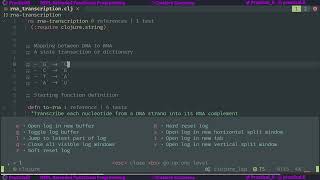
hey what's happening guys in this video we're going to be using babashka to make a password manager so let's get started [Music] so if you're not familiar with babashka basically what it does is it allows us to write scripts using closure it starts up way faster than using the jvm it doesn't run on the jvm and it also comes with some helpful tools for creating command line applications so to install it we just go to book.org go to getting started we go to installation i'm going to go to the github repo here and here i think we can copy and paste the script yeah we can copy and paste this and it will install the bachelor for us so you run the bachelor using bb i don't have it installed yet so i'm just going to copy this i'll paste it and now it's going to download it for us once it's installed we should be able to evaluate closure forms at the command line using bb so let's do this and let's just create a form here plus one one evaluate it and we should get two awesome and that was super quick so let's create a directory here i'm gonna call it pass man for password manager i'm gonna cd into passman and i'm gonna open it in vs code now the first thing i want to do is create a bb.edn file so if we go back to book.babashka and we go to project setup we can see that babashka uses bb.edn files to manage a project so i'm going to create one here new file db.edn and if we look at the example setup it's super simple very much like a devs.edn file oops let's copy it here and for the path i'm going to change scripts to source and for dependencies i don't have any dependencies yet so i'm going to save this and let's create a new folder here called source and inside of that folder i'm going to create another directory called passman and inside this passman directory i'm going to create an app.clj file and then i'm going to name space it as passman dot app save this so now i'm going to create a main function and i think if we go back to book.prabhaska we can copy one here so let's just copy this main function i'm actually going to get rid of that unscore and we didn't really need to copy this so let's just print line hello world hell world let's do that and now we should be able to execute this with babashka so i'm going to open up my terminal let's copy this line to execute this and our namespace is past man dot app and here it'll look for the main function cool and it's working hell world the next step is let's pass some cli arguments to this so if we went go to the top here we could see that the bachelor actually comes with closure tools.cli for passing command line arguments cool so let's go to that and what i'm going to do here is look at the quick start guide i'm going to copy this require i see it uses it has this pass ops function that we're going to use save that and let's copy the example command line options i'm going to paste that here i'm just going to minimize this on the side and let's copy their main function so i'm going to copy this and paste it here and now if we execute this cool we can see we have options kind of working but we're not using anything so let's actually just think about how we want this password manager to work a little bit so the first thing i want is i want to call past man and i want to be able to pass through a website so let's say facebook.com and a username for it so like test user and then and if i execute this i want my password to be copied to my clipboard if i pass through like g i want a password to be generated for this user and this website and if i go past man list i want to see a list of all the passwords i have stored in passman but a list of the like the usernames and urls not the passwords let's start off by making this past man list work so i'm going to close this here we don't need this we don't need this one let's just use the list so i don't want a single argument for it so i'm going to pass through null and here i want to pass through list so now if we evaluate passman app with the list argument you'll see that the list option is true so in this case i want to list all the domains and the usernames for the domains let's go here and let's create a left binding and i want to get my options out of these so out of these past options so let's do this let's get past options and then to get the options we can just get options out of these past options so if we just return those options up we can see we have okay and that's because so okay so options is not actually in our let binding let's put it in and now if we execute this good we can see that list is true so now to do something when list is true we can use cond so i'm going to use the khan function and basically what khan does is it allows us to pass through a condition here and in this case the condition is you know if there is list in options then evaluate something here so here let's just run print line list password well list this stored passwords or something i don't know so now if we evaluate this list all the passwords executes cool okay so i think right now we can actually start up a repo to help us so i'm going to start a project repel and here i'm going to use babashka i'm using culver and i can just exit there and close this now we should be able to evaluate this file load current file and dependencies and now we should have a repo running plus one one cool and it's working let's move that to the side and let's work on listing these passwords so the way i want it to work is when we store a password we're going to keep the entry in sqlite but we won't actually store our password in sqlite and i'll get to why just now let's create a database namespace so i'm going to create a new file db.clj and here we're going to work with our database so i'm going to namespace it to passman.db save this and for our database like i said i'm going to use sql lite and to deal with pabasco what we need to do is actually use a pod so let's go back to the basket book and look at pods so pods are programs that can be used as a closure library by the bashkir let's go check out the pods in the pod registry and if we go down here let's look for sqlite so interact with sqlite3 that's exactly what we want to do so i'm going to click on this so to use this pod all we have to do is go require it so let's require the ability to use pods so here we can now evaluate this and now we have pods available so we can go pods load pod and the part we want to load is this go light go sql i3 pod and if we evaluate this it'll download the pod and now we can require sql i3 so if we evaluate this now we have sql light first thing actually want to do is create a db name so i want to define db name and i'm just going to call it passman.db evaluate this and let's look at how we can create our database so we can just use this sqlite execute function and here what they're doing is they're creating these queries themselves so if we go here we want to execute on well let's just put this in a comment they're basically typing the query out themselves but there's a cool library enclosure that allows you to create queries really easily and that's honey sql i'm going to actually just get rid of this and replace this temp foo db with our db name and now i want to include honeysql into our project so i'm going to go back to i'm actually going to go back to google and i'm just going to search honeysql and to include it we just copy this we just copy this devs.edn include so let's go here and we'll go back to our bb.edn save this here and now we'll have honeysql in our project so we go back to our db and let's require honeysql here oh actually i don't know exactly what to require yeah i'm just going to require honeysql as sql save this and let's evaluate this name space again okay i think we're going to have to restart the basket so i'm going to go start our project ripple again click on babashka exit this cool and now i think we can go back to our db namespace there's this load kind of file and dependencies yeah and now we'll have honeysql and let's use it so we want to execute basically creating a table so to do that with honeysql we can go sql forward slash create okay this is not what i was thinking about we need to actually also include something else so if we go back here oh okay helpers so i'm just going to copy helpers and i require this as h evaluate this and now we can use h create table and the table i want to create is passwords and well let's actually just see how honeysuckle works so i'm just going to evaluate this here cool you see it creates a map and then we can actually thread these maps through to each other so we'll create a table called password and then i want to add a column so we go with columns and they pass through a vector and then more vectors so they'll have a url and that will be text so now if we evaluate this we'll see we have our map is extended with columns url text and then at the end of this we can actually evaluate sql format i think it's format evaluate this and yeah and now we see that we have we have some sql syntax and we wrote it with like some pretty nice closure code so we'll want a url and we'll want a username and that will also be text we want the url and the username to be unique and to do that we'll create another vector and inside of that we'll create another vector and then we want unique we don't want to name this function so we'll say no and we'll pass through url and password username here and if we evaluate this we'll see that we'll have a unique url and username cool and that's what we want to create so i'm just going to copy this and sorry everything's a bit too big here for me that's what she said get rid of this and now we should be able to create our database so i'm going to evaluate this and we should see pastman.db is created cool so let's create a function here called define create database it doesn't take any any arguments we'll copy this and we'll paste it in here there's one thing i want to do i want to check if the pass if the passman db exists i don't want to execute anything so let's check for that and the bashker has a way that we can use the file system so if we go back to book.babashka and let's check libraries i think there's a file system yeah the basket file system so i'm just going to click here to require it we just copy this and we paste it in here and evaluate this and now we have access to the file system i think it has like a file exists thing so ifs file exists or exists yeah exists and i think we can pass your db name here if we check this okay it exists if we delete it and we evaluate it it doesn't exist so what we can do here is we can say when not fs exists db name then we can execute this now we can evaluate this and now if we execute create db and we evaluate it cool we have our database here and if we evaluate it again nothing will happen cool okay so now we've created our database i want to create a way to insert a record into the database so let's create a function here well actually let's create it below create db and i'm going to call this insert password and it's going to take a url and a username so what we want to do here is we want to write sqlite execute and we want to execute it on our db and let's look at creating syntax to insert a record so if we go back to honeysql let's see if we can see an insert query here yeah okay cool so i'm just going to copy this and it's paste it here and we want h insert into we'll insert into passwords or enter password passwords uh i'm going to call this passwords and delete this so insert it into passwords columns and that would be url and username and the values would be the same facebook.com and username would be then test.com if we evaluate this we should see okay we can't evaluate we can't find these because they're not in the right name space okay now let's check this out insert into passwords uh url username and our values looks good so what we can do now is we can actually just grab this and paste it in here and instead of facebook.com we'll pass through our url and instead of this we'll pass you our username so now let's just recreate our database and let's try execute insert password so we can go insert password we don't we haven't evaluated it so let's just evaluate it and then we can run insert password and say facebook.com and then at test.com so if we evaluate this no such table passwords why okay because we have to evaluate the create db function then we can delete our database then let's recreate database and it's insert password cool so now we can see that we've inserted a password let's look at how we can grab that out of our database okay so now i actually want to list the passwords that we have stored in this database so i'm going to create a new function here and i'm going to call it list password so define list passwords and here we're going to use sqlite again and here we see there's a query function so i'm going to use that because we're not executing anything and we're going to query on db name and let's just go to this comment box this comment form and see if we can create some query syntax to get our passwords out so let's go h you want to select and we want to select our url and our username let's go h again and we want to select from our passwords database well our passwords table and let's go sql format select url username and password so that's pretty cool looks exactly like what we need so i'm just going to copy this here and paste it here evaluate this function and actually just rename it so it makes sense and then evaluate it and let's try run it here so we'll run list passwords cool and we can see that our password did actually store in this database so now what i want is if we go back to our app and we have list options i want to see those passwords so the first thing i want to do here is get rid of this here we can go let's include our database namespace here so let's require from passman.db let's use refer and let's refer to the list passwords function and let's just run list passwords here save this and if we go back here let's clear our terminal oh that was our apple let's clear out our terminal well let's clear our terminal and we can run list cool and we see that we are listing our passwords but this is kind of a crappy way to list them there's a much nicer way and that's by using a library called table so let's go to google and let's google table closure cli and it's table table so let's include the table library go back here go to bb.edn and we'll copy it here then what we can do is let's just restart our apple and let's just check out this github reaper cool so here's the repo so links to all these repos will be in the description but i'm actually going to add them to the project as well so let's add table and we used honeysql and we're using this tools.cli and now we can just get the documentation really quickly when we need to so let's go to table and we'll see that it's super simple we just run the table function and it will automatically create headings using the keys and the values will just be displayed as the rows so let's see what happens if we evaluate this make a comment here and it's i think this load current file and dependencies and let's run let's include table so let's go back here and require table as t evaluate this and now we should be able to run t table and list passwords and check what it does so url and username are automatically the headings and we have a list of our urls and usernames for our passwords so that's pretty cool so i'm just going to put this here so that when we list our options we'll evaluate that and that's cool so so now we have a way to create sqlite database and we have a way to insert a user name and a url but we don't have a way to store our passwords just yet so let's look at doing that so the first thing i actually want to do is create a way of creating passwords so i've already made a video on a password generator using closure as the command line tool and i've got that in a github repo so i'm just going to go there so down into the space cli password hopefully i'll get it yeah so here's the video go here [Music] here's the github repo and i'm just going to grab the password generator saying password cool and it's a super simple way to generate a password so i'm going to copy this and i'm going to create a new file here i'm going to call it password.clj i'm going to give it the namespace of passman.password and let's just copy and paste the code in and i'm just going to also copy and paste this file at the top here to see where i got it from and if we evaluate this namespace all right i don't know if our apple store anything let's just restart our rifle and let's load this current file in dependencies and now we should be able to comment and if we go generate password and provided a length let's provide a length of 50 we get a password of 50 characters long cool so we'll use this to generate our password so if we go back to app.clj so now we need to accept that g argument for generate and we need to accept an argument for length so i'm just going to go back to cli options because i want to provide a default value for the length and i think the default value should be 40. so let's just copy this and we'll say l and this will be the length and we'll say this is length and password length and we'll default it to 40 and we can keep this actually the this pass fn this checks that this is an integer checks that the value we passed as an integer and if the validation fails must be a number between zero and 65 536 that's fine i'll keep that something's not happy here and it's because i need square brace here we can evaluate this so now also if we just print our options out here evaluate not resolve symbol pause ops okay so we need to just evaluate this evaluate this so now what we can do is we can run dash main with no arguments and we can see that we'll have in our options a map and there's a key of length and a default value of 40. so now if we went to our command line and let's just go to zsh and we pass through l with a value of 60 we can see that we have a length of 60 here so we can just change the length of our password and if we don't pass through if we don't pass this through it defaults to 40. cool so now i also want to pass through that g flag so that we know if we need to generate the password so let's create another vector here and we'll say g and the long version of this will be generate and this will be generate new password evaluate this and now if we go back to our terminal and we pass through g we can see that generate is true so if generate is true we want to generate a new password so all we need to do here is if we check for generate and our options go let and we'll create a new password here and this password will be from our password namespace so let's include that here we'll get past man dot password and we'll refer to the generate password function evaluate this and now we'll generate a password here and we'll pass through the length from our options so we can go length options and if we just return this here we'll see a password so let's go back to terminal and we'll say generate and we'll see it returns us a password we're still printing our options out so first when we generate a password we need a url and a username so let's add those so i don't want to add those using these i just want them to be regular arguments so if we just print out the options past options here and execute i want it to look like this so i want to look like facebook.com and let's say test at com we'll see that those come through as arguments so the first argument must be the url and the second one must be the username those are in an arguments key in our past options map so to do that so to get them out all we need to do is so we can get our url and that will be the first item in our arguments from past options and we can get the username and that will be the second item in our argument so basically what that does if if we had a list here of one and two second would get the second one and first would get the first element easy enough so now that we have a url a username and we know that we want to generate a password we need some place to store this password securely so let's go back to the book.website let's go to pods and go to the pod registry i'm going to look at this stash so this is encrypted text storage which is basically exactly what we want i'm just going to take a quick break now go for a walk and come back and finish this tutorial up so i just finished recording this video yesterday and i realized my screen wasn't recording so i backtracked the project a bit and i'm hoping it's exactly where we left off so if something's weird it's because i didn't backtrack enough so we want to add encrypted text storage and i want to use this roro kimdem stash and the reason why we need encrypted text storage is because even though we're storing data in sqlite we've created this postman db file we can actually still see the contents of that file and we can do that by running hex dump with capital c as an argument and then we pass through the name of our database and here we can see what we're storing inside of the database and obviously we don't want that with our passwords so the way we get around that is by using encrypted text storage well i chose to use encrypted text storage so let's look at how we can add this i'm just going to open this in a new tab and if we go to the scripting examples and then we click on the bashker and then we can check the stash.clj cool we can see that we've actually got some code already written for us which is great so i'm going to grab some of these functions so first off i'm going to go back to our project create a new file here and i'm going to call it stash.clj and i'm going to namespace this as passman.stash and here we're going to want not the part of the stash command but we want the file the stash file part so i'm going to copy this and i'm going to call it passmin dot stash and we can evaluate that let's evaluate this namespace also and here we want to load the pod so let's copy this and instead of loading it via the stash command let's go and load it we want to load this so we can copy this here and we don't need a vector and we should just be able to put the stash command there and the version which is 0.2.0 and i think that'll work yeah cool so now we've loaded it in so now let's go back to the script and we want to actually require the stash command so i'm going to get this out of here and just underneath here we can go well we want to require and if we evaluate this okay i think we need to pass this through as a symbol evaluate this and cool now we have stash so we can run all the stash functions great okay here so here's the stash init function so this will initialize a stash file for us so i'm going to grab this out of here here we can see it's getting the stash encryption key from our environment variable so we're not going to do that so i'm going to not have that in the comment um and here we want to pass through our password and instead of e key let's just grab this out of here and we'll use password instead of our environment key and if we evaluate this evaluate this now we should be able to initialize a stash so i'm going to write a comment and i'm not going to call this function stash inits it's in the stash namespace i'm just going to call it init so now we can run init actually now let's call it session it makes more sense then let's run stash connect and i'm just going to give it the password of password and if we run this we see that we have a stash file created awesome so now let's actually add stuff into the stash file so if we go down here a bit stash ad cool so adds a new node under a parent yeah adds a new node under parent so we should be able to add something to the stash so let's evaluate this here and then we go stash add and we want to add a password the way i see us wanting to add a password is by having our url which is facebook.com our username which is test let's see what we used as a username here uh dan test.com so i'm just going to use the same one here and then a password which let's say secret i'm going to actually not use the stash add function i'm going to wrap this i'm going to call it insert password and let's create a function here called or maybe add password and it'll take our url our username and our password and we'll call stash add and see stash ad takes a parent id so for now i'm going to just add all the passwords to the same parent so the parent id will be zero and a key and a value so the key what i want to do for the key because we know it's going to be unique is combine the url and the username so we can go to string url and username and that will create a unique key from our url and username and then the value will be our password so we can evaluate this and now if we run this we get one because we just added a new node under our parent so now we need a way to retrieve this so let's go back here and i think there's a way to get all nodes stash nodes no yeah stash nodes get all nodes stored in a stash perfect so i'm just going to grab this function out of here paste it here evaluate this and now if we go stash nodes cool we can see that here we go here's our key which is our url combined with our username and the value and if we provided a parent id then it will look for nodes in that parent id so like if we provided one here we'd get nothing back because we're not using that parent id now we have a way to store our password secretly and just to show you that so if we run hexman hex dump c on passman.stash everything is encrypted we wouldn't be able to find our value in there so let's go back to our app.clj file and start using this so here we generate a password that's cool what we actually want to do is before we generate our password when we generate a new password we want to initialize our stash so we can go do and okay so now we need the stash namespace so i'm just going to include that at the top here so past man dot stash as stash and let's evaluate this now we can initialize our stash so stash let's stash in it and we need a password so now we need the user to enter a secret password that will initialize this dash so if the stash has been created it will just be able to access it so i want like a function here called a password input or something password input and that would get the input from the user to do that all we have to do is create a new function here and we can call it password input and what we want is we want to like print line and enter your master pass enter your master key or something like that so we can use some java interrupt here to interact with the console and read a password so we can get from system console so on here there is a function called read password so dot read password and then we want to convert this to a string so we just instantiate a new string and i think that's it we can test this by making it the first thing we input so let's print line password input here and see if it works and now we can use the basket to run this so what's bb dash m d m and let's run well list should still work so list now we enter our master key test cool so i input a test and we get test great so that works so now we've initialized our stash we want to store inside our database the url and the username we entered so i'm going to actually instead of using the referrer for this list password function i'm going to get rid of that i'm just going to say use our db as db evaluate this again here this password will be db list passwords and here what we'll do is we'll go db um insert password and it takes our url and our username and then we can go and add this password to our stash so stash add password url username password then we can print line add added oh asked password added password yeah okay so let's see if that works you want to save this and let's try and generate a password open up our terminal and g so here we want to add a password with the url facebook the username test4.com and we want to generate it so let's also just output our password here password and let's see what happens generate enter your master key and our master key is password cool so it added password and here's the password that it added so i don't want it to actually ever display the password in the console i'd rather just copied it to our clipboard and then we can paste it so instead of displaying the password here i want to create a function that will copy it so let's copy it let's create that function so i'm going to create a new namespace here called clipboard clj and namespace passman.clipboard evaluate this okay so i'm going to create a function here called copy and i'm going to use terminal command so if you're on a mac this will actually only run on mac but if you're on a mac and you go echo some text and you pipe that through to pb copy it's going to copy that to the text to the clipboard so linux has its own command and i have no idea how you would do that on windows we're basically going to run this inside of a bashker we're going to write a function called copy which takes some text and we're going to require the sh function from the bachelor so if we go back to and we check the process namespace yeah let's search for this on google and we want to use the sh function first let's require it so i'm just going to grab this line here and we'll require the bashka process and we'll just want to refer to this sh command so let's just find sh being used okay cool this i think we can use this let's grab this here and paste it in here here we can go echo we want to run echo and we want to echo out our text then we want to pipe that through to sh again and we're going to run pb copy and then nothing can out so let's make a comment block and run copy evaluate this could not resolve symbol sh okay so evaluate this then evaluate this and now if we run this could we get nothing back okay but we can paste our text cool so let's go back to our app and include the clipboard well let's actually just cop use the copy function so we'll just import that one now password added and then we can copy password so now if we run this again let's go up test five into your master key password cool and we can paste our password awesome so i'm just going to also stop printing these past options out all the time now let's create a command to actually retrieve the password so basically what we want is if we ran this without the g we want to retrieve the password right now it does nothing so we can create a new condition here and we can say so if the first one goes through then we just assume there's a url and a username but now we just want to check if there is a url and a username then we want to execute something here so do and what we want to do we want to get our password from the stash so let's go back to our stash and add a way to do that we have a function to get all of our nodes but we have no way to actually look up a key so let's define a function here called get password or find password because that's what we're doing and we want a url and a username and we can create a left binding here and we'll say our nodes are our stash nodes and the lookup key is going to be string of the url combined with the username and then what we want to do is we can say the found found node we can run filter on our nodes let's call this nodes and here we can get function that'll take in our node and what we want to do is we want to check to see if the value not the value if the key so the node will have a key here so if the key of the node is equal to our key then we found a node and then we'd want to get the value from the node so we want to retrieve the value from that node so value off of the found node so right now this is actually going to return us a list of nodes so we can actually just get the first found one and if we evaluate this that should work let's go down here and we want to find password cool and it found our password let's save that and let's go back to our app and what we want to do here is we want to emit our stash with the password input and then we can run stash find password with our url and our username and then we want to copy it so let's put that in a lit binding so let's say let so we'll let our password be our found password and then we can just copy our password so if you're writing the script to distribute i would add some error tracking but i don't think it's necessary right now and then we can print line here password copied clipboard and actually this should be the word at the same here password copy to clipboard cool so now if we run this okay i misspelled username username here let's rerun this into your password so password cool and i can paste the password great i actually want to run if go back to the pass man well go back to the db i always want to run this create db function when this file evaluates because there should always be this db so here i'm going to delete this database here and whenever we run this namespace i want create db to run and it'll check for us if the database is there and if it's not there it'll create it so now let's go back and let's try add a password okay the key already exists in our stash so i'm just going to delete both the db and the stash and now let's try this again password password copy to clipboard cool so i also just want to check that the length and everything is working now so i'm going to delete our database i'm going to delete the stash what i'm going to do is i'm going to run yeah bbepassman.app test11 and i want to create a password of length 2. so i'm going to create a new master key called pass and if we paste this cool that's two characters if i make this 20 pass cool it's a duplicate insert so that's not going to work so let's create a new username pass cool and that works awesome if we just run this again and run this with list cool we list our passwords i think that's it so now what i want to do is compile this into a script so i can execute it without without having to run bb and then point to the main method of passman.app i just want to run like past man like that so to do that we need to create an uber script so i'm going to create a new file here i'm going to call it create uber script dot sh so i've already created this and i'm just going to paste it in here so let's run this so [Music] create uberscript cool we can't run it so we need to change it to an executable by running to mod plus x on create uberscript and now we should be able to run this again so now if we go check out our directory it's compiled all of our namespaces and everything into one script that will run for us so now what we can do is we can go run out past man and okay we don't have any function that's default so we can go list and it'll list our passwords and if we go let's generate a password so let's say twitter.com dan at twitter.com and we want to generate a password of length 100 and let's create a well it's going to be using our same master key from the last one but that's fine pass and it generated a password of length 100 and then if we run list again we'll see that our password was added there cool and that's how we can make a password manager using babashka and sqlite and the stash file i hope you guys enjoyed this one please like the video if you did and let me know what other videos you want in the comments below catch you in the next one bye
Video description
Hey guys I have previously made a video on how to make a command-line application using Clojure. unfortunately, it was a bit slow because it had to wait for the JVM to boot up. There is a way around that though and that's by using a really awesome Clojure scripting runtime called Basbashka. In this video, we create a password manager to create, store and retrieve passwords. // Links to all libraries are in the repo GitHub repo: https://github.com/danownsthisspace/passman // Babashka https://book.babashka.org/ ----------------------------- 00:00 intro 00:26 Install Babashka 01:00 Create project 03:26 How the cli tool should work 04:07 Listing stored urls and usernames 06:47 Using Sqlite pod 08:20 Using Honeysql 11:52 Checking if a file exists 13:06 Insert record into Sqlite db 15:41 Select rows from Sqlite 17:45 Format output using Table 20:02 Creating a new password 21:32 Accept generate as an option 24:55 Adding positional arguments 26:16 Secure storage using Stash 33:45 Get password from user input 36:33 Copy password to clipboard 39:18 Retrieve passwords 42:36 Ensure db exists 44:11 Package using uberscript