We can't find the internet
Attempting to reconnect
Something went wrong!
Attempting to reconnect
Analysis Summary
Ask yourself: “Who gets to be a full, complicated person in this video and who gets reduced to a type?”
Performed authenticity
The deliberate construction of "realness" — confessional tone, casual filming, strategic vulnerability — designed to lower your guard. When someone appears unpolished and honest, you evaluate their claims less critically. The spontaneity is rehearsed.
Goffman's dramaturgy (1959); Audrezet et al. (2020) on performed authenticity
Worth Noting
Positive elements
- This video provides a rare, counter-intuitive benchmark showing that newer entry-level hardware can sometimes be outperformed by decade-old enterprise gear in specific virtualized environments.
Be Aware
Cautionary elements
- The use of 'revelation framing' (claiming results 'defy logic') to make a standard hardware bottleneck feel like a hidden truth only the creator can explain.
Influence Dimensions
How are these scored?About this analysis
Knowing about these techniques makes them visible, not powerless. The ones that work best on you are the ones that match beliefs you already hold.
This analysis is a tool for your own thinking — what you do with it is up to you.
Related content covering similar topics.
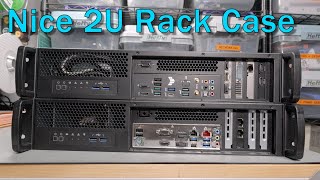
Two builds in 2U rack cases.
Peter Brockie

What can you DO with 1TB of RAM?
Dave's Garage

My Cheapest Combo Yet - Cloud Gaming Server with an X79 Microcloud
Craft Computing
Transcript
We all love the Nvidia Tesla P4 around here. This singles slot lowprofile GPU is a fantastic add-on to nearly every home lab for things like video encoding or even some light 1080p gaming. But it's not perfect, especially now that Nvidia has dropped Pascal support in their latest drivers. The problem is once you graduate beyond the Tesla P4, every single enterprise GPU that would fit into a single slot space like this is just obscenely expensive. The Tesla T4, for example, is the Touring powered GPU and direct replacement for the P4, but it still runs over $600 on eBay. And the ATAPowered Nvidia L4, you can forget about that one entirely until AI is well and truly dead. So then, what is the fastest single slot lowprofile GPU that you can buy today? That honor goes to the Nvidia RTX 3050 6 GB. And today we're going to test this in my $50 Super Micro MicroCloud to see how stupid of a gaming PC we can possibly put together. Welcome back to Craft Computing everyone. As always, I'm Jeff. So, you know, out of all of my stupid ideas that I've showcased on this channel, my collection of GPUs, my dozens of servers, why is it I have never taken a look at the infamous RTX 3050 6 GB lowprofile card? By all accounts, this is a terrible card, especially when it comes to gaming. But then again, Zeon CPUs also suck at gaming, and enterprise GPUs also suck at gaming. I built so many machines that suck at gaming that turn out to be not half bad at gaming. I figured that I might as well add one more card to my collection that might or might not be able to actually play games. The RTX 3050 itself has two distinct variations. There's the RTX 3050 8 GB which has 2560 CUDA cores and 8 GB of GDDR6 along with a PCI Express power connector giving the card a 130W power profile. And then there's the card we're looking at today. This is the RTX 3050 6 GB, a half height, half-length GPU built for lowprofile machines. Not only is this GPU a cut down version having just 234 CUDA cores, it also had a power limit pulled down to just 70 watts. The upside is that this card is entirely busowered, meaning that you can drop this into a super small form factor machine without the need for a power connector. But that also means we're dealing with half of the power for actually running the card. But that's not entirely a bad thing. A card that draws just 70 watts of power at peak paired with a similarly TDP spec CPU, you could have a full desktop gaming PC that stays under 150 watts in total. For places where power is expensive, that might be a distinct advantage over having more frames being able to go burr. So why the comparison to the Tesla P4? Well, as we saw a couple weeks ago, the P4 still holds up decently well in a virtual machine for gaming, but really only if you use the whole card and all 8 GB of memory. 8 GB might not be enough for some games today, but most everything that I tested worked quite well at 1080p. As anyone who has followed this channel for any length of time knows, I love remote gaming or a self-hosted cloud gaming server. The idea of putting a gaming PC or a server out into a temperature-cont controlled room and remotely connecting to it is super appealing to me. You get no noise from fans. You get to use a much lower power thin client in the room you're actually sitting in, like a Raspberry Pi, a low power mini PC, a Chromebook, or even an Android handheld, or just your cell phone to play your games on. And today, we're going to set up a remote gaming PC as simply as possible. No virtualization, no driver shenanigans, just a gaming PC in a server rack. Of course, I'm going to be using one of the nodes from my Super Micro X79 MicroCloud, rocking an Intel Xeon E5 2643 V2 6 core CPU with a 3.5 GHz base clock along with 64 GB of DDR3600 memory. But rather than installing Proxmox, configuring PCI Express passrough, setting up a virtual machine, and all of the other processes I normally do, I'm just going to install Bazite and we'll connect directly to the bare metal machine. So essentially by doing this I have created an Nvidia and Intel powered BC250 node. Now I don't hate this idea. The BC250 is a masterclass in hacking together working parts with bailing wire and duct tape and the community around the BC250 have done an absolutely incredible job getting them working. But the MicroCloud here with an RTX 3050 is just some off-the-shelf parts. And it works without BIOS mods or kernel tweaks. It has hardware video encoding for cloud gaming. It supports DLSS and FSR and supports either Windows or Linux. I already have a BC250 at home, but for some reason I also decided to build BC250 at home. So, let me get this not BC250 installed in the server rack and let's see how it works. Well, I find myself behind my server rack again. And as someone who loves tinkering with hardware, this is actually one of my favorite places to be. But if you run a business that doesn't involve making content around the jinky things you build inside your server rack, you probably shouldn't be spending too much time behind one. And that's where Meter comes in. Meter can design, deploy, and maintain a custom network for your business. Whether you have a small mom and pop operation, or run a giant multi-side enterprise, you get everything you need in a single solution, including high-speed wired and wireless networking, firewall and routing, and even cellular, all in a single integrated solution that's built for performance and scalability. Meter ships the hardware you need today and will automatically upgrade your network as time goes on. They'll even negotiate with your local ISPs to get you the best rates on internet connectivity at every location you operate. Best of all, every piece of your network is visible from a single cloud-based dashboard, making management an absolute breeze. Whether you're starting a new business, expanding to new locations, or simply modernizing an aging network, let me take care of the hassle for you. Visit meter.com/craftcomputing to book a demo today and see what they can do for your business. Again, that's me.com/craftcomputing. And a huge thanks to Meter for sponsoring today's video. So, after a day of playing games, what kind of performance are we looking like in the RTX 3050 6 GB lowprofile? This question is mostly aimed at people who have been running a Tesla P4 or were considering picking up one of these for a virtualized gaming rig. Should you consider springing for the two generations newer ray traced and DLSS enabled RTX 3050 instead? In short, no. And honestly, I'm surprised that I have to say that. See, if you break these cards down and look at the core components, there's literally no reason the RTX 3050 shouldn't be the better card, and by a pretty wide margin. The Tesla P4 has 2560 CUDA cores and 8 GB of memory, but is based on Nvidia's Pascal architecture from 2016 and built on a 16 nanometer process node from TSMC. The RTX 3050 has nearly the same core count at 234, but is based on a much newer ampear architecture, including the jump to 8 nanmter, dramatically improving performance and efficiency. Both cards are working inside the same 70watt power limit. So, the difference should come down to which architecture is more efficient. And the answer should be quite clearly ampear. But well, let's take a look at some of the results. Keep in mind that the P4 had a hard cap of 60fps in the Nvidia vGPU driver, while the RTX 3050 has no such limit. Also, the P4 was running in Windows 11 as a virtual machine, while the RTX3050 is running on bare metal with Basite. Both systems were running the same exact Zeon E5 2643 V2 CPU, but the Tesla P4 had just four cores and eight threads allocated to it in the virtual machine, while the RTX 3050 had access to all six cores and again through raw bare metal. This isn't an exact applestoapples comparison, but every advantage should be slanted toward the RTX 3050 to give it better performance. But in our very first test, the RTX 3056 GB struggles hard, managing just 35 frames per second in RecFest, running at 1080p and medium settings. The Tesla P4 had no such trouble, hitting 60 fps as its cap and keeping low frame rates above 40 most of the time. It's a similar story in Hell Divers 2. At 1080p and medium settings, the Tesla P4 was able to hit 48 frames per second on average with lows in the low30s. On the RTX 3050, we barely hit 35 FPS on average with lows in the high 20s. A disappointing showing for a gaming card that's two generations newer running against a data center card running inside of a VM. I did try dropping the settings down to the Steam Deck preset to see if that would make frame rates a bit more manageable, but saw little to no improvement in the RTX 3050. That and when running this game on a desktop monitor, the game looked downright terrible. Sure, it ran at 40 frames per second, but textures and aliasing were off the charts bad. It might be a mode that's playable on a 7-in 720p screen, but definitely not on a 27in desktop monitor. The RTX 3050 wasn't all bad, though. Borderlands 4, a game that was wholly unplayable on the Tesla P4, actually ran decently well, hitting 35 frames per second on average with drops only down into the mid20s. Still not a fantastic experience though, but markedly better than the P4 and actually kind of playable. One title I thought for sure would be an easy win for the RTX 3050 was the Oblivion Remaster. This is a title that 100% requires ray tracing to be enabled, either through software emulation or running through direct hardware. As the Tesla P4 predates RT cores, we were relying on the four cores and eight threads inside of a virtual machine to handle the ray tracing via software. As a result, at 1080p and low settings, we hit just 40 FPS on average with lows into the low 20s. Still playable, but definitely not the best time overall. The RTX 3050 with its two generations newer CUDA cores and dedicated RT cores should have made quick work of this one, right? Well, while we did see some improvement, it was only around five frames per second better. This was with offloading rate tracing to the GPU itself, and the game showed no signs of any CPU bottleneck. So, this is just a case of the RTX 3050 not being all that much faster than the Tesla P4. And finally, Kingdom Come Deliverance 2, where we were able to hit 40 FPS on average on the Tesla P4, was again slightly worse running on the RTX 3050. Same settings, same exact save game loaded, even same actions taken when playing, worse result. A couple of these titles I also recently tested on the affforementioned BC250. You know, the totally not a crypto mining cash grab running on cut down PlayStation 5 APUs and hacked into some semblance of usability by a community of budget hardware enthusiasts. That BC250. And while I had high hopes for the RTX 3050 competing, it was outclassed yet again by the BC250. Hell Divers 2, for example, ran at about 65 FPS on average, nearly 30% faster than the RTX 3050. It was the same story in Reckfest and in Borderlands 4 with the BC250 notching pretty substantial and easy wins in those titles. I'm at a bit of a loss on this one to be honest. On one hand, we have the Tesla P4, a slim data center card that was never designed for gaming, running inside of a virtual machine with only eight CPU threads. And that was a straightup better solution than running an RTX 3056 GB in a bare metal gaming machine. It defies logic. It makes no sense. From testing, we even know under Proton, most Windows games actually see better performance in Linux running on identical hardware. The P4 had only eight threads inside the virtual machine, while the RTX 3050 had bare metal access to all six cores and 12 threads. Yet, the P4 was faster in almost every single instance. Now, again, this wasn't meant to be an applesto apples comparison, but all of the advantages were slanted toward the RTX 3050, and it still came up short. Not the result I was expecting, but that's also why we test things. So, if you're looking for a quick add-on GPU for your home server for gaming, I can't say I recommend this one, which is a shame as technically the RTX 3050 LP should be the fastest lowprofile option on the market. We'll have to wait to see if we get an RTX 5050 low profile or if AMD or Intel decide to return to this form factor with anything even close to affordable or anything that draws more than 30 watts. But then again, Intel also makes little small form factor cards like this, which was basically purpose-built for VDI solutions. So, uh, make sure you subscribe so you get to see what this one's all about. But I think that's going to wrap it up for today's video. Uh, what do you think went wrong with this one? Was it my fault in configuration? I thought running Linux and running bare metal would have given the RTX 3050 every advantage and we would have actually seen a competent gaming PC. But what we ended up with was a PC that was slower than a virtualized Tesla P4 running on the same hardware with less CPU available to it and the overhead of running in a VM itself. It doesn't make any sense. If you want to learn a little bit more about the Super Micro MicroCloud that I used in this video, that entire server with eight full server nodes only cost me $399. I will have video links down in the video description as well as affiliate links on where you can find those for yourself. On your way down there, make sure to drop this video a like and subscribe to CraftComputing if you haven't done so already. Follow me on the social mediascrafting for daily shenanigans like this. And if you like the content you see on this channel and want to help support me in what I do, consider joining the Patreon link is also down in the video description and helps keep the lights on around here. And that's going to do it for me in this one. Thank you all so much for watching and as always, I will see you in the next video. Cheers everyone. Mixology March continues here on the channel and today we are making a drink that I never thought I would really enjoy. Um, I'm not a huge fan of tequila, but I did find I'm a huge fan of very long barrel-aged tequila. And today we have a Hornito's black barrel aged 10 years in oak. Now, while most people with tequila typically go towards margaritas, I like old-fashioned based drinks. And so we're going to make another similar one. This one was actually kind of crowdsourced over on my Discord server. And really doesn't have an official name. So if you have a good idea for a name for this cocktail, let me know down in the comments. For this one, we're going to start off with one giant rock in our rocks class, which you can find over at craftcomputing.store. I'm going to cut a lime in half and then do a lime wheel. So, there's our half a lime and see how good this Smith blade really is. Oh, beautiful. Look at that. Little slice. We'll go and rim the whole glass with that lime wheel. There we go. And set that aside for a moment. Next up, we're going to take the other half of the lime and just juice it into our mixing glass here. That is a very good lime. Oh my gosh. Next up, we're going to do 2 ounces of pineapple juice. Now, most of the time you find pineapple juice in like 40 oz cans or, you know, one liter cans. Uh, I like buying these. They're little 6 oz cans. You can get them in a case for like 20 bucks, but then you're not wasting a whole bunch of pineapple juice cuz I don't know about you, but I don't drink that much pineapple juice here at home. Going to do 2 ounces of that. We're going to do a half ounce of simple syrup. And uh this is again that Bourbon County stout syrup that I made for the first episode. Um if you don't have something quite as sweet, you might want to go 3/4 of an ounce, but this stuff is incredibly potent. So a half ounce is going to be plenty. Pours like molasses. Look at that. And next up, a full 3 oz of our 10-year barrel-aged Hornito's tequila. Next, we are going to shake the ever loving crap out of this drink. Give that a good strain right over your rock. And there you have some kind of tequila barrel-aged tropical citrusy punch drink. Uh, trademark. This is delicious. I have not tried it yet, though, with the Bourbon County syrup. So, uh, let's give this a shot now, shall we? I think I'm missing something. I am. I am missing something. I forgot to put peso's bitters in this. Hold on. I completely forgot that every aspect of this minus the fruit was going to be barrel-aged. Uh we have some Peso's whiskey barrel-aged bitters to add to this. Technically, I should have shaken this in with the drink. Uh but I forgot to do that and I'm not going to make a second one. So, I'm just going to stir it using this uh handy little noctuous screwdriver that I happen to have laying around. If you know, you know. And that is a barrel-aged Hornos 10-year tequila punch drink trademark. This time with bitters. Oh, yeah. That That's what makes that drink pop. Before it was this citrusy pop and this real dark caramel uh floor to it, but it was real hollow in the in the center of the drink. The bitters actually brings out a lot of those flavors in kind of what you would consider the midtones. It transformed this into a honestly a dynamite refreshing little cocktail. Recipe down in the description. Cheers everyone. I'll tell you one thing about this. It is sneaky strong. Like it doesn't taste all that alcohol forward at the beginning, but the deeper you get into this one, the more bite it seems to have. This is one that will definitely sneak up on you.
Video description
Thanks to Meter for sponsoring today's episode. If you're interested in learning more about how Meter can help with your IT Infrastructure, go to https://meter.com/craftcomputing to book a demo today. Grab yourself a Rocks Glass or set of Stainless Steel Whiskey Stones at https://craftcomputing.store The RTX 3050 6GB LP... this card was hated by nearly every reviewer when it debuted. But then again, most reviewers hate most budget products these days. Turns out they were right about this one. But first... What am I drinking??? (Insert name here) 3oz Hornitos 10yr Oak Aged Tequila 2oz Pineapple Juice 1/2oz Lime Juice 1/2oz Bourbon County Stout 'Simple' Syrup 3 Dashes Whiskey-Barrel-Aged Peychaud's Bitters Shake like crazy to froth up the Pineapple Juice. Strain over one large rock. Garnish with a lime wheel. *Links to items below may be affiliate links for which I may be compensated* Check out the Yeston RTX 3050 6GB LP on Amazon: https://amzn.to/4lFZaHi The Nvidia Tesla P4 can be found here: https://ebay.us/DLxAEj Check out the Supermicro 5037MR-H8TRF on eBay: https://ebay.us/gA6OCD Supermicro "X99" Node X10SRD-F: https://ebay.us/IlrkDW Supermicro Xeon-D X10SDD-F: https://ebay.us/xC94cD Sliding Rails for Microcloud: https://ebay.us/vLWdHx Intel Xeon E5-2651v2 12-Core (10-Pack): https://ebay.us/e9ydi8 Intel Xeon E5-2667 v2 8-Core 4.0GHz: https://ebay.us/CQE67Q Sparkle Intel Arc A310: https://amzn.to/4rn5JzZ Sun F80 Warpdrive 800GB (4x200GB) SSD: https://ebay.us/xZ96ux Supermicro AOC-CTG-L1S 10Gb SFP+ Adapter: https://ebay.us/KzjwcY Dual m.2 SATA PCIe Controller: https://amzn.to/49VG9vY Seagate 8TB Ironwolf Pro SATA HDD: https://amzn.to/3NpiXO0 Follow me on Bluesky @CraftComputing.bsky.social Support me on Patreon and get access to my exclusive Discord server. Chat with myself and the other hosts on Talking Heads all week long. https://www.patreon.com/CraftComputing