We can't find the internet
Attempting to reconnect
Something went wrong!
Attempting to reconnect
Analysis Summary
Worth Noting
Positive elements
- This video provides a rare, detailed look at the internal project management artifacts (kickoff docs, to-do scopes, and hill charts) of a successful software company.
Be Aware
Cautionary elements
- The 'dogfooding' (using your own product) narrative can make the software's limitations invisible, as the team has built their entire culture around the tool's specific constraints.
Influence Dimensions
How are these scored?About this analysis
Knowing about these techniques makes them visible, not powerless. The ones that work best on you are the ones that match beliefs you already hold.
This analysis is a tool for your own thinking — what you do with it is up to you.
Related content covering similar topics.
Create a template from a project – don't start from scratch!
37signals
On Writing Software Well has moved to the Getting Real channel!
David Heinemeier Hansson
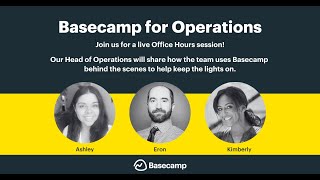
Basecamp for Operations teams | Basecamp Office Hours
37signals
Stop Wasting Time – A Simple Productivity System That Works
Travis Media
Transcript
Hey everyone, welcome to this live Base Camp office hours. My name is Kimberly from the Base Camp product team joined by Ashley from our customer support team. We are so glad that you are here joining us live. Let us know in the chat where you're from. I'm seeing lots of flags. Thank you for that. We love when people are joining us live and we know that you're here. Sometimes it's Ashley and I, we feel like we're talking to ourselves. So, keep that chat active. You guys have found that. If you have questions during this session, you will see a question mark button kind of on the right side of your screen. Just below the chat icon is a question mark. If you have any questions for us, post them there. That will make sure that we see them. We'll answer some questions throughout the session. Any that we don't get to during the session, we'll answer at the end. This session is all about using Base Camp for software development. Obviously, we are developing software. We are using Base Camp to make Base Camp as well as Hay and our other products. So, we're going to go through that today and show you actually some real projects that we use and have used here. We're going to give you some like inside scoop into how we actually have things set up. So, you guys will see that today. Um, I think that's it for me. Ashley, do you have a couple of housekeeping things before we bring out our special guest? >> Yeah, I just want to clarify that this won't be like a base camp 101. We won't spend a whole lot of time focusing on like specific tools or like an introduction to those kinds of things, but we have classes dedicated to that. So, basecamp.com/classes and you'll see um everything in your time zone and those are all recorded. So, sign up for it anyway. Even if it's at your 2 a.m., it'll still happen and you'll get the recording. Um and you can always ask your questions in advance, so they'll still be answered. >> Perfect. >> Oh, sorry to interrupt you. I just dropped a little link to sign up for our other live classes just below our pictures. You'll click into that, you'll see all of the classes that we offer. Sorry to interrupt you, Ash. >> No, you're good. Um I was going to tell them that just if they need more specific help to reach out after the session to support basecamp.com. We're going to give that link a few times. Um but that is where you'll be reaching us if you feel like you have something um that doesn't quite fit into whatever we're talking about today or you just have a different situation that you want to discuss. We can discuss it there. We can discuss it over Zoom. So you have options for that. Um I will be in the chat majority of the time and in the Q&A section. So, keep asking questions as they come up and we'll try to just get them in um to our wonderful Michelle. >> Perfect. And I have that email address up on the screen so you guys have that for any future reference. And this session is being recorded. So, the same link that you came to join this session just a few moments after we're done today. The recording will be there. So, feel free to pass it along to any of your colleagues or rewatch any section that you want to. The recording will be there for you. Okay. Well, with that, I think we're going to bring out our special guest. We have someone from our product team joining us. One of our designers, Michelle Harjani. Michelle, thank you for being here. Tell us a little bit about you, how long you've worked at 37 Signals. Kind of what you do here. Give us the give us the story of Michelle. >> Hi, thank you for having me. I'm Michelle. I'm based in Vancouver, Canada. I'm a senior product designer at 37 Signals. I mainly work on Base Camp and Hay. And I've been here for over four years. It's so exciting to get to build things and have people use it. So, customer or potential customer, it's really exciting. Uh yeah, let's let's take a look at some of our behind the scenes. >> Yeah. And Michelle's saying she's based in Vancouver, but she's kind of our digital nomad here. She's like always traveling the world taking advantage of our remote work. So, we're always like, where in the world is Michelle currently? Because some of her check-ins are we never know where she is. So, you are currently in your home base right now. Yes. >> Perfect. Well, we're going to jump right in. Um, just so you know, some of the work that we're going to show you. Actually, all of the projects we're going to walk you through are things that have already shipped, things that are in the past. So, you'll see the full scope of what a project looks like kind of at the end. So, Michelle, if you want to share your screen, let's start with our what works project. So, as most of you guys know, or maybe you don't know, we work here in six week cycles. So, it's a six-w weekek cycle of work followed by a two week cool down. And during that process, every department head is doing a kickoff. So what they're going to be working on for that first six weeks and then at the end they write what we call a heartbeat kind of summarizing that work. And all of our feature development kind of starts in this place. So Michelle, why don't you kind of walk us through where you get your work when you are kind of assigned work at the start of a cycle. >> Yeah. So when the cycle starts, uh Brian, who's our head of product strategy, would announce on like the Monday, uh which feature which features and which projects are on deck. So in this case, we're looking at cycle 3 for 2024. Uh here's what we have going on for Base Camp. And if you scroll down, here's where we have Hay. And today, we're going to walk through Hey for Families, which was a full cycle project. That means it took the full six weeks. And we'll go through all the the tools that we used along the way. So the kickoff is more of a highle just announcement of here's what we'll be working on. When we get into the project itself, hey for families, how it starts is uh we have a kickoff document in the message board that goes into more detail. What's the appetite? What's our solution and a marker sketch as well? Just some uh outlines of you know what what would we want in scope and what's out of scope at least to start with. We can change that as we go. And so when >> I'm going to interrupt you for just one second. So no, no, no. Let's go back to the what works project really quick because I want to show folks we have one designer, one programmer typically working on these features together. And that kickoff message shows who is going to be working on it. So for this particular project, Michelle is the designer on the project. Nicholas is the programmer. And that's kind of where they're getting their assignment. So you're seeing this kind of for the first time once it starts um just to kick everything off. So as the designer programmer you guys are getting those instructions at the same time everyone else in the company is learning like this is what's on deck for the next six weeks. >> And then if I could just offer kind of how this looks from non uh software nonprouct teams. When I see this as a support person I get very excited about what's going on and then I click on that link because it's an all access project. So, I don't initially have access like Michelle does to the project, but then I click on that link, I join it, and I become one of the 35 just following. So, having an all access project in Base Camp is a really cool um way to keep everybody involved when they want to be nosy like me. >> Perfect. And while we're on that note about all access and who has access to this project, you'll see on here is Brian, the head of product, is active on the project. I've added myself. You'll see that I'm active. I didn't start active on this project. My work typically starts at the end of their work. So I put myself as on the project in the last week or so just so I could follow along. Um there's someone from QA. Michelle, our programmer is no longer with the company, but he would be on there as well. Those other 35 people are just everyone else in the company. Anyone can look at the project at any time, check in on it, see what's going on, but they're not getting announcements, notifications about every step that's happening in the project. True. >> Okay. anything here we need to go before we dive into each of the project tools. Um, actually maybe we start at the top with that move the needle. We have some dates set for the start and end of the project. And Michelle, are those dates that you're setting? Is that a Brian setting? I know this was a full cycle, so it was natural, but some of those projects you guys work on don't take the full cycle. >> Yeah. So, uh, the project start and end dates in this case it was the full six weeks from the start of cycle 3 to the end. When we have smaller cycle projects, then sometimes we get to decide which ones we'll take on first and then we'll uh add the dates accordingly so that they would appear on the lineup in the order that we want to take them on. >> Perfect. Okay, then maybe we just jump into the tools. So, this is a pretty standard project in terms of the tools that we have for each feature. So, let's start with the message board and what that kind of shows. Our message board would start with the kickoff and it in the beginning it really was just notifying Nicholas and I that to notify two people here and that's the extent of who's also involved but as the project goes on everyone in the company is welcome to follow along and sometimes if we atmention people they'll be added on as well. So, we started with this kickoff um in postit as a message and this is something that Brian and Jason work on in a separate project and then they bring it over when it's time to start. We have an idea for a solution and a sketch uh and some things that we actually said here are the boundaries what we're working with. Uh but this is just a starting point. this this can change and and it did and we'll we'll um go into that in a bit. >> And this was actually a super complicated project compared to some of those that are just like two week or one week feature projects like this one touched a lot of things. >> Yes. Yeah. We touched billing which is always going to it's it it was it's a really big project but I I think we covered so much ground and I yeah so from from this um doc it's an overwhelming amount of work to do. What we do from this kickoff is to bring it in over to to-dos and we started scoping the work. These are like independent parts of the project that can um well we can ship them independently at least internally. So uh we started with one scope to manage family members. This is means okay for hey for families we want to be able to add family members remove them and we need to be able to handle plan changes. So this is upgrading your account from hey for you to hey for families and we'll need to reflect the plan changes on our in our support tools and then we also have to consider what happens if you have multiple hey accounts and that is the case for for some of our customers. So this is where we started and we just started adding a bunch of to-dos between Nicholas and I. Uh we can go into an an example to-do here for managed family members. I worked on like a forum at first and then we decided to like let's redesign it and so uh this is like a common to do. I'd be like oh let's add placeholder slots and then and I would post as a comment a link to the GitHub commit that I did the changes on and a screenshot of what it looks like. And from here then uh like this is there but it it wasn't wired up properly. So then Nicholas took it and he marked it as done when it was wired. And if anyone's following along, like in this case, Jason, he was able to like chime in like, "Oh, let's change the heading." But yeah, it's this is mainly how we we work inside to-dos and have it kept there for the record. And >> are you often screenshotting things and putting them within the project? Like it's seems like a very easy way to go back and see what happened is like, oh, it's visually there. >> Yes. >> Is that pretty typical >> for design? Yes. I would post a link to the commit and that would be so that I can go back and see, oh, this is when I changed it. And then I would also post a screenshot so Brian and Jason who are following along, they could see what it looks like from the design side. >> Perfect. And each of these to-do lists you're tracking on a hill chart. So for those of you who aren't familiar with hill charts, they're kind of our way to visually show progress on a to-do list. Um, we have the first set, which is figuring things out. The second half of that to-do list is making things happen. And then you can manually plot how you think things are going along that list of to-dos. And Michelle has just gone through and shown you how those to-dos have moved over the project, which is awesome. >> We we update hill charts uh often in in our cycle projects and just to show like where where things are on the hill and we can go back and see uh where all the dots used to be. And it looks like on this one, Nicholas has also like done a little write up, short little write up about where things are, what things have moved. He's tagged people who need to have information linked back to other things. So really, this hill chart is a really great way to give a good update on like where do things stand. Mhm. I typically see with other customers like some people will use the message board, a specific category for that kind of work, but then other people um will just prefer a hill chart because it gives that visual along with, you know, the actual update who then they can notify anybody that they need to. It's the same text box everywhere else. Um with hill chart updates, there's also mission control updates. >> So if I'm curious about the project, like the details of the project work, I would probably go to hill charts. But if I'm curious about the project overall, that bar at the top that's green, that's mission control or move the needle. And when we click on it, then we have um a similar situation. We've got a visual and then we have a some text. So I wonder are we giving like bigger project updates on the report here? >> Yeah, this is more of a high level. >> Okay. and the hill charts were all like all the nitty-gritty like, oh, here's where we are with every bit of the project. But then here's just how we're doing and if we're on track or if there's some risk or if we're concerned. So, you can choose. >> That's great. So, Michelle, is it a true statement that the majority of kind of the daytoday in the base camp project is spent on the to-dos? Yes, we work in to-dos for planned work and then later we'll see car table for more of reactive work and that's when we get feedback and ideas later on um towards the end of the cycle. >> Awesome. Um anything else on to-dos we need to go to before we jump into the schedule? I feel pretty good about that. Ashley, anything we need to go through? Perfect. >> Let's go to the schedule. >> Okay, let's do it. for the schedule we for the project um we would add every meeting that would be related to the cycle. And so in this case we had our kickoff on April 30th and then I was out for a week or two weeks and then Nicholas was out. teams on call and uh the extent of all the meetings that we had in this six week project was a kickoff between Nicholas and I and then Nicholas and Jeff had a technical discussion and then I had two reviews with Jason and Brian. Uh here's like a walkthrough call and then here's we made another review before we shipped and then I had one with Michael on our QA team just to go through every state together before we go live. And sometimes when we have these design walkthroughs, I would then like recap. I I post post everything new. Something would increase the scope. I would add that to our to-dos and then I would share that in our project chat. And here are links to to the to-dos um that were changes from our call. Uh in the design review, in this case, we did actually increase the scope. We said things in the kickoff that we're not going to do certain invites for uh if you're not yet a Hay customer. And we decided to change our mind on that. We decided to also change our mind on prrating the amount that you're paying. And so these are increased in scope and we would add that in our to-dos as a additional scope and start tracking that on the hill chart as well. >> What's nice about the schedule tool is that it is a schedule that's specific to this project only. So Michelle and Nicholas and Brian are kind of on this calendar, but I don't get notifications like it's not on my calendar anywhere because I'm not involved in this project. So, it's nice that it can be segmented out in Base Camp. >> Think that's super helpful. Okay, perfect. So, we have gone through the message board tools, to-dos, and schedule. Obviously, the chat, you mentioned that as well. And sometimes chat is like not all that active. Most of the discussion is happening in other places. Um, but chat, I think we use internally just for kind of casual quick discussions. >> Yes. And I think and the other thing about chat is we put a timer on it. So after uh two years on our project chat then that it gets cleared out whereas to-dos it will stay and so I can go back to projects I've shipped four years ago and be like oh yeah this was the decision we made and because it was all logged in a to-do and we can search. >> Yeah that's smart. That's like a good tip. Nothing that needs to be permanent should be in chat. >> Yeah. Perfect. Okay. And then we have a card table. Now tell me this. Does this card table tool start in every project or is it something that's added later? >> We would add this later when we're when when it's time to QA then we start a card table on our project. So our QA team can add ideas and things I found uh in triage. So we can be like oh something doesn't look right and then give some details and then from triage then we take a look at this and decide if we want to do it uh or if we want to move it to not now and it's okay we are sometimes we can be ruthless and adding things to not now and saying this is outside the scope of our project we're not going to do this. Uh, and from here we would be able to mark it down as it's in progress and I'm working on it. And then when it's time for uh, Michael and Gabrielle to test, we would move it over to QA to confirm fix and they're both watching this card table. So they would know that, oh, this is ready to get tested again. And then after that, um, we can move it to done. And if there are cards at the end of the cycle that we don't get a chance to fix and sometimes they're in not now, what we can do is like, oh, this didn't this didn't come out and we didn't have time for this. What we can do is we can go to move and move this to one of our bug boards uh where we track all our hey >> uh project like bugs and >> quick wins. Yeah. Perfect. Okay. Since Michelle since you mentioned other projects, can we jump to the QA project because before it gets to this place of QA adding cards to this card table, there is a process where Michelle is saying it's ready to be tested. So, kind of walk us through that. This is a separate project >> with the QA team. >> So, our QA team has this card table. Whenever we're ready for having something to test, we'll add a card here and then they'll be notified. this is ready and then they'll mark it in progress when they're working on it and when they've given all their feedback then they move it over to pending input and when we're done we move it over to done. Uh another project where we would notify another team is support. So before a feature shifts later I would add in our support help pages like oh we working on this hey for families let's add a card request for updates see go through all our help pages and see what needs updating and then after that they will handle that. So those are some separate projects that uh we would involve other teams and notify them. >> There's a question from the audience that seems appropriate now. >> Yeah, jump in. >> They're asking when typically is it time for QA or support. So within our six week cycles, you are you have to make sure that you're getting to QA at the very end of the cycle. Do they use those last two weeks or we want to get them involved like as soon as possible? That's a great question. >> When we are close to shipping and we want to test and make sure everything works and make sure we've covered all the cases, then we'll open up a QA card. >> It's not typical that we would do like a complete redesign or anything from QA. It's more just to to check and make sure that everything looks good before we go live. Uh in this case for hey for families like we did a QA probably around like week four I would say and then we shipped it internally so that only our accounts have access to it and when we were ready then we would remove the internal flag and make it available for all hey customers. >> Nice. And that process the kind of feature flag us releasing it internally doesn't happen for every feature. It's really for bigger, more complicated features where we want to like really use it in action to make sure things feel right. Um, it's probably less frequent than it is that we actually do it. Yeah. This was a big project. >> Yeah, we had to update. So, um, we can look into doors really quick. We had like >> separate links. So, we have a a door to test in beta. And so opening that link here will be able to test it uh for our accounts. And then we have a door to GitHub where we link to the pull request in hey and queen bee our billing system. And so I think that was one of the other reasons we shipped this internally is because we had a couple things to make sure it was live first like we updated queen bee and then hey reflected and once it's good then we'll calmly release it for everyone. >> Yeah. And then the week of the launch, like before we go live, I would post an internal announcement where I go into all the details what we ended up um shipping. Uh here's the screenshots. Here's like, you know, for in this case, we announced the price here as well. And this is just everything related to hay for families that would be beneficial for the rest of the team to know and for support to use as a reference if they had a customer who emails after the ships like, "Oh, what about this? How can I switch?" And so you can reference this one document with every thing in it. >> This document is so important to me. I just >> in general, every time someone posts this kind of internal announcement, it is so important. Um it's one of the best things that we do to just kind of maintain transparency especially when you are working remotely and asynchronously. >> I was going to say I think for people who are not ingrained in the day-to-day process that's happening this is what tells informs the entire company of like this is how it works and oftent times how it finishes working and the pitch are slightly different. Things might have changed. So, even if you read it in the kickoff, this document is the mo more important document because it's like this is what actually is happening. And Michelle, you're always so thorough with your writeups. You get a prize for that. Let's go back to doors really quick because I want to answer this question. Um, someone asked, "How many Base Camp doors do you use versus native Basec Camp feature sets?" So, we are linking to some outside sources. You see she has two GitHub links, but then we're also using doors to connect to other projects to make it easier for people to find. So this deployment message, her announcement internally, they're just other base camp pages, base camp message board posts, but we're linking to them with a door to make it simple for people to find. >> And then there's it looks like there's a um Google sheet as well. Yes, we had a Google sheet to track the different plan changes and make sure we covered all the scenarios. And then I had a dock here as well for when I was looking into Hey, for families, what it would be like if we had kids accounts, we didn't need this at the end, but it was just an ongoing dock and all the legal things that we would need to comply with. >> Yeah. And that relates a little bit to the the question by Alex. Do you use basecam for notetaking important bits of information that you want to keep for reference like that or writeups? I I mean I think that document alone makes a lot of sense to just have within this project. But um when you are writing that internal announcement, are you writing it as you go or everything's done you're like let me just put as much information in the announcement at the end? >> Well, I the internal announcement takes a couple days to write. I would say I would put everything in it and then also use that as the base for if I were to tell QA, oh this is ready to test and give them like a highle uh all the details about it, but I'd also link to the internal announcement even the draft because you can share draft links. >> Okay. >> And I would also say Alex to answer your question and you guys chime in. I think we probably all use B we have like a private base camp project. I know I have a base camp project no one else has access to that I like write notes to myself about things we have to do weekly check-ins like what we've worked on this week I have that in a kind of private note-taking place if you will but it's in base camp in a project no one else can see before I'm actually posting it publicly so yeah I think I think most of us do use base camp projects in that way just to like take notes for ourselves >> yeah definitely >> okay Michelle this has been very thorough. This is actually one of the more complicated projects I feel like um to walk people through, but it's helpful because you can see all of the things. Question for you. Do you think that there's any is it just to-dos is the most important tool for you guys. >> Yeah. To collaborate, we would use to-dos to track all the work. >> Yeah. We often have people ask about to-dos versus card table, when they should use one or the other. I think for all of our feature development, we're heavily using to-dos for each aspect of the feature and then card table for QA. I think that's a pretty clear distinction for us. >> I think I see a lot of people once they figure that out, they start to get hung up on dates. They're like, "Okay, well, we need this to ship on this day, but how do I set my my to-dos to the right times?" But I didn't see that any of your to-dos had due dates. Did they? >> Good question. >> That tells us when things are done. >> We don't normally use due dates. We I know I had only one and this is just because when a feature in Hey ships, I add like a new um tag on it and then when it's time to remove it, like I would set a date, you know, few few weeks later, that's my reminder to remove it. But that's the only time I would use a due date on a on a project. >> That's interesting. I wonder because, you know, overdue to-dos becomes a conversation a lot with other customers and like trying to manage other people's work, but I think just by the nature when you're not using due dates and there's like nothing that is overdue, it's just kind of we're all pushing for the same goal. I don't know how it lines up so well, but um that's where those hill chart updates become so much more important because that's where we're saying this is what the status is. And that's kind of why that hill chart itself is valuable that it's not automatic because checking something off doesn't necessarily mean we are like >> an incremental like a decided increment of a distance forward of making progress. Like maybe that thing like took us from here but actually kind of brought us back because we have now so much more to figure out or maybe it like completely launched us forward and we're actually almost done. So um those hill chart updates if you haven't tried them please try them. >> Yeah, Ashley's a huge hill chart fan. I didn't used to be a hill chart fan until I like really started using them. I'm like, "Okay, I get it now." >> Okay, let's jump into Michelle, unless there's anything else you want to show, we can jump into some of these questions that we haven't answered. >> Oh, I think there's like another example of um a project where we would I would typically add um screenshots to hill chart updates as well to show where we are and what's left and this case a screen recording. >> But yeah, it's uh common to to share just where we're at, what's left in the Hill chart update. >> And then also, so I kind of mentioned that all of us have to do like these check-ins during the week of what we've been working on. And Michelle, I often see you in your check-ins linking to these hill chart updates. Like this is what I worked on and here's the hill chart, like linking to it. Um going back to that, reporting what you're doing and then linking back to other projects. We do that so frequently. Yeah. Um the check-in that Kimberly mentioned is like this uh in what works we have um asking each team what have you worked on. This is an example when I was working on for Hey for families. I always add emojis in mine and and links to the things that I worked on and it's it's good to be able to go back and and reference. >> I mean that is I say it and you bring up the example. I know >> it's perfect. >> Look at all the celebration underneath there. >> One of the better things in base camp. I love it. >> If you guys have questions for Michelle about how she's using Base Camp for software development or for Ashley or I, anything Basec Camp related, drop them in that question section. We're just going to knock out some of these questions. Um, I think we kind of have answered this, but I'm going to post it on the screen anyway. What does a typical designer developer feedback loop look like in Base Camp to get to the end goal in six weeks? I mean, I feel like we're saying it's heavily based on to-dos and the collaboration within the to-dos. One thing that is so great about Base Camp is all the discussion stays with the item. So, if you're discussing a to-do, it's all connected to that to-do. Everything kind of is in one place. >> Is there anything I'm missing there, Michelle, in terms of like your collaboration with your developer? >> I think it's yeah, mainly in to-dos. Uh, we do have a call in this project. I think I talked to Nicholas once on a call and there are other cycle projects where we would have um maybe more of like a check-in call at some point mid midweek in the like maybe week three of a six week project. Uh and then I've on my current one where it's like more new product development, I'm talking to my programmer at Joseph every week >> and we're just checking and it's not like a scheduled call. It's like, oh yeah, today we let's let's catch up today and the next week could be uh on a Thursday versus a Wednesday and it's just more ad hoc. But yeah, we don't have a lot of meetings. Everything is written as much as we can. And it's great. It's also makes it a lot uh it makes very searchable. >> Yeah, >> it's true. In fact, that the fact that we're looking at a 2024 project and can find everything we needed to know about how that product was developed, how that feature was developed is >> yeah, >> kind of speaks for itself. Um, okay. A question from Liz about documents and Ashley, you might jump in here. Where can you save company documents that the dev team can save documents in? So, we there is a documents tool that anyone can add documents to. You can see that docs and files. If we click on that, we can >> show the the Hey project actually because we have more documents here related to Hay. And I think the most important one here would be the basic model walkthrough. Here's like a video that Rosa filmed to >> walk through our Hay code base. And it was recorded once uploaded here and every programmer that works on Hay or designer as well. we would all watch the video and it's here. >> That's great. And then companywide, we also have, you know, companywide project where there's documents. So anywhere that you have a group of work, any kind of project can have its own docs and files tool. >> So Liz, hopefully that answers that question. Um, let's see. Liz, is there a contact person that can help with help us with how to use Base Camp for software development? Well, hopefully this recording helped, but also let me pop up on that screen that email address. You can always reach out to our support team, support.com. Happy to help you. >> Any follow-up questions you guys have? Support.com. >> Okay, let's see this one from Encouch. I hope I'm saying that right. How can we recover chat group ping if the team members are no longer associated with a project? the project. They're not in base camp, but previously they were the active members and had conversation in group pings regarding projects with graphs, links, everything on the same group ping. Ashley, this is might be a question for you. But now, as they're not in the base camp, that group ping chat is also lost. Nay, it shall not be lost. Um, first, why why group pings? Why not just put things in the chat and then set the chat not to expire? So, are we like I wonder if we're actually talking about a group ping or if we're talking about chat secretly. Um, so that's a specific question for you. And then whether they were active or not, like whether they're in the account or not, that conversation remains. So, whenever somebody's removed or whenever they leave the account, then nothing from what they've done gets deleted at all. So, you're actually totally fine on that point. Um, I still have pings of people who are gone. They're just they're there. And then uh and then there was there another aspect to that question. It left >> um I I did make it leave hold please. >> Um group pings links everything again if those group pings are that um rich in content >> perhaps they should be a project and that way it's significantly easier to be searchable. Um and yeah if you feel that it's lost support at basecam.com. Yeah, just know >> great. But that is a really good point about keeping things that don't need to be permanent, chat, is fine. But if it needs to be recorded and saved and live on, another place is probably better for it. >> Yeah. so much more context in adding your comments to to-dos and adding the conversation to to-dos because then it you have, you know, like a basis of what this is about instead of like a stream of consciousness from, you know, do I need information from April 30th or from, you know, June 10th. So, try to consider uh to-dos. Perfect. Okay. U Michelle, I think this is a good question for you from Bruno. How do you fit tasks that are inherently uncertain into the workflow? for example, doing something technical you've never done before or a task that depends on the progress of third parties. I think the answer would be that we just are continuing continuing to iterate on those to-dos and adding new things. But maybe that is not your answer. How do you do what do you do for things that you're not quite certain about when you're starting a a project or a new feature? >> You take your best shot at it and then just iterate from there. Um, for design side, I would sometimes get a head start and work on things. It doesn't it's not functional because our programmer hasn't wired it up, but it's there. There's something to look at. And if we can, we just we just start from there. Then there are some cases where our programmer would get a head start and wire things up. And then I will iterate the design as we go. >> Can we go back to that hill chart report? Because I feel like, if I'm not mistaken, we didn't start with all of those to-dos on the hill chart. It started with a smaller subset of tasks. >> Yeah. It it started off much much smaller in scope as well and then it just kept going. >> Yeah. Uh, and that often happens is like there's some to-dos that start the project and then as things are kind of in the middle, it's like, oh, we need to add a whole another task list or to-do list on another area of the project. And this goes to Magesha's question. Can you show one example of updating a to-do when viewing the Hill chart? So, can you maybe it's a a blank project, a starter project, how you actually go and move to-dos. I don't know that you want to mess this one up. >> Oh, like we can we can >> Yeah. Oh, make a new new list. Perfect. >> Yeah, we can add another scope. >> So, Michelle's adding a new to-do list, giving it a name, adding whatever task we wanted to add to it. >> You can actually track it on the hill chart at that point or you can decide later. Mhm. >> this screen. And then we'd go into details. And from here, I can assign it to myself or I assign it to our programmer when we're ready for for wiring. Or it could be a separate to-do that it's like, we'll wire this up. And then so this would be a design task. This would be a programming task. And we can mark them uh done independently. I I either works. I think sometimes we just keep it together to be like, "Oh, this is the design." And I think that was the example we had before. I'll bring it up. >> And then could you actually add the scope to your hill chart? >> Sure. Sure. >> And then show how you would like update that hill chart. >> So from here, um, so we have a to-do list. We can go into the overflow menu and say track this on the hill chart. Uh, and then it's it starts here. If we go back to all the to-dos, then we get to see this new scope and then move it along the hill. >> Perfect. So, you can decide which of those to-do lists are tracked on the hill chart. And some can be tracked, some cannot be tracked. You can track them all. You get to decide um how you use those. And then you can just update hit that update link and then move manually move that dot. We often have people actually I'm sure you guys you get this question a lot of like how can it be automatic? How can like you check off a to-do and it automatically moves? And we always say like it is intentionally manual. Like we want you to have to think through >> how far along is this? How is this going? Where on this continuum does this task list fall making the actual conscious human decision versus an automatic one? >> Definitely. And if you actually like check off design this screen, that little circle next to scope will automatically adjust 50% completed. So there is like a small visual to uh know about. But um I think it's just more important that we be able to identify are we figuring this out or making it happen. Also people tend to ask um how do I track individual to-dos not my lists >> and you cannot. So, you'll just need to think about, am I structuring it in a way that works for me or do I want to be able to use the hill chart because that would work even better for me >> and thus adjust your things so that you move things from to-dos to um lists. >> Okay, let's go to Liz's question. And I think Liz, it sounds like we might work a little bit differently than you. Your question is, do you add your developers as clients or they have to be added as contractors, vendors? I'm curious to know what each category have access to. So our developers are internal employees. So they are added as employees and added as part of the team. They're not added as clients or in any other way. So developers and designers were all on the same team. So they have all the same access. It sounds like you might be using outside contractors for your developers. If that is the case, then you just need to decide how much you want them to have access to. If they're set up as a client, then you can decide for every element of your project what they can see and what they can't see. So, you can turn on and off tools. They can see a message board or not see the message board. They can see a to-do list or not see a to-do list. If they are set up as clients, that's the only category where you have that option to control access. If they are a collaborator or an employee, they have access to see everything. Anything I'm missing, Ashley there? >> Uh, no. That's basically it. I will provide the permissions page. I think that would be helpful to look over. >> Perfect. Okay, you guys, we're we're wrapping it up with this last question. Jason, what's something in Base Camp 5 you're looking forward to? You know, we can't tell you that, but this is a good transition into our community. Jason is one of our members of the Base Camp community, which is a gathering of Base Camp users. Ashley heads it up. Actually, I'll let you talk about it and then I will post a link to it. >> Yeah, it's a wonderful space, especially for some of these questions coming up where other people approach software development differently. And so, people are using Basec Camp to to handle that and to handle a ton of other industry specific um and personal life needs. And so, the community is like 2,000 plus individuals. Some of us who have been pro Base Camp for like 20 years, some who just found out about Base Camp like 20 minutes ago. And so having um the diversity of experiences is really interesting, a great place to ask questions and kind of learn more about um what other people are doing and how they handle their work. >> Excellent. I put just below us below that screen is a link to join the base camp community. I also dropped it in the chat. If you are interested, if you're a base camp user and want to collaborate with other base camp users, click that link. You'll fill out a quick survey. Ashley and Robert on her support team head up that group and they will let you in. We will. But it is a great place. You guys, final call for questions. Anything that we can answer for you before we wrap it up today. Michelle, thank you for this. >> So thorough. >> So much. >> I do have a um a written version of a another project. Uh and this is on our updates blog where I walk through our base camp account for when we worked on Hey Bubble Up. And this was back in 2022, but it stands, it goes through all the shaped up concepts and how we start from the kickoff and all the different tools that we use. So, I'll paste the link in the chat if you want to check it out. Oh, that's perfect. >> I'll send that out to everybody, too, who has signed up so that they'll have the link in their email as well. >> Amazing. So, Ashley's going to follow up our session today with an email. So, you'll have links to a few of the things that we talked about, and you'll also have a direct way to just reply to that email if you have any follow-up questions. >> I think that we have wrapped it up, you guys. Thank you for joining us. Thanks for watching, learning with us, and again, if you have any questions at all, reach out to us at supportbasecamp.com. Happy to help you guys. Okay, I think that's it. Thanks, guys. Bye for now.
Video description
In this Basecamp Office Hours session (recorded live on September 24, 2025), the 37signals team walk through how they use Basecamp for implementing a new feature. Senior designer Michelle Harjani shares a peek into a few Basecamp projects used by the team and show how they're organized. For access to the chat and webinar features, watch the original broadcast here: https://www.crowdcast.io/c/lf8w2g3nnora For follow up questions, reach out to support@basecamp.com. Timestamps: 01:00 – Introductions 02:48 – Meet Michelle Harjani, senior product designer at 37signals 04:02 – 37signals process of working in six-week cycles 04:40 – Product team cycle Kick-off document 06:18 – All-access projects for feature development 07:31 – Setting start and end dates 08:11 – Message Board and feature kick-off document 09:30 – Scoping the work with To-Dos 11:33 – Hill Charts 13:00 – Mission Control 14:20 – Schedule 16:14 – Chat 16:57 – Card Table for QA 18:30 – Interacting with the QA project 19:08 – Interacting with Support projects 19:34 – When does the QA process begin? 10:28 – Pushing features to 37signals' internal account 21:02 – Doors 21:40 – Posting internal announcements 23:00 – Linking to other Basecamp projects with Doors 23:45 – Docs & Files 24:01 – Note taking in Basecamp 26:10 – Setting due dates on To-Dos 27:12 – Hill Chart updates 28:22 – Linking to projects in Automatic Check-ins 29:28 – Collaboration between designers and programmers in Basecamp 31:03 – Saving documents 32:33 – Group pings vs. Chat 34:27 – Handling unknown work 36:11 – Add a to-do list to a Hill Chart 39:19 – Working with clients 40:40 – The Basecamp Community 42:00 – Wrap-Up