We can't find the internet
Attempting to reconnect
Something went wrong!
Attempting to reconnect
Analysis Summary
Worth Noting
Positive elements
- This video is a highly efficient technical demonstration that clearly explains how to automate repetitive project setups in Basecamp.
Influence Dimensions
How are these scored?About this analysis
Knowing about these techniques makes them visible, not powerless. The ones that work best on you are the ones that match beliefs you already hold.
This analysis is a tool for your own thinking — what you do with it is up to you.
Related content covering similar topics.
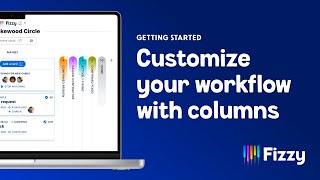
Add columns to customize your Fizzy workflow
37signals

Track the progress of just about anything in Fizzy
37signals
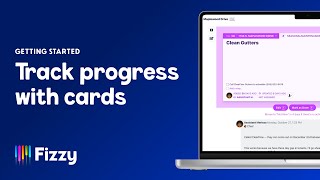
Track progress with Fizzy cards
37signals

Basecamp for Software Development | Basecamp Office Hours
37signals

Make progress, not puzzles
37signals
Transcript
Hey! I'm Kimberly and I wanna show you how you can take an existing project, one that you've already gotten, set up exactly the way you like it, and you can reuse that project for future work. Basically, we're turning a project into a template. So let's start with this project I have that's a meet up project. We'll go to this three-dot at the top and then go to Save as a project template. From here, you'll give your template a name. So I'll just call this meet up template. And then if you wanna add a description, you can do that as well. And then you're gonna choose if you wanna include the same people in your template that were originally on the project. So those folks would be automatically added when you create a new project and also given the same assignments that they had in the original project. And then you'll also choose if you wanna include any comments that were part of the original project as well. So for this one, I'm gonna include the people, give them their same assignments, but I'm not gonna include comments. So from here you'll create your template and Basecamp will spin up a new template based on the project that you already had started. So you see here, I've landed on my project templates page. From here, once I'm ready to start a new project, I would just start a new project from this template, you'll give this project a name. So we'll call this Fall 2026 meetup. And if you wanted to add a description, you could here, let's say we're going to Italy, you'll see that the same people who were on the template will be added to this project automatically, and then you'll create this project. So now you have a brand new project based off a template, which was based off a project. So it makes things really simple. You don't have to start from scratch. If you've already thought through that project once, just make it into a template and you're ready to go.
Video description
When you've created a project that you want to repeat, you don't have to build it again from scratch. Instead of starting over, recreating your to-dos, and duplicating your documents, simply create a template from your existing project. On the project page, click the ••• menu at the top right, then Save as a project template. Give your template a name and description, choose what to include, then create your template. Once you're ready to spin up a new project with the same format, head to your home page and hit the Make a new project button, then Choose a project template. #37signals #basecamp