We can't find the internet
Attempting to reconnect
Something went wrong!
Attempting to reconnect
Tiago Forte · 257.9K views · 5.1K likes
Analysis Summary
Performed authenticity
The deliberate construction of "realness" — confessional tone, casual filming, strategic vulnerability — designed to lower your guard. When someone appears unpolished and honest, you evaluate their claims less critically. The spontaneity is rehearsed.
Goffman's dramaturgy (1959); Audrezet et al. (2020) on performed authenticity
Worth Noting
Positive elements
- This video provides a very clear, hands-on demonstration of how Claude's agentic 'Cowork' features handle large-scale context like a 45,000-word manuscript.
Be Aware
Cautionary elements
- The framing of the AI as a 'team of agents' may lead users to over-trust the output without realizing the potential for hallucinations across large datasets.
Influence Dimensions
How are these scored?About this analysis
Knowing about these techniques makes them visible, not powerless. The ones that work best on you are the ones that match beliefs you already hold.
This analysis is a tool for your own thinking — what you do with it is up to you.
Related content covering similar topics.
Add columns to customize your Fizzy workflow
37signals
Your tools are now interactive in Claude
Anthropic
AI Revisited - part 2 – REWORK
37signals

How can I communicate better with my mom?
Anthropic
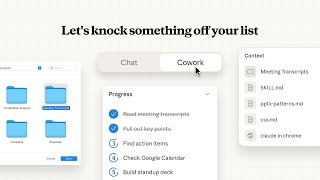
Introducing Cowork: Claude Code for the rest of your work
Anthropic
Transcript
If you've been using something like Chat GPT or Claude, tell me if you've had this experience. You open up a chat, [music] you have a great back and forth conversation full of ideas and insights and questions and answers, but then at the end of it, you step back and you sort of think, well, where is the result? Where's the value that was created from all that chatting back and forth? Where did it go? It's felt like the AI is held back somehow. It's really just a little buddy, a little assistant that you can chat with, which is valuable, [music] but it's really been shackled and held back by its inability to do anything more except talk. A little bit of background. In February of 2025, [music] Anthropic, the company that makes Claude, tried to address this [music] by quietly coming out with a new product called Claude Code. What started to happen [music] is that software developers started using claw to code not just for coding but [music] for everything else. They were using it to manage their to-do list to move forward their project to do research to [music] create spreadsheets and analyses. Basically the use cases exploded to practically everything that you might want to do on a computer. So in January 2026, [music] just a few weeks ago, Enthropic recognized this trend and they came out with yet another product called Claude Co-work, which is basically getting the power of Claude code and [music] making it much more accessible and userfriendly so that everyone else can take advantage of it. Instead of chatting, you now work alongside the AI on a shared set of files that persist [music] over time. Instead of just talking about work but leaving you to do most of the execution, Claude [music] can now actually execute much of the work itself. Let me show you what this looks like. This is the MacOSS desktop app. And what I'll have you notice is right up here at the top there are now these three separate tabs. Chat was the original one which you can see here below. This is the standard typical LLM interface that we all know and love. And then code is over here on the right. and that was the second one to come out and co-work the new one is right here in the middle. It's kind of interesting to think about why they're in that order. And I think it's basically because chat you can think of as the beginner mode, code as the advanced mode, and co-work mode. I almost think of it like chat plus, like an advanced version of the chat interface. You can see it looks quite similar to chat. There's a dialogue box in the middle, a bunch of options along the top or bottom, but there's also some differences which I want to point out. Now, the first thing is you'll notice it's an early research preview. So, you want to always keep that in [music] mind. This is a beta. This is an experiment. Could have some weird behavior, some things you don't expect. The second thing to notice is if you open the sidebar here, instead of new chat, it says new task. [music] And that little change in wording is so interesting to me. Before it was a chat. It was a little conversation now because of what this is called and also because this says let's knock something off your list. It's really kind of framing this as what is something currently on your to-do list that we can take care of right now. That's a much more powerful and promising framing in my opinion. And then the third thing to notice is if you click right here work in a folder, it not only gives you the option to add some sort of connector or something which you can do right here, but it actually wants to work in a folder. it it prefers it's its preference is to have a shared workspace a folder where it has free permissions and free access to do whatever it needs. So let me give you an example of how powerful that is. I'm going to go ahead and click work in a folder. I'm going to go to my projects and then go to the book I'm writing. And then we have a folder here called lip which stands for life in perspective my upcoming book lip context. So, inside that folder is the latest version of my book manuscript. So, I'll go ahead and select that folder. So, it now knows that's its little workspace, its little playground. You'll notice that I have the option to allow this one time or always allow it to access that file that I've selected and all of its subfolders. So, I'll go ahead and click allow. I didn't have to remage through and individually choose all these specific files. I just gave it a space, a folder, and now it can play, it can act, it can explore, it can research anything that is in that space. So, let me show you how powerful this can be. I'm going to go ahead and say, what are the suggested improvements that you would make to this book manuscript to make it more interesting, impactful, and accessible to a broad readership? And then return. So, a couple things as that's working. You'll notice up here on the right, it will show you its progress. Claude Co-work actually has like its own private to-do list. It actually is mapping out the different tasks it will need to do and then it checks them off one by one. And you'll often see evidence of those right here in the stream of thought, which is called thought process. Here you'll see the folder that it's accessing as part of its context. As it creates and edits and manages other files, you might see those appear right here where it says context as well. You can see that it found the manuscript for my book which is in a word document format [music] and now it's reading through it and providing suggestions. So something you'll notice as it's taking a few minutes to do this is I can click into this little kind of work in progress area and see a playbyplay of what it's doing. So you'll notice it's uh realizing the manuscript is quite long. It's about 45,000 words. It's actually trying different approaches. So here you can see that it's reading it in chunks. Okay, it's still quite large, so it's using sub agents. It's actually spinning off different versions of itself, each with their own context window and their own to-do list to read different sections in parallel and then compile comprehensive feedback. So, it's almost like you're spawning a team of different AIs that is each tackling in parallel different parts of the task that you've assigned it. So, you can see here it's reading and analyzing part one of the book, part two, part three, final chapters. I can even click into here if I really want even more detail as to what it's doing specifically. And there we go. That took around five or six minutes. And let's see what it came up with. It says, "Based on my comprehensive analysis of life and perspective, here are my suggested improvements organized by priority and impact." So notice that this whole framework for how to provide feedback was not something that I told it. It came up with this on its own. Has critical issues, high impact. There's an accessibility gap. [music] The book assumes that this is for business owners, knowledge workers, people with significant time or resources. That is a major issue. Chapter 12 may alienate most readers. Structural pacing issues. I like that it doesn't just identify the problem. It also suggest very specifically how to fix it. A weak introduction to conclusion arc. Then there's high priority improvements, missing encounter examples, guidance too vague. So this is just remarkable, you guys. This is so amazing. I actually tried to put the entire book manuscript into the standard Claude chat just a matter of weeks ago, maybe five or six weeks, and it couldn't handle it. Couldn't handle that much context all at once. So, I had to go chapter by chapter. The problem with that is that Claude as an editor cannot give as good of advice if it only sees one chapter. It really needs the context of the entire book. This is a gamecher in terms of how much context you're able to give the LLM all at once so that it can see the big picture. Now, before we go any further, let's talk about what this costs. There's two things you're going to need. At least a paid standard plan, which is the lowest tier at $20 per month as of the filming [music] of this video. And the second thing is the MacOSS desktop app. It's currently not available for Windows, although that's coming soon. [music] What's pretty amazing is just a matter of around a month ago, you needed the higher tier, I think a $150 or $200 per month plan to get access to Claude Code. Now, both Claude Code and the new co-work are available at the lowest paid plan, which is just 20 bucks. I would really recommend that anyone who is already paying for any LLM, which is likely $20 a month, really consider adopting Co-work instead. And the reason for that is even if you're not a software developer or a writer like me or a content creator, in other words, you don't have a large code base or a book manuscript or some big thing you're working on, I would still recommend it even for your typical day-to-day questions and tasks. And I'll show you why in the next example. Let's go ahead and open up the sidebar, create a new task, and I'd like to show you a different real life example that I did just in the last few days that doesn't make use of existing context. A couple weeks ago, I decided that I wanted to take a little road trip in central Mexico with my family. We've been living here a year and a half and have not done any road trips. So, I thought that would be a good way to take advantage of the fact that we live here and have a car. So, I'm going to go ahead and use Whisper Flow, hold down the function key, and just give it the trip that I'm envisioning. I'd like your help planning a road trip within a few hours of our home in Vaia de Bravo, Mexico. This will be myself, my wife Lauren, who is 5 months pregnant, and our two kids who are ages 3 and 5. I'd like it to be around four nights within a few hours drive of where we live. And it should be quite easy and nonstrenuous because of the two young kids and the pregnant wife. So nothing too extreme or too taxing. Prioritize nature, culture, interesting and unusual experiences. Prioritize places that are a little bit off the beaten path and not something that is going to be too touristy, especially something with international tourists. All right. So, I'm actually going to turn off this context so that it's not drawing on my book manuscript. And then I'll hit let's go. So, you'll notice that it's doing web research, which is a capability that co-work has. And there you see all the different sites that it is researching. 10 different websites and then 10 more. I could click into one of these if I wanted to see more details about what it's looking at. Now it's doing another round of research around familyfriendly accommodations, driving distances, off the-beaten path options, taking into account my preferences. So here you can see it's starting to research more specifically a place called Patuado with 10 more results. Another one called Malino with 10 more results. Few more. It's summarized back to me what the criteria is that it's using. It's giving me the options that it's researched. And this is something I want to point out right here. This is a feature that is unique to co-work and code which is called uh plan mode. Taking a step back here, you'll notice that in the standard chat, anytime you ask the LLM to do anything, it just dives head first. It just goes for it, right? It's almost like an overeager kid. It's like an overeager intern that wants to please you and really wants to impress you, which is good. The problem is that it doesn't know stuff. It doesn't it doesn't have the right context. is making assumptions and the standard chat will almost never or rarely ask many follow-up questions. Co-work on the other hand will. So you can see here it's asking me a follow-up question which is really a critical piece of information which is when are you planning to take this trip? And then it's even giving me preformulated answers that I can choose from or you can write in your own answer. So I'm going to say midFebruary which is when we're planning on making this trip. And then another follow-up question which is again is pretty crucial. What type of accommodations do you prefer? Boutique hotels, chain hotels, vacation rentals. I'm going to say a mix. So, it's recommending that we take a visit to the Monarch Butterfly Sanctuaries. It's given me a fournight itinerary. Night one there, day two, nights two and four. And this is where co-work will tend to present more detail than the standard chat. The standard chat will not usually tell you what it's less certain about. I will just confidently give you the answer, but it's giving me what it's not sure about and what would change my recommendations. And what I'm noticing is that there's some additional context that it should use. So, I'm going to basically evolve and iterate on this plan through conversation until I arrive at something that I have confidence in. We live in VIA de Bravo, which is very nearby, one of the biggest monarch butterfly sanctuaries. So, it's very easy for us to visit those. Revise this plan to not include the butterflies. All right. So, it has now removed the butterflies. It's recommending we go to Morelia to Patu to a place that I cannot pronounce and a few others. This looks great. [music] There's some things that I can adjust like if a 3-hour drive is too much. No, I think that's fine. If I want to go more off the beaten path, if you want more nature. So, in real life, I did go back and forth a few more times to revise this. But what I want to show you is what we actually ended up with. So, I'll say this looks perfect. go ahead and summarize this overall itinerary with all the details that I'll need daybyday in a format that I can print out and take with me. You can see right here inside a new working folder that it's created, it has now created a word document to store all these plans. And there we go. Let's go ahead and open this in Microsoft Word. It's going to ask you for permission. And voila. Look at this thing. It's got a day-by-day itinerary with everything including specific driving times, what we do in the morning, what we do in the afternoon. It's got practical notes like accommodations, roads, weather, food. None of this were was things that I asked for. This was all on its own initiative. In fact, the first time I did this, it was the one that actually suggested a word doc format. At first, I was like, a word doc? What is this like 1995? But then I realized, wait a minute, we're going to be on the road in Mexico. There's often not good cell phone service. So, I can't have it just on my phone. It's actually very helpful if there's something I can print out and keep with me in the car. All right, we've now looked at a couple in-depth examples. Before you dive into co-work, one thing to keep in mind is that everything you do with co-work, just as with code, is only stored locally. It's only stored on your machine. So, if you switch to a different computer or a tablet or a phone, you will not find that conversation stored there. Something you should also keep in mind is that context works differently. Instead of clicking into a project and uploading, you know, project files one by one, you'll just have a folder on your computer where all the context and the work in progress is stored. This is actually a much better approach, but it does take some [music] getting used to. It takes a little bit of a mindset shift to work with co-work. We're used to just opening up a chat without having to think of some of these other considerations as if we're opening up a Google search. Although it does require a little more that you have to keep in mind, especially when compared to code, I think co-work is a huge step forward [music] that anyone who's using LLMs today should go ahead and at least try out, if not adopt. It's not you face to face with the LLM talking. It's as if they're taking a seat at the table or at the desk next to you. You're both looking at a shared set of working documents [music] and taking turns and collaborating and handing off different tasks to each [music] other in a very dynamic way that is more natural, more exciting, and of course, far more productive. We've covered a lot in this video, [music] so we've actually created a completely free getting started guide, which you can find in the description or the comments below. It includes a summary of everything [music] that I've discovered, all the dos and the don'ts and the tips and the tricks for how to take advantage of co-work. And if you discover any other tips or tricks that you want to share with us, go ahead and share those in the comments below. >> [music]
Video description
📥 Get Started With Claude Cowork (FREE GUIDE): https://bit.ly/466YUul Claude Cowork is a brand new tool from Anthropic that lets you collaborate with AI on a shared set of files. Instead of just talking, it can read your documents, do research, ask follow-up questions, and create real deliverables like Word docs, spreadsheets, and summaries. In this video, I walk you through exactly how it works with two real-life examples: analyzing a 45,000-word book manuscript and planning a family road trip in Mexico. I also share the do's and don'ts I've learned after using it hands-on. 🔗 Download Claude desktop app: https://claude.ai/download CHAPTERS: 0:00 - 00:36 The problem with AI chat 0:36 - 1:47 What is Claude Cowork? 1:47 - 3:38 The Cowork interface walkthrough 3:38 - 7:36 Demo 1 7:36 - 8:42 What does it cost? 8:42 - 14:08 Demo 2 14:08 - 15:30 Things to keep in mind 15:30 - 16:02 Free getting started guide ----------------------- 💌 Join our weekly newsletter for more tips and resources: https://fortelabs.com/subscribe/